What Is AionUI? A Practical Guide to Organizing AI Teams, Projects, and Workflows
AI is no longer just a tool for answering questions or generating content. For many businesses, it is becoming part of the daily workflow. That creates a new challenge: how do you manage multiple AI agents, keep projects organized, and make sure everyone on the team is working efficiently? This is where AionUI comes in.
AionUI is designed as a single workspace for coordinating AI-powered work. Instead of jumping between different apps, prompts, chat threads, task boards, and automation tools, teams can use one environment to manage projects, assign AI agents, and streamline workflows. For companies trying to do more with less, that can be a major advantage.
What Is AionUI?
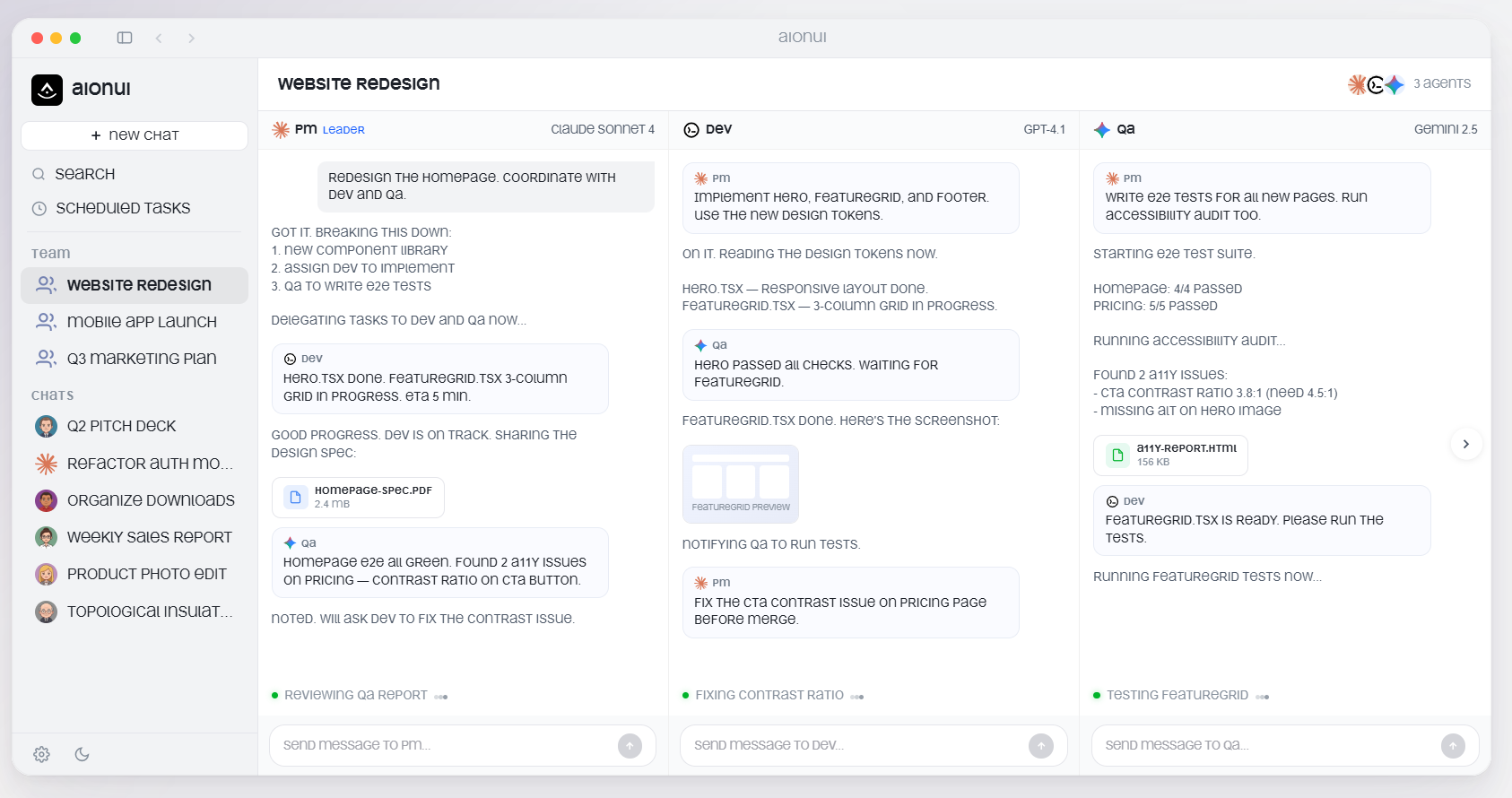
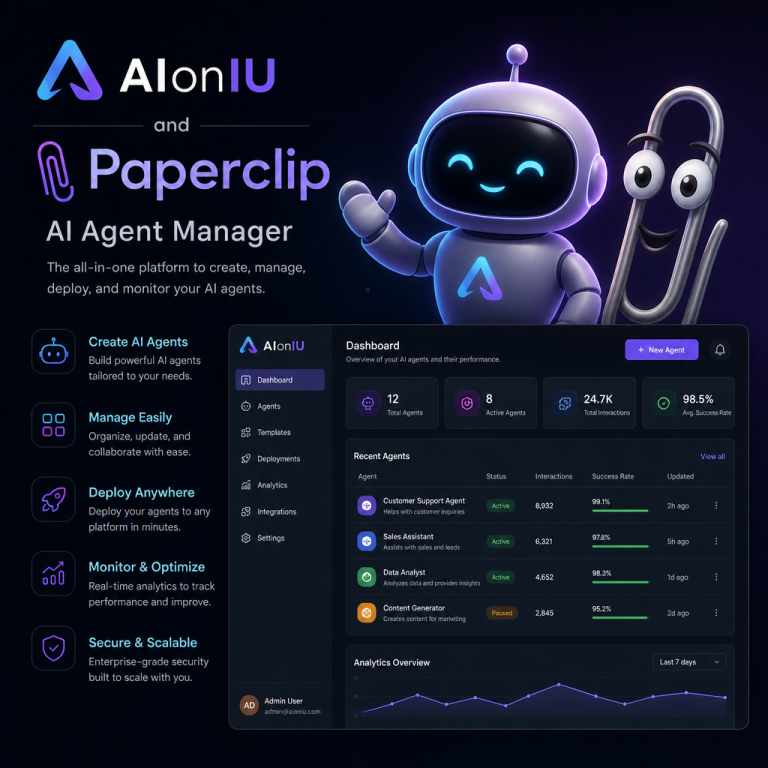
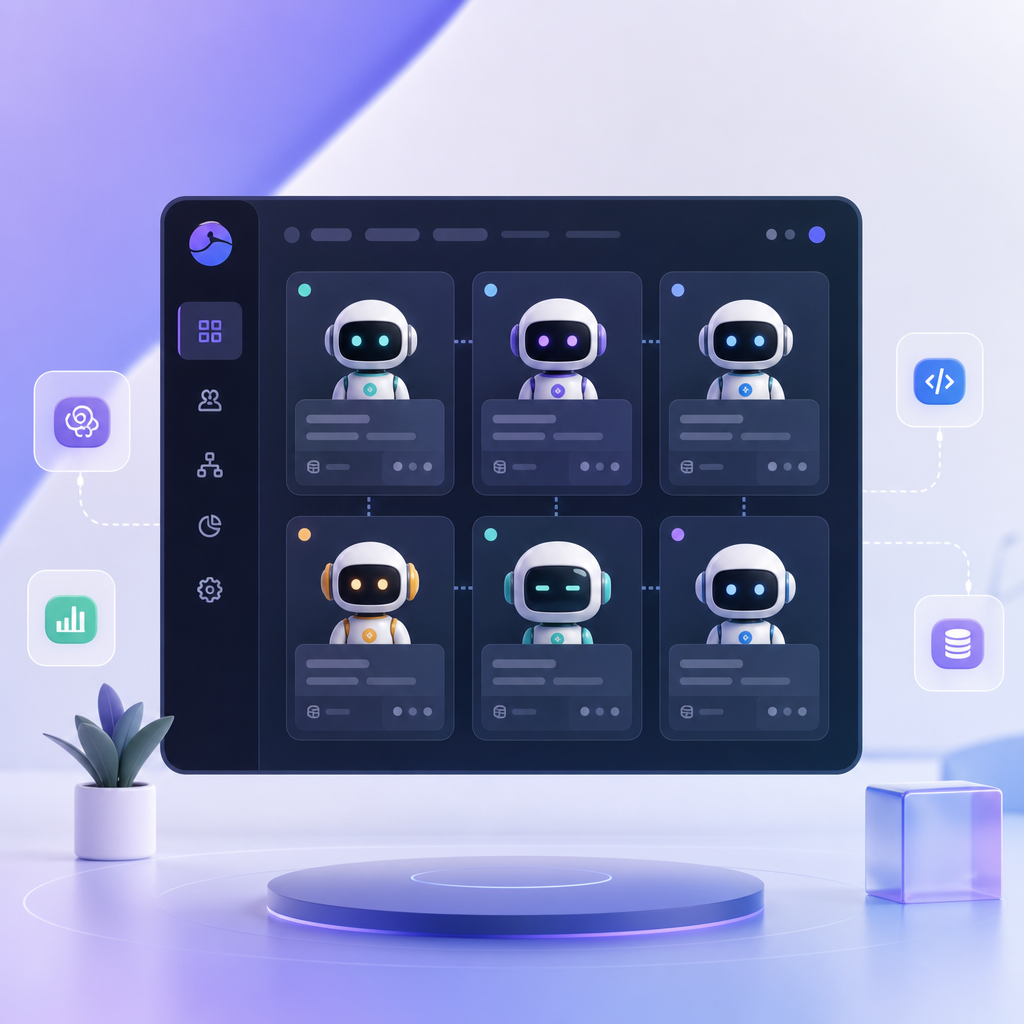
AionUI is an AI Manager workspace built to help users organize AI teams, manage projects, automate repetitive work, and coordinate multiple AI agents in one place. Think of it as a command center for AI-driven work.
In a traditional setup, teams might use separate tools for planning, collaboration, document creation, automation, and reporting. With AI added to the mix, the stack can become even more scattered. AionUI aims to simplify that by bringing AI tasks, project context, and team coordination into a unified interface.
That matters because AI is most useful when it has structure. A single prompt might be enough for a one-off task, but business work usually involves follow-ups, dependencies, version control, and approvals. AionUI helps create that structure.
Why AI Workspaces Are Becoming Important
As businesses adopt more AI tools, the problem is no longer access. It is coordination.
A marketing team may use AI to draft blogs, generate ad copy, analyze performance, and summarize customer feedback. A product team might rely on AI for research, roadmap planning, and support documentation. An operations team may use AI to automate reports and handle internal requests.
Without a central workspace, these activities become fragmented. Teams lose context, duplicate work, or struggle to track what each AI agent is doing.
This is why AI workspaces are gaining attention. They give businesses a way to:
- centralize AI activity
- reduce tool sprawl
- improve collaboration
- keep tasks tied to projects
- make AI outputs easier to review and reuse
In other words, they turn AI from a collection of tools into a manageable system.
How AionUI Helps Users Organize AI Teams
One of AionUI’s biggest strengths is team organization. Instead of treating AI as a single chatbot, it allows users to think in terms of roles and responsibilities.
Assigning AI agents to specific tasks
Different AI agents can be directed toward different parts of a workflow. For example:
- one agent gathers research
- another drafts content
- another checks for consistency
- another prepares a summary for leadership
This makes work feel more like a coordinated team effort and less like a series of disconnected prompts.
Keeping work aligned with project goals
AionUI helps users tie AI tasks to larger business goals. That means a task is not just “write a summary.” It becomes “write a summary for the Q2 campaign review,” with the right context attached.
That context matters. It reduces confusion, improves accuracy, and helps everyone focus on outcomes instead of isolated tasks.
Improving visibility across the team
When several people and AI agents are contributing to a project, visibility becomes essential. AionUI gives users a clearer view of what has been done, what is in progress, and what still needs attention.
This can be especially useful for managers, team leads, and operations teams who need to oversee AI-assisted work without micromanaging every step.
Key Features That Make AionUI Useful
While features may vary depending on how a business sets it up, AI workspaces like AionUI are generally valuable because they combine several core capabilities in one place.
1. Multi-agent coordination
Instead of one AI doing everything, multiple AI agents can work together on different parts of a task. This supports more complex workflows and reduces bottlenecks.
2. Project-based organization
Projects can be structured around goals, deadlines, and deliverables. That makes it easier to manage long-term work, not just quick tasks.
3. Workflow automation
Repetitive steps can be automated. For example, incoming data can be summarized, sorted, or routed without manual handling every time.
4. Centralized workspace
All the moving parts live in one interface. That means fewer tools to manage and less switching between platforms.
5. Team collaboration
Human users can work alongside AI agents, review outputs, make adjustments, and keep work moving forward.
6. Reusable processes
Once a workflow is set up, it can often be reused and improved over time. That helps businesses scale without rebuilding the same process repeatedly.
Practical Business Use Cases for AionUI
AionUI is not just for tech teams. Many different business functions can benefit from it.
Marketing teams
Marketing teams often juggle content calendars, campaign planning, SEO research, social media, and performance analysis. AionUI can help organize these tasks and automate parts of the workflow.
For example, one AI agent could gather keyword ideas, another could draft content outlines, and another could summarize campaign results. That frees up marketers to focus on strategy and creative decisions.
Operations teams
Operations teams often deal with repetitive tasks, internal requests, and process tracking. AionUI can help automate routine reporting, organize tasks by priority, and coordinate information across departments.
This can reduce manual work and help teams respond faster.
Product teams
Product managers and product operations teams need to keep track of customer feedback, feature requests, research, and release planning. AionUI can help centralize that work.
An AI agent could summarize user feedback from multiple sources, while another agent prepares a product brief or organizes notes for a planning meeting.
Customer support teams
Support teams can use AI workspaces to sort incoming issues, draft responses, and summarize recurring problems. This can improve response time and give managers better insight into customer pain points.
Sales and business development
Sales teams can use AI agents to research prospects, prepare outreach drafts, and summarize call notes. AionUI helps make those steps repeatable and easier to manage across a team.
Productivity Benefits of Using an AI Workspace
The value of AionUI comes down to productivity. When used well, it can help teams work faster and with less friction.
Less time spent on repetitive tasks
Many business tasks involve repetitive steps. AI workspaces can automate a large part of that process, saving time and reducing manual effort.
Better focus for human workers
Instead of spending energy on sorting, formatting, summarizing, or routing tasks, team members can focus on higher-value work like decision-making, planning, and creative problem-solving.
Fewer context-switching interruptions
Moving between apps slows teams down. A centralized workspace reduces that friction and keeps work in one place.
More consistent output
With workflows and AI agents organized around the same process, businesses are more likely to get consistent results. That is especially valuable for reporting, documentation, and recurring content tasks.
Easier scaling
As a business grows, workflows usually become more complex. AionUI can make it easier to scale operations without adding unnecessary complexity.
Who Should Use AionUI?
AionUI is especially useful for people and teams who work across multiple tasks, projects, or departments.
It may be a strong fit for:
- startups building lean AI-driven processes
- small businesses trying to save time
- agencies managing client work
- marketing teams handling content and campaigns
- operations teams improving internal workflows
- product teams organizing research and planning
- managers who need visibility into AI-assisted work
If your team already uses AI but feels scattered, this kind of workspace can help bring order to the process.
Common Mistakes and Limitations to Keep in Mind
Like any productivity platform, AionUI works best when it is used thoughtfully. It is helpful to understand a few common pitfalls.
Expecting AI to run everything automatically
AI can support work, but it still needs direction, review, and oversight. A workspace is not a replacement for good planning.
Using too many agents without a clear process
More AI agents do not automatically mean better results. If roles are unclear, the workflow can become confusing.
Failing to define outcomes
A project should have a purpose, a deadline, and a success metric. Without that, even a smart AI workspace can become a busy but unproductive environment.
Over-automating sensitive tasks
Some work needs human judgment, especially anything involving customer communication, legal review, financial decisions, or strategic planning.
Not training the team
A workspace is only useful if people understand how to use it. Teams need a simple process and clear guidelines.
These limitations do not reduce the value of AionUI. They simply show that AI works best when paired with structure and oversight.
Frequently Asked Questions
What is AionUI used for?
AionUI is used to organize AI-driven work in one place. It helps teams manage projects, automate workflows, and coordinate multiple AI agents more efficiently.
Is AionUI only for technical users?
No. AionUI can be useful for non-technical teams as well, especially in marketing, operations, support, sales, and product management.
How does AionUI help with project management?
It helps users tie AI tasks to specific projects, making it easier to track progress, assign work, and keep outputs aligned with business goals.
Can AionUI automate repetitive tasks?
Yes. One of its main benefits is workflow automation, which can reduce manual effort for recurring business processes.
Why are AI workspaces becoming more popular?
Businesses are using more AI tools than ever, and they need a way to manage them in an organized, efficient way. AI workspaces bring structure to that process.
Does AionUI replace human workers?
No. It is better understood as a support system for human teams. It helps people work faster and manage AI more effectively, but human judgment is still important.
Conclusion
AionUI represents a practical shift in how businesses use AI. Instead of relying on scattered prompts and disconnected tools, teams can organize AI agents, manage projects, automate workflows, and collaborate in a single workspace.
That makes it easier to stay productive, reduce repetitive work, and keep projects moving. It also reflects a bigger trend: AI is becoming part of everyday business operations, and businesses need better ways to control and coordinate it.
For teams exploring AI adoption, the next step is simple: identify one workflow that feels repetitive, fragmented, or hard to track. Then look at how a structured AI workspace like AionUI could bring that process into one clear, manageable system.