

Remote Desktop software, is a computer remote access software that displays the remote computer’s desktop on the screen of your local PC, and allows you to remotely control computer in real time using your own mouse and keyboard. Installing Remote desktop software on your remote computer or remote server definitely will benefit computer administrator to provide effective help desk support to their end-users or support customers / server maintenance remotely.
How Remote Desktop Software works:
To get started working on a remote PC, you need to install a remote desktop software on that remote computer (for example your home or your office PC) and install same remote desktop software again on the local computer that you will use to access the remote computer. Both computers need to be connected to the Internet or the same LAN (Local Area Network).
Once the remote desktop access connection is establish, you will view the remote computer’s screen on your own monitor either in a window or full screen. All your mouse movements and keyboard signals are transferred directly to the remote computer. You work on the remote computer just as if it were right there in front of you.
The quality, speed and functions of any remote desktop protocol are based on the system layer where the graphical desktop is redirected. Software such as PC Anywhere, VNC and others use the top software layer to extract and compress the graphic interface images for transmission. Other products such as Microsoft RDP, Graphon GO-Global and others use a kernel driver level to construct the remote desktop for transmission.
Besides that, remote desktop software is quite advanced nowadays compare to past few years back, which computer technical personnel can remotely access any client computer via remote desktop software or web browser connection. Since there are so many Windows remote desktop software available, i have gather a windows remote desktop list that allows you to get help from your friends or computer technical person over the internet or computer network connection.
Free Windows Remote desktop Sharing software Download List:
TeamViewer – Free Remote Access | Remote Desktop Sharing Software
TeamViewer is an user friendly remote access computer software, which you can remote control a partner’s computer desktop to give online assistance. Your partner just has to start a little Team Viewer application which does not even require an installation or administrative rights.
Besides that, the major difficulties in using remote control software are firewalls and blocked ports, as well as NAT routing for local IP addresses. But TeamViewer will find a route to your partner’s computer and resolve all firewall protection, NAT routing or blocked ports problems.
Team Viewer also supports multiple platform like Windows, Linux and Mac.
TightVNC – Free Remote Control Software
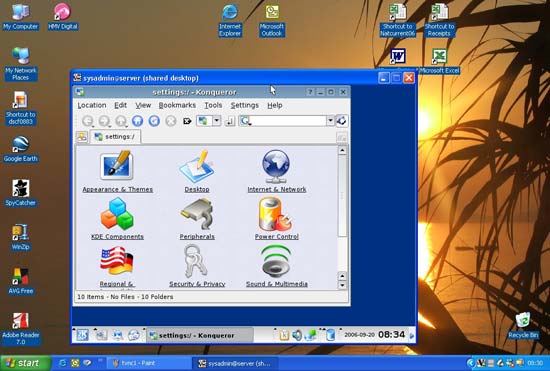
Free remote control software for personal and commercial use. TightVNC is a enhancement version of original VNC, which improves a lot features like remote Web browser access, File transfers in versions for Windows, Scaling of the remote desktop to enhance your remote access experiences.
LogMeIn Free: Remote Access | Control PC or Mac Desktop

LogMeIn Free gives you remote control of your PC or Mac from any other computer with an Internet connection. All you need is install LogMeIn on the computer you want to access. Log into your account from another computer and click the computer you want to control. You’ll see its desktop and be able to use all the applications on your remote computer as if you were sitting in front of it – even if you’re across town, across the country, or across the world.
Mikogo – Remote Desktop

Cross platform free desktop sharing tool comes with full of features to assist you in conducting the perfect online meeting, remote support or web conference. It can support share any screen content or application over the Internet in true color quality with up to 10 participants simultaneously, while still sitting at your desk. Plus more, this free desktop sharing tools is free for commercial and private use.
However, the organizer starts a session from their desktop, receives a unique 9-digit session ID from the Mikogo server, and distributes the session ID to their participants. Participants open their Internet browser, go to www.mikogo.com and click on “Join Session”. There are no installations or registrations required for the participants. They simply run the software and enter the session ID. A connection is instantly established, and the participants can view the organizer’s screen in real time via the Mikogo viewer window.
UltraVNC: Free Remote Support Software

UltraVNC is a remote computer support software that similar like TightVNC, which based core VNC to develop. It allows you to use your mouse and keyboard to control the other PC remotely. The main key features of Ultra: File transfer, Video driver, Optional Encryption Plugins, MS Logon, Text chat, Viewer Toolbar, Java Viewer with File Transfer , as well as Auto scaling and Server Side Scaling, Multiple-Monitors-support, Repeater / Proxy-support, Auto reconnection, good performances and tons of other functionalities. Plus more, UltraVNC also support addons such as Repeater, SingleClick generator and NATtoNAT connectors that help you to easily handle the most complex connection situations.
So, above remote desktop software is freeware product. If you have use any remote desktop / remote access software before, let us know which is your favourite remote desktop sharing software and share your remote computer experiences with us.

Trending now