

After release of Google Chrome yesterday, a lot of custom Google Chrome theme has been available to download over the internet which allows you changing the default theme of Google Chrome.
Once you download the custom Google Chrome themes, you can start to change the default themes of Google Chrome as below step:
How to Change Google Chrome Theme
To change the theme for Google Chrome you will need to replace the default.dll file with the new theme file. Locations for theme folder are as follows:
For Vista Users: C:\Users\UserName\AppData\Local\Google\Chrome\Application\0.2.149.27\Themes\
For XP Users: C:\Documents and Settings\UserName\Local Settings\Application Data\Google\Chrome\Application\0.2.149.27\Themes\
Replace C with your Windows directory, UserName with the user name you have installed chromed with, the number is the version for Google Chrome.
However, please make sure you backup the Google Chrome default.dll first before you overwrite it with custom Chrome theme.
Custom Google Chrome theme available to download:
1. Chrome Dark Theme
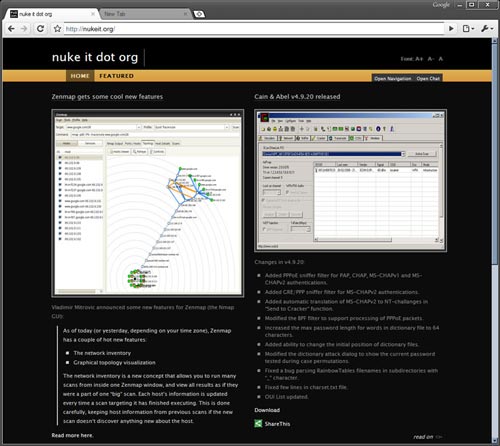
( No more available for download )
Download Chrome Dark | NukeIt
2. Picthblack Chrome Theme
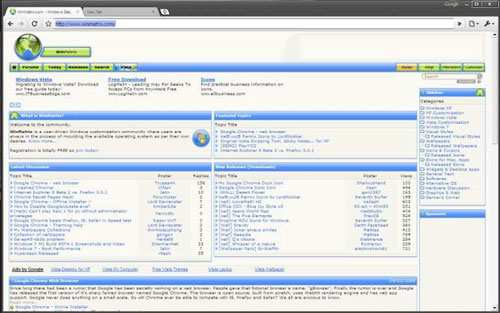
Download Picthblack Chrome Theme | Deviantart
3. Other Resources to Download Google Themes : 3 Custom Color Google Chrome theme
4. Zombre Vista Black Google Chrome Theme by DistroJockey


Nice little tutorial. I’ve started a collection of Google Chrome Themes at my website, if you are looking for a few more.
More themes are also available from the following site (where the green one I hacked together was released):http://chromespot.com/index.php/topic,358.0.html
Great Finding, thanks alot for sharing, Looks like this is a month of Google Chrome Buzz 🙂
Here’s my theme: Zombre (vista black style)http://web.comhem.se/megz/zombre/
Here is a simple tool to help you make your own:
http://psytoy.net/everything-else/google-chrome-theme-editor/
Actually I made the green one at http://chromespot.com/index.php/topic,151.0.html andManhog made Zombre. ;)Thanks for fixing up the authors though. Cheers.
More theme for google chrome, it got plenty of them listed. http://google-chrome.com/chrome-themes/
You wrote:
"Replace C with your Windows directory, UserName with the user name you have installed chromed with, the number is the version for Google Chrome."
When I tried to install Chrome it didn’t give me a choice of where to install it. It attempted to install itself to my C: drive. On my computer, C: is a card reader; Windows is on my H: drive. Consequently, I couldn’t install Chrome. This is the first software I’ve come across in years that hard-codes the install drive in the setup program. Or maybe I made some stupid mistake that I haven’t realized yet…
i cant find the google chrome folder. Ayb¡one knows how to make one or where can i find it or how to get it??
Another great source for google homepage themes can be found at http://www.chrome-theme.org