

An online virus scanner can check a suspicious file or link before you open it, but it cannot certify that a download is safe. Use the online virus scanner list below to find a current service, then follow the file, hash, or URL workflow that fits your situation. If the computer itself may be infected, use a local malware scan instead.
Quick Answer
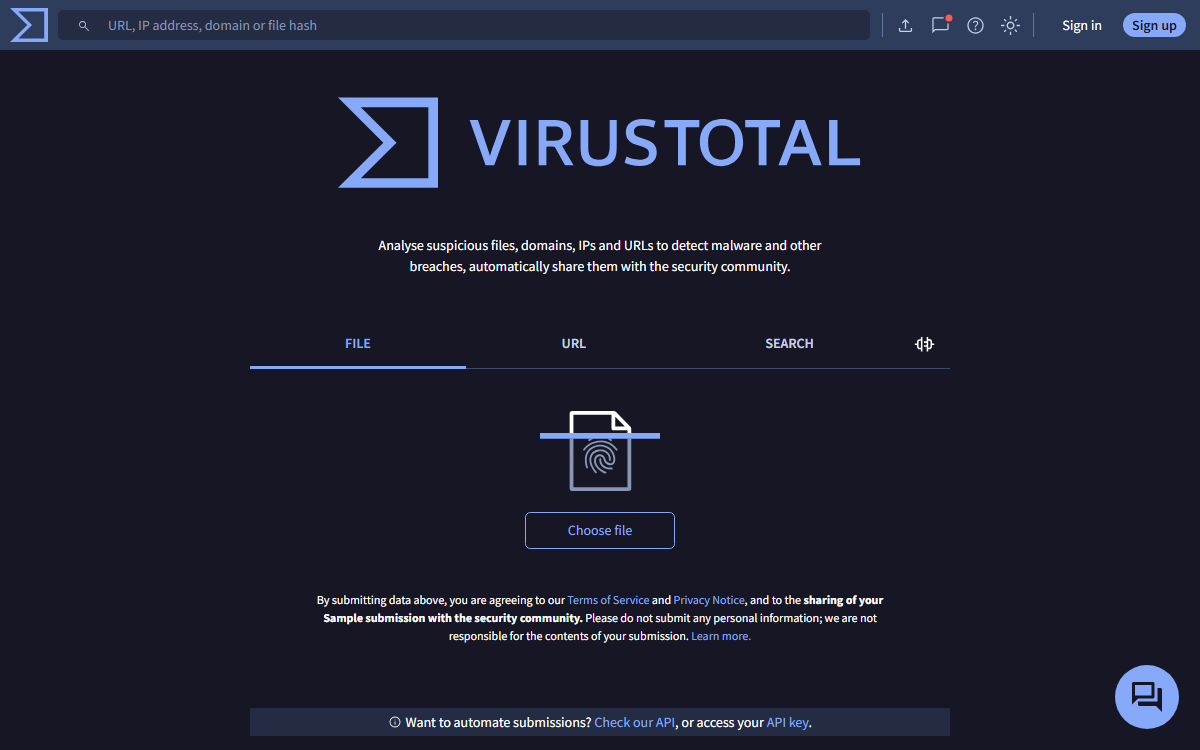
For a public download, look up its SHA-256 hash in VirusTotal before uploading the file. For a suspicious public link, use VirusTotal’s URL check without visiting the destination. Jotti and VirScan provide additional file-checking options. Never upload confidential documents or private links to a public scanner.
This is a practical checking guide, not a ranking of antivirus products. For a side-by-side comparison of browser services and Windows scanners, see our best free online virus scanners comparison.
What to Know First
There are two different products hiding behind the phrase “online scanner.” A browser service examines an uploaded file or a submitted indicator such as a URL or hash. A downloadable second-opinion scanner examines files on your computer. An online file report does not scan your entire PC, and a downloadable Windows scanner does not run entirely inside the browser.
Decide whether you are allowed to submit the data before choosing a service. VirusTotal explains that public submissions and results are shared with examining partners. URLs can also expose password-reset tokens, private document links, or customer identifiers. A hash lookup avoids sending the file’s contents, but still discloses an indicator to the service; use an approved local process for sensitive work.
Current Online Virus Scanner List: File, Hash and URL Checks
- VirusTotal: file uploads, URL checks and existing report searches. Best for checking a public download or public link. Multiple results add context, not a guarantee of safety.
- Jotti’s malware scan: a straightforward multi-engine file-upload service. Best for another opinion on a non-sensitive file. Its service warns that uploaded files are shared with antivirus companies.
- VirScan: a current file-upload and hash-query platform. Best for an additional file report. Check the interface’s current limits; the old article’s fixed “26 engines” claim is no longer a reliable description. Its privacy policy describes sample sharing with detection providers.
How to Check a Suspicious File Without Opening It
- Keep the file closed. Do not run an installer or enable document macros just to see what happens. Confirm that the download came from the developer’s real website rather than an advertisement or lookalike domain.
- Scan it locally first. Use your installed antivirus. Windows users can consult Microsoft’s virus and threat protection guidance. A suspicious result is a reason to stop, not to disable protection.
- Calculate its SHA-256 hash. In PowerShell, use the command below with the actual file path. This reads the file without launching it.
Get-FileHash -LiteralPath 'C:\Users\YourName\Downloads\installer.exe' -Algorithm SHA256- Search for an existing report. Copy the hash into VirusTotal’s Search field. Its search documentation explains hash lookups. Make sure the report corresponds to that exact hash, and check its analysis date.
- If there is no report, decide whether uploading is appropriate. An unknown hash means there is no matching report available to you, not that the file is safe or malicious. Only submit the file if it is non-sensitive and you have permission.
- Review the evidence before opening it. Look at detection names, vendor agreement, file origin and the developer’s published checksum or signature where available. If the evidence is unclear, get a fresh official download or ask your security team.
For example, a public utility installer can be checked by hash and compared with the publisher’s checksum. A customer contract should not be uploaded simply because it arrived as an attachment. Both are files, but they require different privacy decisions.
How to Check a Suspicious URL
- Copy the link address without visiting it. Inspect the actual hostname, not just the sender’s display name or link label.
- Check for personal identifiers, login tokens or private document access. Do not submit those URLs to a public service.
- For a public URL, use VirusTotal’s URL field and review its report. An unfamiliar or recently created destination may have little reputation information.
- If a message asks you to sign in or pay, open the organisation’s official website independently. Do not treat a clean URL report as permission to enter a password.
How to Interpret Clean, Mixed and Unknown Results
No detections: the engines did not flag the submitted item during that analysis. New threats and unsupported file formats can still escape detection. Check the source and report date.
One or two detections: these could be false positives or an early warning. There is no universal safe threshold. Read the labels and ask the software publisher about the exact file hash rather than ignoring the result.
Several consistent detections: stop using the file and follow your antivirus or workplace incident process. Do not test it on your everyday computer.
No report or an analysis error: you do not have a useful verdict. A failed upload, password-protected archive or unsupported item must not be described as clean.
If You Need to Scan the Whole Computer
Current options from the original list include ESET Online Scanner, F-Secure Online Scanner and Trend Micro HouseCall. These are downloadable scanners, not browser-only uploads. Follow the vendor’s current operating-system requirements and review detections before cleanup. They do not replace continuous endpoint protection.
If you see ransomware, account theft or signs of an active compromise, stop experimenting with web uploads and contact your IT or security support. See the antivirus and scanner hub for the distinction between prevention, checking and cleanup.
What Changed in This Legacy List?
The old Bitdefender QuickScan, Computer Associates scanner, Panda ActiveScan, McAfee FreeScan and iolo browser-scanner recommendations have been removed from the working list. Their old ActiveX, Internet Explorer and Java instructions are not suitable current setup guidance. We could not verify a current supported version of those exact browser services; this is not a claim that every vendor has stopped offering security software.
Panda now advertises Cloud Cleaner, which is a different Windows product. McAfee’s Security Scan Plus is a security assessment tool, not a virus-removal equivalent to the old FreeScan entry. The original blanket claims about Symantec and Kaspersky scanners have also been removed; product names and capabilities must be checked individually.
FAQ
Can an online virus scanner remove malware from my computer?
A browser file or URL service does not clean your computer. A downloadable scanner may offer cleanup, depending on the product. Use its official instructions and keep real-time antivirus protection enabled.
Is a file safe if every scanner says it is clean?
No. A clean report is a useful signal, not proof of safety. Consider the file’s origin, signature, analysis date and what the software asks you to do.
Can I check a file without uploading it?
You can calculate its hash locally and look for an existing report in a service that supports hash searches. This does not send the file contents, but it still shares the hash. No matching report means the result is unknown.
Does VirScan still work?
At this review, VirScan’s official website displayed file-upload and hash-query options. That verifies the interface’s availability, not detection quality or successful malware removal.
Our Take
Start with the source and a local scan, then use an online report when it adds useful evidence. More upload services are not a substitute for permission, privacy or judgement. This update reviewed official interfaces and vendor documentation; Techmixer did not run a comparative malware test.
Last reviewed: 4 October 2026.


Nice list buddy, definitely useful when you want to double check your antivirus software. Stumbled.
first time i read it but i thought it’s not useful but when my one pc was infected and i am not able to installed any antivirus on it. then i scan my pc online and save my all data and time . thanks
scan pc for viruses and download cracks for free
very good and great
Pour Computer from viruses is important.