Related Techmixer hubs
Use these Techmixer hub pages to find updated guides, safer software notes, and related workflows.
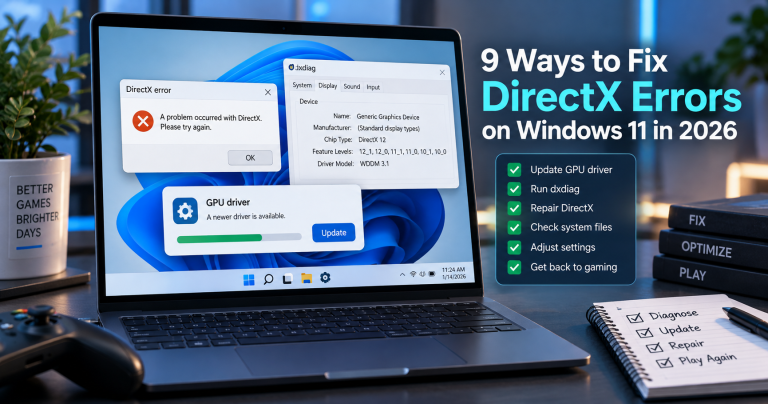
- DirectX and Windows Fixes Hub
- Backup and Sync Software Hub
- Free Antivirus and Online Virus Scanner Hub
2026 update: disc, ISO, and virtual drive tools are now niche utilities
CD, DVD, Blu-ray, ISO, and virtual drive tools are still useful for old software, recovery media, and archive workflows, but Windows now handles many ISO tasks directly. Use modern tools only when the built-in option is not enough.
Related Techmixer guides: Software Guides, Fix Guides, and Best Tools.
- Verify ISO files before using them.
- Avoid bundled installers and download mirrors.
- Keep recovery media current.
- Use built-in Windows mounting when it is enough.
 Windows 8, the upcoming Windows operating system after Windows 7. For those windows enthusiasts who can’t wait to experience Windows 8, you got chances to download Windows 8 ISO Developer Preview from Microsoft website for testing purposes. This developer preview lets you use the Windows 8 before its beta and final release.Windows 8 is certainly very impressive, modern interface, incredibly fast, a lot exciting windows features, better performance and a brand new interface for tablet users called Metro UI, specially designed towards Touch PCs and modern tablet devices.
There are 3 versions available of this Windows 8 builds, each one has a different size. All Windows 8 build comes as an ISO image, which you need to use DVD burning software to burn ISO to bootable Windows 8 DVD in order to install it.After that, you will need any version of the Windows 8 Developer Preview, which can be obtained either from the Microsoft website or you can use the following direct links to download.According to Microsoft Developer website: The Windows Developer Preview is a pre-beta version of Windows 8 for developers. These downloads include prerelease software that may change without notice. The software is provided as is, and you bear the risk of using it. It may not be stable, operate correctly or work the way the final version of the software will. It should not be used in a production environment. The features and functionality in the prerelease software may not appear in the final version. Some product features and functionality may require advanced or additional hardware, or installation of other software.
 According to Microsoft Developer website: The Windows Developer Preview is a pre-beta version of Windows 8 for developers. These downloads include prerelease software that may change without notice. The software is provided as is, and you bear the risk of using it. It may not be stable, operate correctly or work the way the final version of the software will. It should not be used in a production environment. The features and functionality in the prerelease software may not appear in the final version. Some product features and functionality may require advanced or additional hardware, or installation of other software.
- Windows 8 Developer Preview with developer tools (64bit) [4.8GB]
- Windows 8 Developer Preview (64bit) [3.6GB]
- Windows 8 Developer Preview (32bit) [2.8GB]
How to burn Windows 8 ISO image as bootable Windows 8 DVD media:
- Download Windows 8 Developer Preview Build that you prefer.
- Once finish downloading, inserting a blank DVD and activate windows dvd burning software.
- Once burning software open, navigate to the folder where you have downloaded the Windows 8 ISO image file.
- Now, click the Burn button and the process will start, the progress bar will show you the progress on how much process has been completed.
Windows 8 System Requirements:
- Windows Developer Preview works great on the same hardware that powers Windows Vista and Windows 7:
- 1 gigahertz (GHz) or faster 32-bit (x86) or 64-bit (x64) processor
- 1 gigabyte (GB) RAM (32-bit) or 2 GB RAM (64-bit)
- 16 GB available hard disk space (32-bit) or 20 GB (64-bit)
- DirectX 9 graphics device with WDDM 1.0 or higher driver
- Taking advantage of touch input requires a screen that supports multi-touch
- To run Metro style Apps, you need a screen resolution of 1024 X 768 or greater
As Windows 8 Developer Preview was supposed to expire on March 11, 2012. Similarly, the Windows 8 Server Developer Preview version was scheduled to expire on April 8, 2012. But Now Microsoft has quietly released an update for both of those builds that gives folks a lot more time to use them
While the actual download is handled via the Microsoft Update feature in Windows 8, Microsoft has posted up a web page explaining the upgrade. When the update is installed, both the Developer Preview versions of Windows 8 and Windows 8 Server will have their expiration dates extended until January 15, 2013.