Related Techmixer hubs
Use these Techmixer hub pages to find updated guides, safer software notes, and related workflows.
- DirectX and Windows Fixes Hub
- Backup and Sync Software Hub
- Free Antivirus and Online Virus Scanner Hub
2026 update: check Windows version and safety first
Before changing system settings, confirm your Windows version, create a restore point, and back up important files. Many older utilities still solve narrow problems, but built-in Windows security, recovery, and update features should be checked first.
Related Techmixer guides: Fix Guides, Software Guides, backup tools.
- Use official or trusted download sources.
- Back up important data before system-level changes.
- Check whether the tool is still maintained.
- Prefer current alternatives when they are safer.
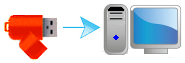 Lock Windows with USB Pen Drive or USB flash drive is another Windows security hardware measurement for securing your Windows computer to avoid any authorised person using your computer.
This physical Windows lock security measurement is utilizing physical USB pen drive or USB flash drive hardware as the primary key or computer access control device and plugs on USB drive on yoru computer to access and use your computer operating system. When you’re unplugged the UBS pen drive, the computer will automatically locked once you’re away. Plus more, you can used this physical security method as computer Window locks for children.
Over here, we will going to introduce another freeware that will allow you to to password protect, lock, unlock Windows PC using USB Pen Drive.
Lock Windows Software with USB Pen Drive:
Predator

Predator is free Windows security hardware measurement that turns your USB flash drive as a physical security key to lock and unlock your computer even the Windows sessions is still opened. The keyboard and mouse will automatically disabled and the screen will be darkens when the USB drive is unplugged. And when you again plug the USB back to its place, the computer operating will revert back normal.
Besides Windows security, Predator also serve as parental control tools, which it limits the time your kids spend on their computers with the built-in scheduler. You can even make specific rules for each user and each day of the week or either lock the desktop, logoff the user or shutdown the computer.
Visit Predator – Lock Windows with USB flash drive
WinLockr – Lock Windows

WinLockr is another lock or unlock Windows computer software using physical USB flash drive and password protection together by locking the computer keyboard and mouse automatically.
This lock windows software comes with computer shut down prevention, which mean all computer shut down event is blocked if the physical USB flash drives isn’t attached to computer. Plus more, the computer screen display will immediately hides away from other people what you were doing on your computer.
Visit WinLockr – Open Source Windows Locking Software
USB System Lock

USL is an open source USB locking freeware that lets you lock and unlock your device using a USB flash drive. This lock Windows software support any removable storage drive including those MP3 player, storage card and others besides USB storage drive.
However, the bad things of this software doesn’t protected your computer under safe mode.