

iPhone PC suite, a free iPhone data management software that help user maintain their iPhone Ringtone, contact , media and other data. As Apple itself doesn’t provides a standard iPhone management suite for their iphone user data over PC like Microsoft Sync. it has cause a lot of inconvenience trouble for iPhone user managing media, contacts and files daily.
So, a China’s developer call Melete created an iPhone PC suite based on Microsoft sync to ease iPhone windows user maintain their iPhone data over windows PC easily. This iPhone PC suite is a windows iphone data management software that manage all parts of your iPhone through out your PC. It can backup or restore various of iphone data like SMS, Apps, call blogs, ebook , Contacts, Calendar, iPod and Photos.

Other awesome features of iPhone PC Suite are:
- Download & Upload pics to and from PC and iPhone
- Manage Camera, Calendar and Contacts
- Send/Receive text messages on iPhone through your PC
- Easy Backups and Restore
- Create custom Ringtones and Wallpapers
However, this windows iPhone data management software still in early stage of development and contain some minor bugs.But it server well as the best itunes alternative software.
To use iPhone PC suite is easy, all you need is an iTunes, a Jailbroken iPhone and Microsoft .NET Framework 2.0 to make the iphone data management software works. if you own an iPhone, this iphone data management software is a must have.
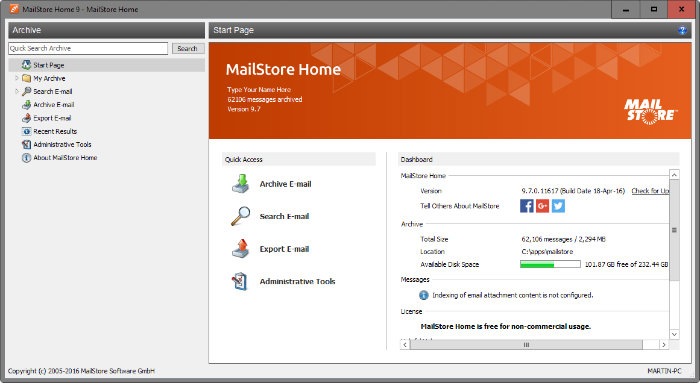


iphone 2.1 quickpwned. You can still install apps with iphone pc suite 1.0.7.3 (chinese only) but you need to install apps alternatively with Cydia. I don’t know why but it works!
I meant alternately! Install apps alternately with cydia using wifi and pc suite using usb (.pxl). Even better install apps simultaneously!! It seems that after cydia has installed and shows the Return to Cydia button, it leaves a window open through which you can install from pc suite, which then resprings and hey presto! Your fully working apps and their icons appear as you’d hoped they would!
Hi emsee.Would u send a link to download this chinese version 1.0.7.3 becouse I cant find it in hole net.Thx
Hi vito5
If you have an earlier version of iPhone pc suite just navigate to the program folder and double click AutoUpgrade.exe….that should help, now upto version 1.0.7.8 and so many progs I dont know what to do with them….might have to upgrade to 16GB iPhone….hee hee. Xp and Vista compatible (32bit). try this for 1.0.7.3
http://download.chip.eu/cn/download_getfile_cn_3212505.html
hi emsee .This link dont work.Upgrade .exe i version 1.0,7,0 dont work too.So I got to wait for new realese. Thx anyway
link dont work adn upgrade.exe too…Thx anyway
hello all iphone pc suite users
if u have found the way of changing this thing to english please i beg u tell me how to
i’m going crazy, it’s a great app, hey what the heck it’s an amazing app but i can’t work it with the damn chinese (no ofense, i just speak english and spanish) ;p
heeeeelllllpppp
thanx y’all
PS: u can email me at drgcatz@gmail.com
Please advise!! How can I uninstall IPhone PC suite????? I don’t understand nothing of the chineese mumbo jumbo. It sais version 2.3.0.85. HELP!!
Please help! How can I uninstall IPHone PC Suite???! I don’t understand a thing of the chinese mumbo jumbo, and I can’t find it on add/remove programs!! It sais version 2.3.0.85. Help!!
Hi all,
I’ve just found this free iPhone management software
http://www.iphone-without-itunes.com
It’s really excellent!
Rich
Thank you hope it works well