Hypit AI video cloning is interesting because it turns video production into a reusable agent workflow: give Hypit a reference video or a video idea, then ask your coding agent to rebuild the structure with new words, new B-roll, new captions, and many fresh variants. The practical value is speed, but the risk is obvious too: creators still need to check rights, likeness, accuracy, and whether each clip is worth publishing.
Quick answer
Hypit is an open-source AI video workflow tool from hypit-ai. It lets coding agents work with video structures so creators can remix a reference clip, swap pieces of the production, and generate multiple variants faster. It is useful for testing short-form ideas, but it should be used with permission-safe footage and human review.
What to know first
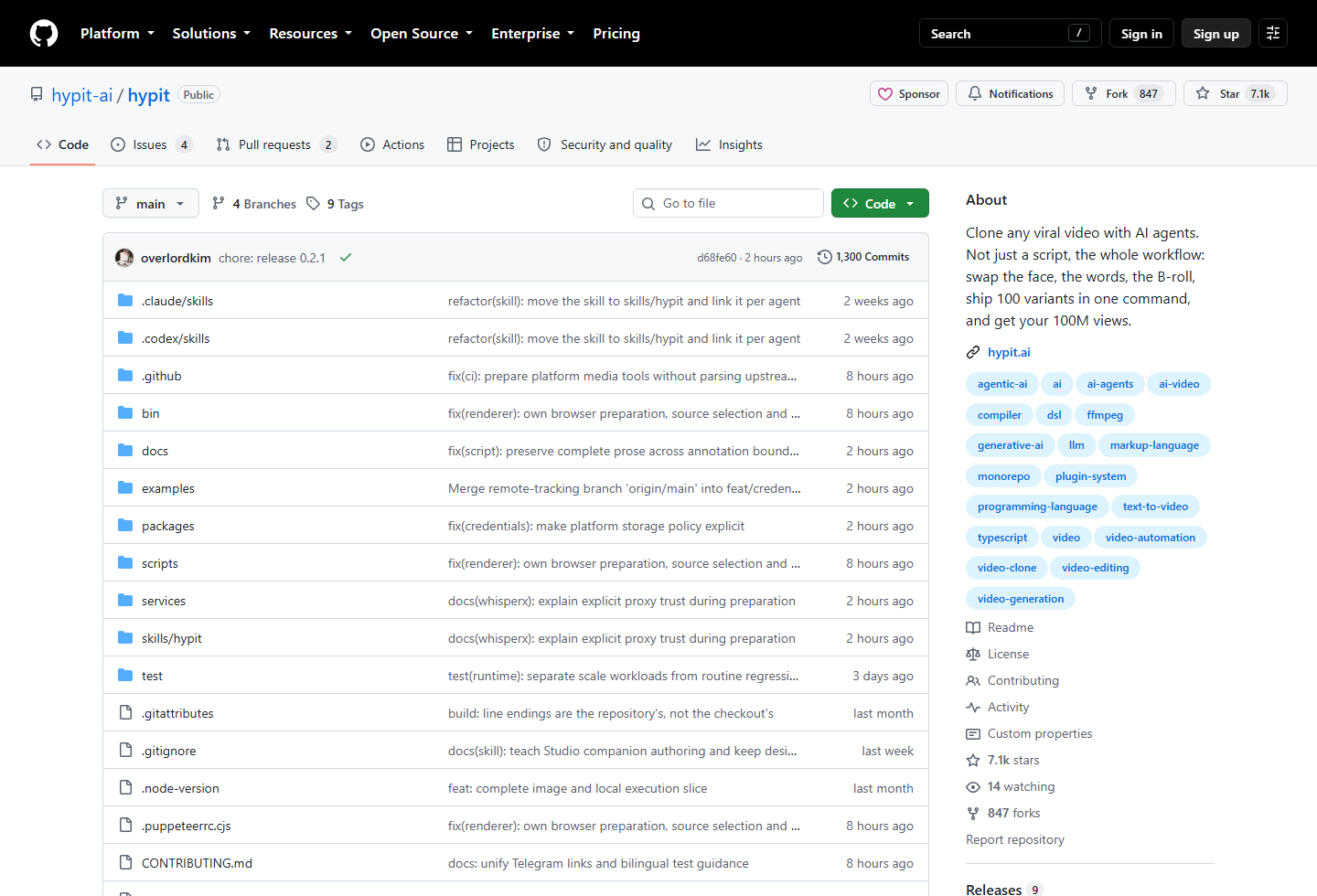
Hypit is not just a prompt that rewrites a script. Its README describes a system where an AI agent can work with a video workflow: footage, captions, B-roll, effects, and word-anchored timing. That means the output can be rerun and remixed instead of being a single dead-end render.
The viral promise is “one command, many variants.” In real content work, that should mean fast testing, not careless publishing. A hundred variants are only useful if the reference video is safe to use, the changed clips are meaningfully different, and the final outputs still pass editorial review.
Best choice by use case
- Best for short-form creators: testing hooks, B-roll, captions, and format variants from one reusable workflow.
- Best for growth teams: creating multiple ad or UGC-style tests from a proven structure.
- Best for developers: studying how AI agents can compile video workflows instead of only generating scripts.
- Not ideal for: copying other people’s videos, faces, voices, music, or copyrighted footage without permission.
Hypit at a glance
| Tool | Best for | AI/workflow strength | Learning curve | Pricing note | Human review risk |
|---|---|---|---|---|---|
| Hypit | Creators and teams testing AI-assisted video variants from a reusable workflow | Strong for reference-video workflows, captions, B-roll, face/host swaps, localization, templates, and agent-driven variants | Medium to advanced | Hypit says it is free to use, but coding agents and model services may charge separately | High if users skip permission checks, likeness review, caption cleanup, claim review, and platform safety checks |
7 things creators should know about Hypit
1. Hypit is built for workflow cloning, not just script rewriting
Many AI video tools stop at “rewrite this script.” Hypit’s positioning is different: the agent can clone a fuller production workflow, including video structure, captions, B-roll, and effects. That makes it more useful for repeatable short-form formats.
2. The install path starts with an agent skill
The official README says to install the Hypit skill once with npm. On first use, the agent checks whether the Hypit executable is available and helps prepare it if needed.
npx skills add hypit-ai/hypit -gA reference video is the fastest way to understand the workflow, but the README also says users can start from templates or describe the video they want from scratch. That matters because safer production often starts from your own format rather than someone else’s exact creative.
4. The strongest use case is variant testing
Hypit is most useful when you already know the structure you want to test: a UGC ad, podcast clip, street interview, ranking video, product comparison, or localized short. You can then change the host, topic, product, hook, language, or aspect ratio while keeping the workflow reusable.
5. Costs depend on the services you connect
The project says Hypit is free to use, but your coding agent, model services, hosted providers, generation models, transcription tools, and media APIs may still have their own costs. Start with a tiny batch before generating a large number of variants.
6. Rights and likeness checks are not optional
Face swaps, voice-like outputs, music, B-roll, captions, and copied video structure can create legal and platform risk. Use your own footage, licensed material, or permission-safe inputs. Do not treat open source as permission to clone anyone’s likeness or creative work.
7. “100 variants” is a production tactic, not a traffic guarantee
Generating more clips does not automatically create more views. The real advantage is faster learning: test hooks, visual pacing, calls to action, languages, and formats, then keep the versions that actually help the audience.
Step-by-step safe workflow
- Choose the source carefully: use your own video, licensed footage, or a private test clip.
- Install Hypit: run
npx skills add hypit-ai/hypit -gfrom your terminal. - Open a project folder: start a coding-agent session where it can create files and run commands.
- Give a narrow brief: define the topic, audience, platform, length, and what should change.
- Generate a few variants first: do not jump straight to 100 outputs until quality and cost are clear.
- Review all media: check faces, voices, music, captions, B-roll, claims, and source rights.
- Publish selectively: use performance data to decide which variants deserve more production work.
Prompt example
A safer prompt should tell the agent what to change and what not to copy. For example:
/hypit Use my local video: ./source/product-demo.mp4. Create five short-form variants for small-business owners. Keep the structure, but rewrite the hook, replace B-roll with licensed or generated visuals, use original captions, avoid copying any third-party face or voice, and show me the workflow before final rendering.Where Hypit helps
- Hook testing: generate several openings from the same core message.
- UGC-style ads: keep a working ad structure while changing product, host, or call to action.
- Localization: adapt a clip into another language or region with review.
- Caption systems: keep word-level timing tied to the script instead of manually aligning every clip.
- Reusable formats: turn one useful structure into a repeatable content template.
Risks and limitations
- Permission risk: do not clone videos, faces, voices, music, or footage you cannot use.
- Platform risk: repeated low-quality variants may look spammy or violate platform expectations.
- Brand risk: fast variants can drift away from your voice, product truth, or visual quality.
- Cost risk: model services, hosted providers, and generated media can add up quickly.
- Quality risk: captions, edits, and B-roll still need human review before publishing.
Official sources
Related Techmixer guides
- AI Tools
- Open Source Software
- Software Guides
- Best Tools
- Best AI Tools for Office Productivity
- Top AI Productivity Tools for Business and Entrepreneurs
FAQ
What is Hypit?
Hypit is an open-source AI agent workflow for creating and remixing videos. Its GitHub README says it can clone a video workflow including footage, captions, B-roll, and effects.
Hypit is designed around reusable video workflows and variants, but creators should still review every output for rights, accuracy, brand safety, and platform rules.
Is Hypit free to use?
The project says Hypit is free to use, but coding agents, AI models, hosted model services, and media-generation providers may have their own charges.
Does Hypit only clone existing videos?
No. The README says users can start from a reference video, use templates, or describe a new video workflow from scratch.
Should creators publish AI-cloned video variants without review?
No. A human should check permissions, likeness rights, music, captions, claims, and whether the new version is meaningfully different before publishing.
Our take
Hypit is worth watching because it treats short-form video as a reusable workflow instead of a one-off edit. That is useful for creators who need to test ideas quickly. Techmixer would use it for permission-safe source footage, small test batches, and structured variant review, not for copying another creator’s face, voice, music, or video format without permission.
Last reviewed: 17 September 2026.