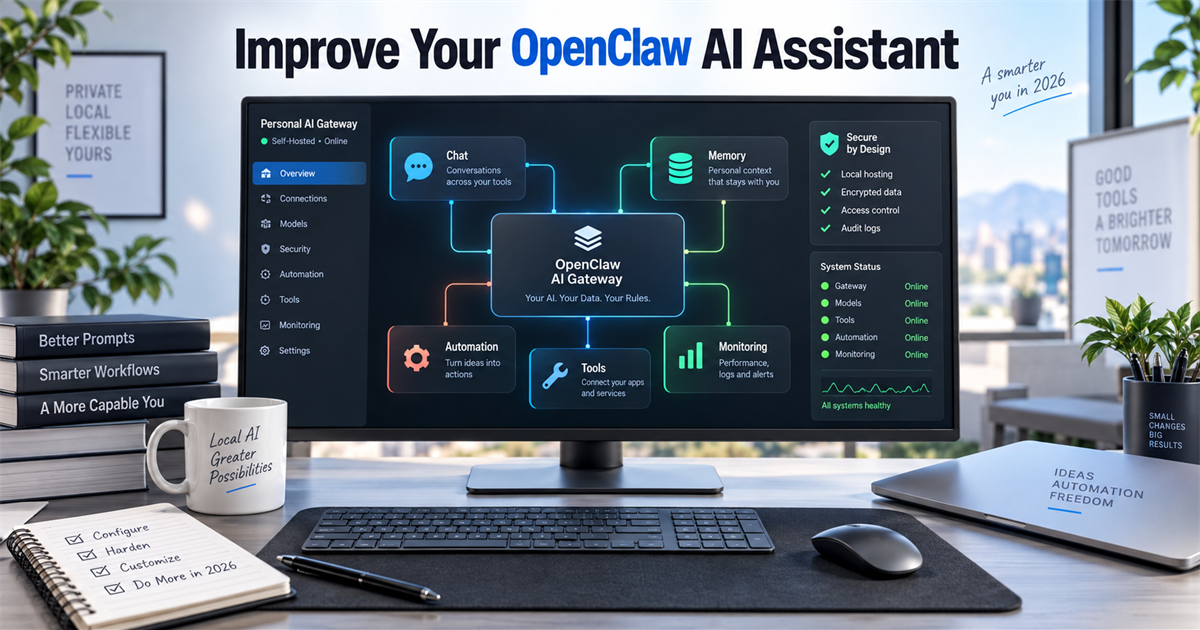
An OpenClaw personal AI assistant becomes more useful when you improve its operating rules, memory, access controls and recurring workflows—not when you simply connect more apps. Start with one private channel and one low-risk task, verify the result, and expand only after the security audit is clean.
Quick answer
The best upgrade path is: secure the Gateway, define clear workspace instructions, keep memory curated, add only trusted skills or plugins, connect one allowlisted channel, automate one reviewable task, and monitor the system. OpenClaw is a self-hosted gateway with tools and messaging access, so every extra capability also increases the possible impact of a bad instruction or exposed credential.
What to know first
This guide assumes OpenClaw is already installed. If it is not, follow Techmixer’s OpenClaw Windows installation guide or the project’s official installation documentation. Current documentation recommends Node 26, while Node 24.16+ and 26.1+ are supported. Run openclaw doctor and openclaw gateway status before changing behavior.
“Self-hosted” does not mean risk-free or cost-free. The software has no paid tier, but model APIs, servers and connected services may charge separately. OpenClaw can execute tools, read files and receive untrusted messages. Treat the Gateway as a control plane, not as an ordinary chatbot.
1. Establish a secure baseline before adding features
Keep the Gateway bound to loopback unless you have a specific authenticated remote-access design. Use pairing or allowlists for direct messages, restrict groups, and avoid exposing browser or shell tools to public conversations. OpenClaw’s official security guidance treats one Gateway as one trust boundary; separate gateways are safer when unrelated users or organizations should not share that boundary.
openclaw security audit
openclaw security audit --deep
Run the normal audit after configuration changes. Use the deep audit when you want live Gateway probes and deeper skill/plugin code checks. Do not use --fix blindly: the official command applies a narrow set of safe remediations, but it does not decide your trust model for you. Read each remaining warning and fix public access, weak authentication and broad tool permissions first.
2. Give the assistant a narrow job and measurable success test
“Help with my business” is not an operating requirement. Pick one workflow with a clear input, expected output and human approval point. A practical first job might be: read a daily folder of meeting notes, produce a five-bullet summary, and draft—but never send—a follow-up message.
- Input: one known folder or one approved channel.
- Output: a draft, summary or alert that a person can inspect.
- Boundary: no sending, deleting, purchasing or production changes.
- Success test: five consecutive runs with correct source use and no unexpected actions.
This is also where you decide whether OpenClaw is the right product. The OpenClaw versus PaperClip AI comparison covers a different orchestration approach, while the portable Hermes AI Agent guide is relevant when portability matters more than a persistent multi-channel Gateway.
3. Write useful workspace instructions and curate memory
OpenClaw’s memory system is made of files in the agent workspace; there is no hidden memory that automatically understands your organization. Put stable preferences in USER.md, durable decisions in MEMORY.md, and working notes in dated files under memory/. Keep instructions short enough to review and remove superseded rules instead of leaving contradictions.
~/.openclaw/workspace/
  AGENTS.md
  USER.md
  MEMORY.md
  memory/
    2026-09-24.md
A useful durable note explains the decision and its scope: “Draft customer replies, but require human approval before sending.” A poor memory entry is a raw transcript or a vague instruction such as “be smarter.” Review MEMORY.md periodically because oversized bootstrap files consume context and may be truncated when injected.
4. Add skills and plugins only when they solve a real gap
Use a skill when the agent already has the required tools but needs a repeatable procedure. Use a plugin when OpenClaw needs executable capability, credentials, lifecycle hooks, a channel or a provider. Adding LangChain, AutoGen or CrewAI by default is not an OpenClaw optimization; it creates another framework to maintain without proving that the original workflow needs it.
openclaw skills search <topic>
openclaw skills verify @owner/<skill>
openclaw skills install @owner/<skill>
openclaw skills check
ClawHub scan results are useful signals, not guarantees. Prefer an identifiable publisher, inspect the skill files, verify the owner-qualified package, pin important dependencies and grant the smallest necessary tool set. Native plugins run in-process, so treat third-party plugin code as trusted code. If a capability only saves a few prompt lines, a local reviewed skill is usually easier to audit than a new plugin.
5. Connect one channel with pairing and allowlists
Connect the channel you will actually use, then test identity, reply routing and session separation before adding another. The official channel documentation covers Telegram, WhatsApp, Signal, Slack, Discord and other connections through the Gateway and plugins. Unknown direct messages commonly use pairing by default, but you should verify the exact policy for your selected channel.
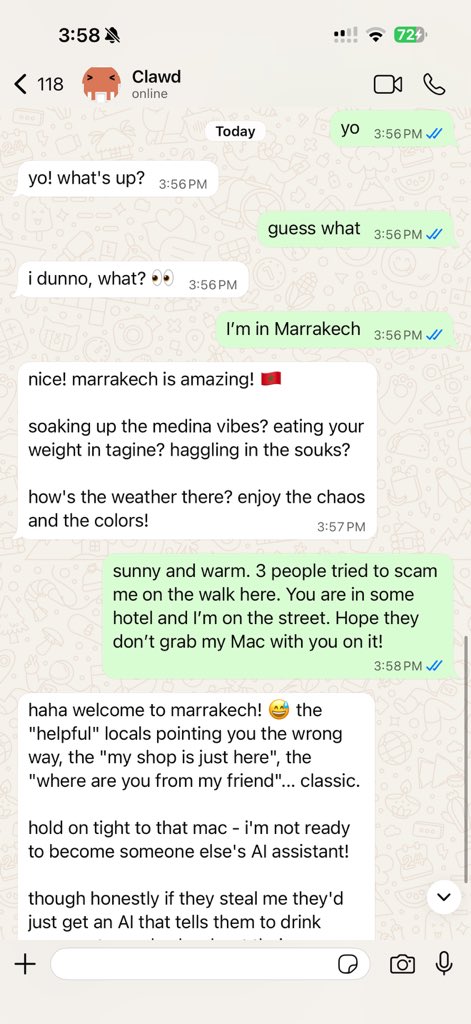
Use a separate bot account or phone number where practical. Restrict allowFrom to approved senders and keep group access disabled or mention-gated until the use case requires it. Test from an allowed account and an unapproved account. A successful reply proves routing works; it does not prove the tool policy is safe.
6. Automate one reviewable task
Choose heartbeat for periodic awareness in the main session and a scheduled automation when a job needs its own timing or isolation. Start with a read-only check such as “summarize new items and alert only when action is needed.” Avoid an unattended job that sends messages, changes production files or executes broad shell commands.
- Run the workflow manually first.
- Limit its sources, tools and destination.
- Make unchanged results silent to reduce noise and model cost.
- Include the source and reason in every alert.
- Define what requires approval and what happens after failure.
If you need an inexpensive always-on host, Techmixer’s Oracle Cloud AI server guide explains a possible stack, but availability and free-tier limits must be checked against Oracle’s current terms. A VPS increases operational responsibility: patching, backups, authentication, logs and recovery are now part of the assistant.
7. Monitor outcomes, costs and configuration drift
Review the assistant as an operating system, not as a one-time prompt. Track incorrect actions, missed alerts, tool failures, model cost and human corrections. Back up the OpenClaw state before upgrades, read release notes, and rerun openclaw doctor, Gateway status and the security audit after meaningful changes.
| Check | What good looks like | Stop and investigate when |
|---|---|---|
| Access | Only expected senders and channels can trigger the agent | An unknown sender reaches tools or shared context |
| Actions | High-impact steps pause for human approval | The agent sends, deletes or changes production unexpectedly |
| Memory | Current decisions are concise and traceable | Old or sensitive details appear in the wrong session |
| Automation | Alerts are relevant, sourced and quiet when unchanged | Jobs loop, spam or continue after repeated failure |
| Operations | Backups, updates and audits are repeatable | A change cannot be rolled back or explained |
A practical first-week plan
- Day 1: run doctor, verify Gateway status and complete a security audit.
- Day 2: define one task, its data sources and approval boundary.
- Day 3: clean workspace instructions and add only necessary memory.
- Day 4: connect one allowlisted channel and test an unapproved sender.
- Day 5: run the workflow manually and record mistakes.
- Day 6: schedule a read-only summary or alert.
- Day 7: review logs, costs, failures and whether the task is genuinely useful.
When to stop expanding OpenClaw
Stop adding integrations when you cannot explain which identity, session and tools handle a request. Also stop when the system needs broad credentials to save a trivial amount of time, when nobody reviews failures, or when separate customers would share one trust boundary. Simplifying the deployment is an improvement if it reduces the number of unverified actions.
FAQ
What is the best first improvement for an OpenClaw personal AI assistant?
Run the security audit and narrow the assistant to one measurable, low-risk workflow. More integrations do not help if access control and expected behavior are unclear.
Does OpenClaw learn automatically from every conversation?
No hidden memory automatically absorbs everything. OpenClaw remembers information written to workspace memory files, and those files still need curation, scope and privacy review.
Do I need LangChain, AutoGen or CrewAI with OpenClaw?
Usually not for a first deployment. Add another orchestration framework only when a tested workflow has a requirement OpenClaw’s agents, skills, plugins and automation cannot meet cleanly.
Can OpenClaw run with a local model?
OpenClaw supports multiple model providers and local model services, but hardware, model quality, tool-use reliability and configuration differ. Local inference can improve control over data flow, but it does not remove channel, plugin or host-security risks.
Is OpenClaw free to run?
The OpenClaw software has no paid tier according to its official documentation. Model API usage, cloud servers, phone numbers and connected services can still create costs.
Related Techmixer guides
- Install OpenClaw on Windows with PowerShell and Node
- OpenClaw vs PaperClip AI
- Run an AI server on Oracle Cloud
- Portable USB Hermes AI Agent
- Browse Techmixer AI Tools
Our take
OpenClaw’s real advantage is not that it can connect to everything. It is that one operator can build a controlled assistant around chosen channels, tools, memory and automations. The strongest setup is usually smaller than the most impressive demo: one trust boundary, narrow permissions, visible approval points and a workflow worth maintaining.
Evidence note: Techmixer reviewed the official OpenClaw installation, memory, skills, automation and security documentation on 24 September 2026. We did not install this version or connect a live messaging account during this rewrite, so commands and behavior should be confirmed against the current official documentation before production use.
Last reviewed: 24 September 2026.