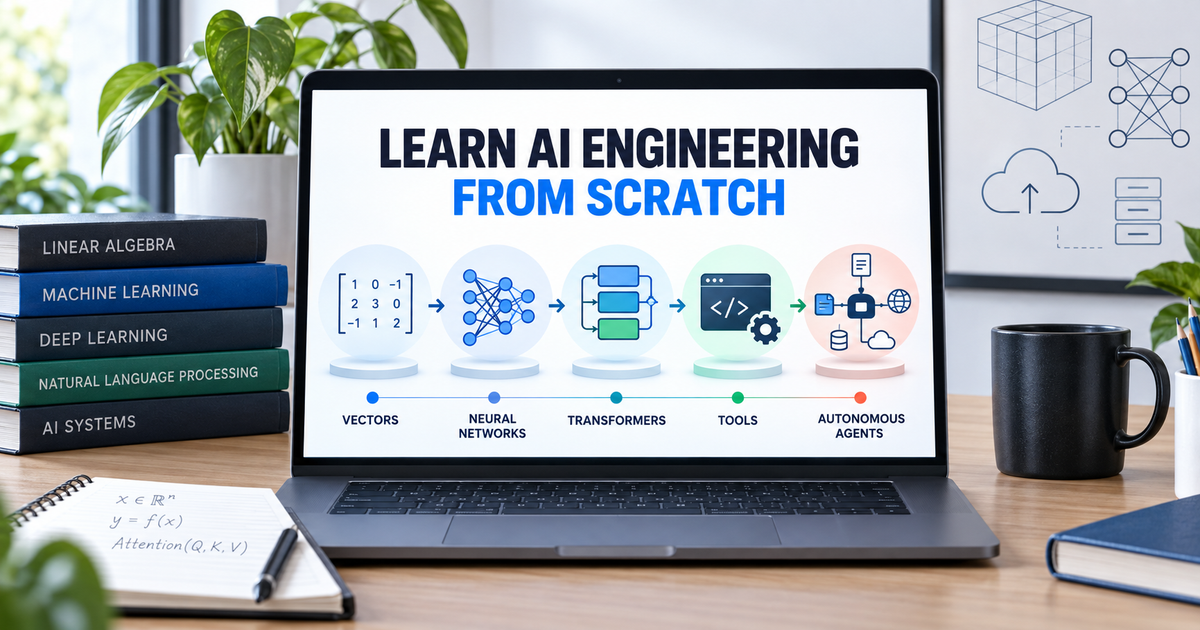
AI Engineering from Scratch is a free, open-source curriculum for people who want to understand and build AI systems instead of only calling a chatbot API. It starts with environment setup and mathematical foundations, then moves through machine learning, deep learning, transformers, LLM engineering, agents, infrastructure, safety and capstone projects. The sensible way to use it is to choose one learning goal, run the code, and keep evidence of what you built.
Quick answer
Use AI Engineering from Scratch if you want a code-first path from fundamentals to production AI. Beginners should start with Phase 0, run the preflight check, complete the first vector lesson, and then follow one route instead of trying to consume all 523 lessons in order. The project is free and MIT-licensed, but it is a substantial technical curriculum, not a weekend shortcut.
What to know first
- It is broad: the project currently lists 20 phases and 523 lessons across Python, TypeScript, Rust and Julia.
- It is code-first: lessons ask you to explain the idea, build or type the important code, run it, and keep an artifact.
- It is not a no-code course: command-line work, debugging and reading source files are part of the learning method.
- It is free, not cost-proof: the repository is MIT-licensed, but some advanced experiments may use cloud compute or paid model APIs.
- The time estimate is approximate: current project pages show slightly different totals, so plan on roughly 320 to 340 hours for the full route.
- Certification material is independent: it does not issue third-party credentials or guarantee that you will pass an exam.
What is AI Engineering from Scratch?
AI Engineering from Scratch is an open-source learning repository maintained by Rohit Ghumare and contributors. Its central idea is useful: build important concepts from the underlying math before relying on frameworks, then move from a working example to a reusable artifact. A lesson can produce code, a prompt, a skill, an agent workflow or an MCP server rather than ending with passive reading.
The official site provides a browser version, while the GitHub repository contains the lesson text, code, tests, learning paths, book builds and agent tutor skills. The site displayed all 523 lessons across 20 phases as complete when Techmixer reviewed it. That is the project’s own status signal, so learners should still verify individual commands and dependencies in their own environment.
What you can learn
| Curriculum range | Phases | What it covers | Good first outcome |
|---|---|---|---|
| Foundations | 0-3 | Developer setup, math, machine learning and deep-learning basics | Run a lesson, change the code and explain the output |
| Applied AI | 4-10 | Vision, NLP, audio, transformers, generative AI, reinforcement learning and LLMs from scratch | Build one small model or data-processing artifact |
| Production LLM systems | 11-13 | LLM engineering, multimodal systems, tools, protocols, MCP and agent skills | Create an evaluated workflow or tool integration |
| Agent systems | 14-16 | Agent loops, autonomous systems, multi-agent coordination and swarms | Build a constrained agent with tests and approval gates |
| Shipping responsibly | 17-19 | Infrastructure, production operations, ethics, safety, alignment and capstones | Deploy, observe and document one bounded project |
Who should use it?
This curriculum is a strong fit for developers, technical product builders, students and motivated beginners who learn by running code. It is especially relevant if your goal is to understand why an AI system behaves as it does, not merely assemble a demo.
- Start at Phase 0 if Git, Python environments, terminals and dependency errors are still unfamiliar.
- Start at Phase 1 if you already write Python but need stronger mathematical intuition.
- Use Phase 11 if you already know the foundations and want production LLM application skills.
- Use Phase 13 or 14 if your immediate goal is MCP, agent skills or tested agent loops.
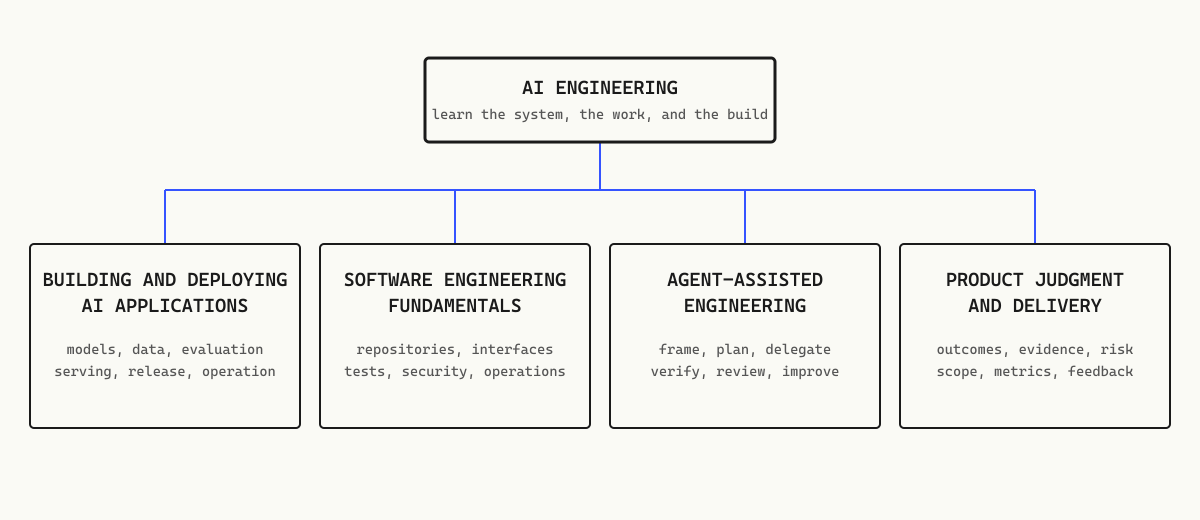
- Use a focused learning path if you need software engineering, agent-assisted development or product-delivery judgment rather than the full sequence.
Who should skip it?
Do not choose this as your first option if you want only short videos, a no-code interface, a guaranteed job outcome or an accredited certificate. The curriculum rewards deliberate practice and debugging. If you will not run the examples and alter them yourself, the large lesson count becomes a reading backlog rather than a learning system.
How to start in 7 steps
1. Choose one outcome
Do not begin by scrolling through every phase. Pick a measurable first outcome: set up an AI development environment, understand vectors, build a small LLM workflow, learn MCP or create a basic agent loop. Your outcome determines where you start and prevents the size of the repository from becoming the obstacle.
2. Check the prerequisites
For the beginner route, use Git and Python 3.11 or newer. The setup lesson also covers Node.js 20 or newer, Rust, Julia and GPU tooling where needed. Windows users are directed to WSL2 for the Linux-based setup flow. You do not need every language on day one; install what your chosen lesson requires.
3. Clone the official repository
Use the official GitHub repository so lesson code, tests and paths match the documentation:
git clone https://github.com/rohitg00/ai-engineering-from-scratch.git
cd ai-engineering-from-scratch
4. Run the beginner preflight
From the repository root, run the project’s beginner verification command. Read any failure instead of installing packages blindly:
python3 phases/00-setup-and-tooling/01-dev-environment/code/verify.py --route beginnerIf the command fails, check the Python version, current folder and missing dependencies first. Keep the error message and the command you ran; that evidence is more useful than restarting the setup from memory.
5. Complete one real lesson
The first useful test is not whether the website loads. It is whether you can run a lesson, explain the result and make one small change. The repository suggests this vector example:
python3 phases/01-math-foundations/01-linear-algebra-intuition/code/vectors.pyAfter it runs, change an input vector, predict how the output should change, run it again and write down what happened. That turns copied code into a verified learning artifact.
6. Add the optional terminal tutor
If you use Codex, Claude Code, Cursor or another compatible SKILL.md agent, the project provides a placement tutor. Check Node.js, npm/npx and Python first, then install the official skill:
node --version
npx --version
python3 --version
npx skills add rohitg00/ai-engineering-from-scratch
After installation, invoke start-learning. The tutor can create a personalized LEARNING.md plan and teach one lesson per session. Treat the agent as a tutor, not an answer machine: make it quiz your understanding and require you to run the code.
7. Keep an evidence-based portfolio
For every completed lesson, record the command, working directory, exit code, meaningful output and the file or artifact you changed. Add a short explanation of the concept in your own words. This is stronger evidence of learning than a checked box, and it makes later projects easier to debug.
A realistic 30-day beginner plan
| Week | Focus | Practical target |
|---|---|---|
| Week 1 | Phase 0 and repository workflow | Finish environment setup, Git basics and one repeatable preflight run |
| Week 2 | Selected math foundations | Complete vectors, matrices and gradient intuition; change and rerun each example |
| Week 3 | Selected machine-learning foundations | Run one regression and one classification lesson; compare their outputs and failure cases |
| Week 4 | Choose a direction | Complete two or three lessons from LLM engineering, MCP, agents or another relevant path and package one small artifact |
This plan does not finish the curriculum. That is intentional. A month should establish a repeatable learning loop and produce evidence that you can explain, modify and test the code. Speed without retention is not progress.
Browser, GitHub or AI tutor: which route is best?
| Route | Best for | Advantage | Trade-off |
|---|---|---|---|
| Official website | Exploring lessons before setup | Easy navigation, diagrams and no account required | You still need a local environment to prove the code works |
| GitHub repository | Hands-on learners and developers | Complete source, lesson code, tests, releases and version history | Requires Git and command-line comfort |
| Agent tutor skill | Learners who want placement and interactive questioning | Can personalize the sequence and quiz one lesson at a time | Requires a compatible host and can become a shortcut if you let the agent do the work |
| Book editions | Offline or linear reading | Six PDF/EPUB volumes built from the lessons | Static reading is weaker unless paired with the repository exercises |
Limitations and risks
- Scope overload: 523 lessons can encourage collecting links instead of completing work. Pick one path and cap weekly goals.
- Fast-moving dependencies: package versions, API behavior and model tooling can change after a lesson is written.
- Uneven hardware needs: later computer-vision, audio and model-training exercises may exceed a basic laptop.
- AI tutor dependency: an agent can explain and quiz, but it can also hide gaps by generating the code for you.
- API and cloud costs: open-source course material does not make third-party model calls or compute free.
- No guaranteed credential or outcome: completing the repository is not the same as earning an accredited qualification or securing a job.
Practical learning rules
- Run every important example from the repository root unless the lesson says otherwise.
- Type or rebuild the important section instead of treating the code block as decoration.
- Make one controlled change and predict the result before rerunning it.
- Keep errors, output and artifacts in a small learning log.
- Do not paste API keys into prompts, screenshots, Git commits or public issue reports.
- Move forward only when you can explain the output without copying the lesson text.
Official sources
- AI Engineering from Scratch official curriculum
- AI Engineering from Scratch GitHub repository
- Official curriculum roadmap
- MIT license
- Official learning paths
FAQ
Is AI Engineering from Scratch suitable for complete beginners?
Yes, but it is demanding. Complete beginners should start with Phase 0, use the placement tutor if they have a compatible coding agent, and complete a few foundation lessons before choosing a specialization.
Is AI Engineering from Scratch free?
Yes. The curriculum and repository are free and open source under the MIT license. Some later exercises may still require your own computing resources or paid API access.
Do I need a powerful GPU?
Not for the setup and many foundation lessons. Later deep-learning or model-training exercises can require more memory or acceleration, so check each lesson before running it.
Can I learn without installing the AI tutor?
Yes. You can read lessons on the official website or clone the GitHub repository and run the examples manually. The tutor is optional.
Does this course give an official AI certificate?
No. The project includes independent certification-preparation material, but it says it is not affiliated with the named certification organizations, does not issue their credentials, and cannot guarantee a passing result.
How long does the curriculum take?
The repository currently estimates roughly 320 to 340 hours for the full curriculum. Treat that as a planning estimate because lesson counts and timing can change as the project evolves.
Our take
AI Engineering from Scratch has a better learning premise than most AI-resource lists: it asks learners to run code, inspect results and retain an artifact. Its weakness is the same thing that makes it impressive: the scope is enormous. Techmixer recommends treating it as a library of structured routes, not a challenge to finish 523 lessons as quickly as possible. Start with one outcome, use the official preflight, and judge progress by what you can explain and modify without assistance.
Evidence note: Curriculum counts, completion status and time estimates come from the project’s official website, repository and roadmap as reviewed on the date below. Techmixer did not independently execute all lessons or verify the project’s audience claims.
Last reviewed: 28 September 2026.