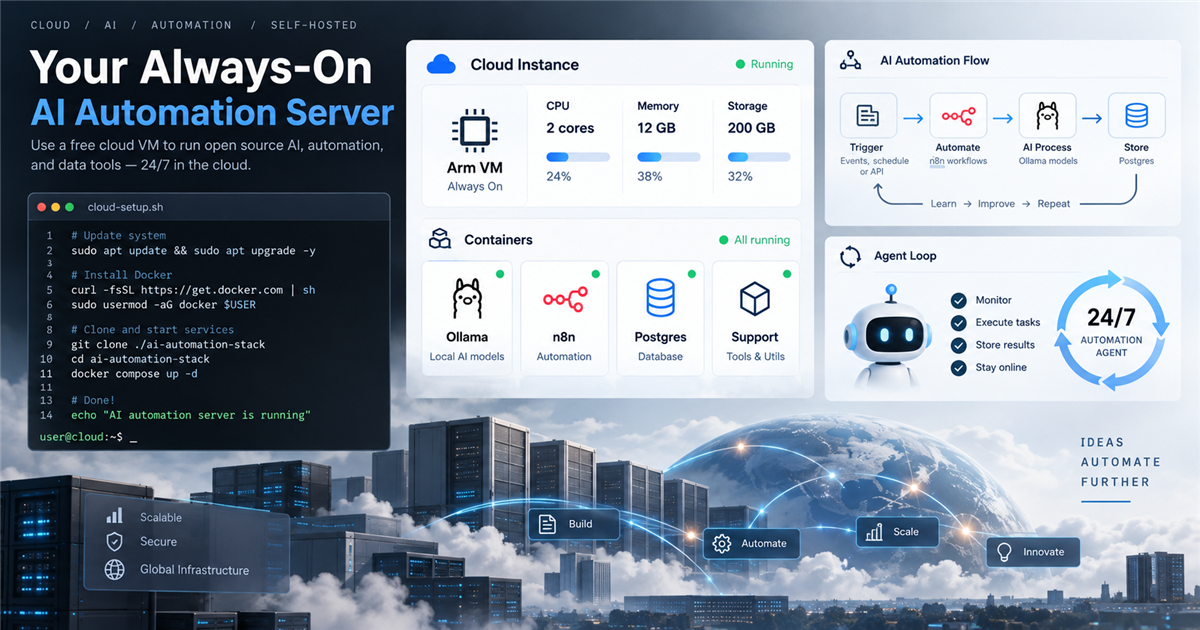
Oracle Cloud Always Free AI server can be a practical small AI automation box if you treat it as a lightweight always-on server, not a GPU machine. The useful stack is simple: one Arm VM, Docker, Ollama for small local model tasks, n8n for workflows, Postgres for data, and a real 24/7 agent loop that keeps the server doing something useful.
Quick answer
Oracle Cloud Always Free can run a small AI automation server with an Ampere A1 Arm VM, n8n, Postgres, and lightweight Ollama tasks. The main catch is performance and policy: CPU-only AI inference is slow, account setup usually needs verification, free resources must stay within limits, and idle Always Free instances may be reclaimed.
Two Oracle caveats to check before you build
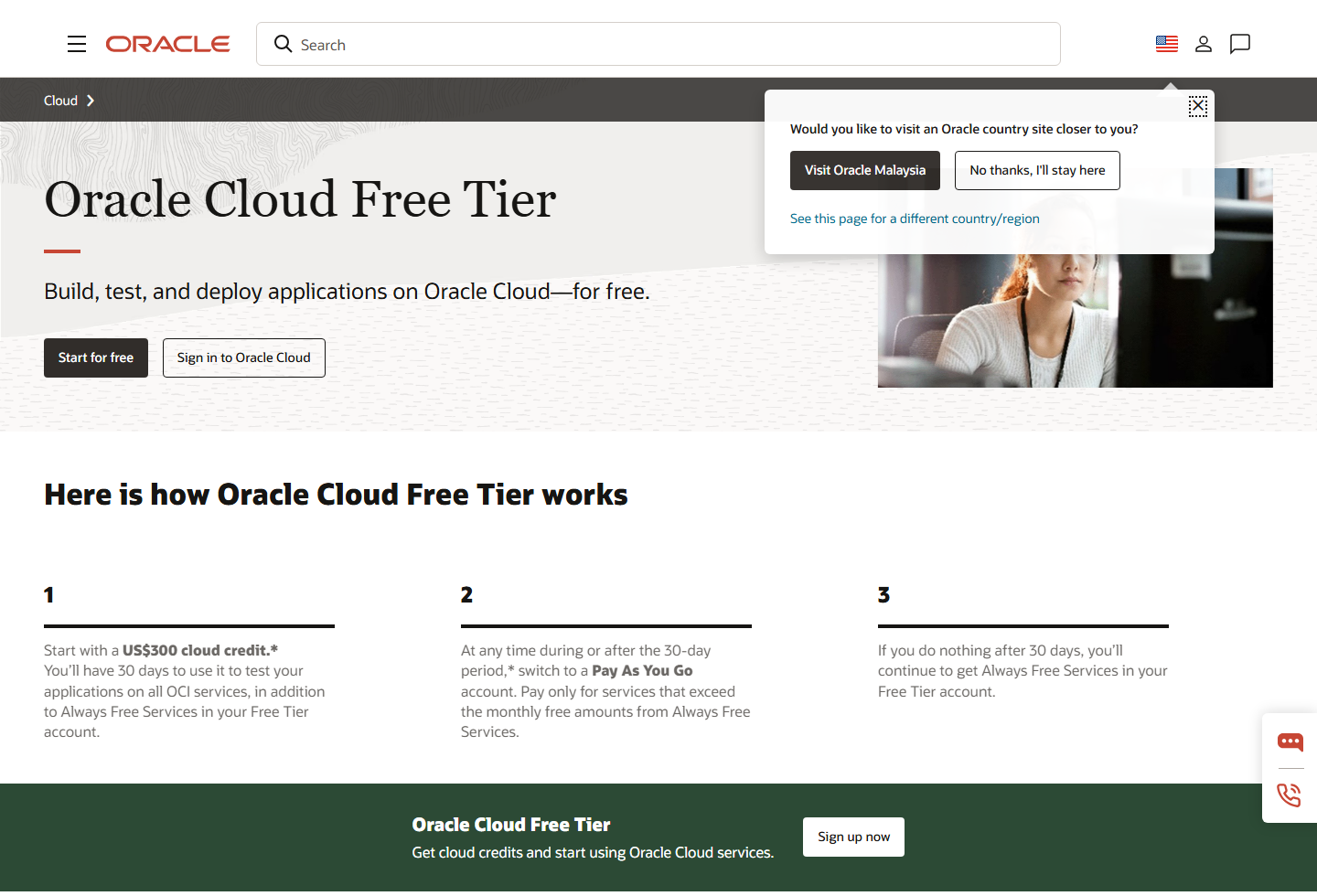
There are two catches worth putting in front of the setup. First, Oracle’s Free Tier documentation says most users need a mobile phone number and a credit card to create an account for identity verification. Oracle says the card is not charged unless the account is upgraded or paid usage happens, but you should still keep budgets and billing alerts enabled.
Second, Oracle’s Always Free documentation says idle compute instances may be reclaimed. Oracle defines idle as a 7-day period where CPU utilization at the 95th percentile is below 20%, network utilization is below 20%, and memory utilization is below 20% for A1 shapes. In practical terms, do not leave the VM parked. Give it a real job such as n8n schedules, monitoring, queue processing, RSS checks, or a small agent loop.
What to know first
Oracle’s Free Tier has two different ideas inside it: a time-limited trial credit and Always Free resources. For this guide, the important part is the Always Free compute allocation, especially the Arm-based Ampere A1 shape. Oracle’s documentation says the free-tenancy A1 allocation is equivalent to 2 OCPUs and 12 GB memory.
That is enough for a small automation box, not a serious AI inference server. Ollama can run small local models, and an 8B model can fit in memory depending on the build and quantization, but two Arm CPU cores will be slow. Use it for background tasks, simple summaries, light classification, cron-style automation, and experiments rather than real-time chatbot traffic.
Best choice by use case
- Best for AI hobbyists: a low-cost always-on box for experiments, model testing, and private automations.
- Best for automation users: self-hosted n8n workflows backed by Postgres.
- Best for agent loops: scheduled jobs that check feeds, process files, summarize notes, or update databases.
- Not ideal for: heavy model serving, high-traffic public apps, GPU workloads, or business-critical systems without backups and monitoring.
Oracle Always Free resources at a glance
| Resource | What Oracle currently documents | Why it matters for this setup | Caveat |
|---|---|---|---|
| Ampere A1 Compute | 2 OCPUs and 12 GB memory equivalent for Always Free tenancies | Enough for one small always-on server or two smaller Arm instances | Capacity can be unavailable in some regions |
| Block Volume | 200 GB combined boot and block volume storage | Enough for OS, Docker images, Postgres, logs, and small model files | Boot volumes count toward the 200 GB limit |
| Outbound Data | 10 TB per month outbound data | Useful for webhooks, dashboards, updates, and light traffic | Avoid treating it as CDN or bulk transfer infrastructure |
| Free Tier Account | Most users need phone/card verification | Needed before provisioning the server | Card is for verification unless you upgrade or exceed free limits |
| Idle Reclaim Rule | Idle Always Free compute may be reclaimed after a low-usage 7-day period | A real workload is safer than a parked VM | Do not fake load; run useful tasks and monitor resources |
9 steps to build the server
1. Create the Oracle Cloud Free Tier account
Start from the official Oracle Cloud Free Tier page. Choose the home region carefully because Oracle’s docs say Always Free compute instances are created in the home region. Expect account verification; Oracle documents that most users need a phone number and credit card during setup.
2. Create one Arm VM inside the Always Free allocation
Choose the Ampere A1 flexible Arm shape and stay within the Always Free allocation. For a simple all-in-one setup, use one instance with 2 OCPUs and 12 GB memory. Splitting into two smaller instances is possible, but one box is easier for n8n, Postgres, and Ollama experiments.
3. Keep disk usage simple
Oracle documents 200 GB of combined boot and block volume storage for Always Free Block Volume resources. A practical layout is one boot volume plus a modest attached block volume for Docker data, Postgres backups, and model files. Do not fill the full 200 GB unless you understand how boot and block volumes count.
4. Secure SSH and network rules first
Before installing tools, set up SSH keys, update the operating system, and open only the ports you need. For most users, expose SSH only to your IP, and put n8n behind HTTPS with a reverse proxy if it needs public access. Do not expose Postgres to the public internet.
5. Install Docker and Docker Compose
Docker makes the server easier to maintain because n8n, Postgres, and support services can be managed as containers. On Ubuntu, the rough flow is update packages, install Docker from the official Docker instructions, add your user to the Docker group, then use a compose file for services.
sudo apt update && sudo apt upgrade -y
# Then follow Docker official install docs for your Linux image
docker --version
docker compose version
6. Run Postgres for workflow data
Use Postgres as the main database for n8n and any small agent records. Keep regular backups because free infrastructure is not the same as managed production reliability. A simple backup job to an encrypted archive is better than assuming the VM will never fail.
7. Run n8n as the automation layer
n8n is a good fit for this server because it can handle webhooks, schedules, approvals, API calls, and workflow orchestration. Use environment variables, keep credentials protected, and avoid letting every automation run unrestricted.
8. Add Ollama carefully
Ollama can run local models, but the Always Free Arm VM is CPU-only. Start with smaller models first. An 8B model such as llama3.1:8b can be useful for background work, but responses will be slow on two Arm cores. That is acceptable for scheduled jobs, less acceptable for live chat.
curl -fsSL https://ollama.com/install.sh | sh
ollama pull llama3.1:8b
ollama run llama3.1:8b
9. Give it a real 24/7 job
The server should do useful work: monitor feeds, summarize inbox exports, run n8n schedules, process RSS items, update a small database, watch files, or run an agent loop with clear limits. Oracle documents idle-instance reclaim rules, so a meaningful workload is better than a parked VM.
Example Docker Compose direction
A production-ready compose file depends on your domain, SSL setup, backup path, and secret handling. This minimal sketch shows the shape only; fill in secure passwords and environment settings before using it.
services:
  postgres:
    image: postgres:16
    restart: unless-stopped
    environment:
      POSTGRES_DB: n8n
      POSTGRES_USER: n8n
      POSTGRES_PASSWORD: change-this
    volumes:
      - ./postgres:/var/lib/postgresql/data

  n8n:
    image: n8nio/n8n:latest
    restart: unless-stopped
    ports:
      - "5678:5678"
    environment:
      DB_TYPE: postgresdb
      DB_POSTGRESDB_HOST: postgres
      DB_POSTGRESDB_DATABASE: n8n
      DB_POSTGRESDB_USER: n8n
      DB_POSTGRESDB_PASSWORD: change-this
    depends_on:
      - postgres
What fits on 12 GB memory
A realistic setup can fit n8n, Postgres, a small reverse proxy, monitoring, and Ollama with one modest model available. The bottleneck is not just memory; it is CPU speed. Keep only one model loaded when possible, avoid running many heavy workflows at the same time, and watch swap usage.
- Good fit: n8n schedules, webhook handlers, RSS processing, small Postgres database, low-frequency AI summaries.
- Possible but slow: 8B local model prompts, agent loops that wait for responses, batch summaries overnight.
- Bad fit: high-traffic chatbots, multi-user AI inference, GPU workloads, video generation, large model serving.
Important caveats
- Capacity is not guaranteed: Always Free A1 capacity can be unavailable in a region or availability domain.
- Home region matters: Always Free compute must be created in the account home region.
- Card verification is normal: Oracle says most users need a mobile phone number and credit card for account setup and identity verification. The card is not charged unless you upgrade or create paid usage, but billing alerts are still sensible.
- Idle reclaim is real: Oracle says idle Always Free compute can be reclaimed after a 7-day period under 20% CPU, network, and memory thresholds, so the VM should run a useful workload rather than sit empty.
- Free limits still have boundaries: exceeding Always Free limits or using paid resources can create charges after upgrade or paid usage.
- Backups are your job: self-hosted n8n and Postgres need export and backup routines.
Official sources
- Oracle Cloud Free Tier
- Oracle Cloud Infrastructure Free Tier documentation
- Oracle Always Free Resources documentation
- Ollama
- Ollama llama3.1 model page
- n8n self-hosting documentation
- PostgreSQL documentation
- Docker Engine install documentation
Related Techmixer guides
- Free VPS options for hosting AI agents
- AI Tools
- Best No-Code AI Workflow Automation Tools for Small Teams
- Top AI Productivity Tools for Business and Entrepreneurs
- Open Source Software
- Software Guides
FAQ
Can Oracle Cloud Always Free run an AI server?
Yes, the Arm-based Ampere A1 Always Free allocation can run small always-on services such as n8n, Postgres, and a lightweight Ollama setup, but AI model performance will be slow on two Arm OCPUs.
Is Oracle Cloud Always Free really free forever?
Oracle describes Always Free resources as available for an unlimited period, but limits, home-region rules, capacity availability, and idle-instance reclaim rules still apply.
Can I run llama3.1:8b on the Always Free Arm VM?
You can try it if memory and architecture support line up, but an 8B model will be slow on two Arm OCPUs. Smaller models may be more practical for frequent agent tasks.
Why does the server need a real workload?
Oracle documentation says idle Always Free compute instances may be reclaimed when CPU, network, and memory stay below threshold during a 7-day period, so a useful workload is safer than a parked VM.
Do I need a credit card for Oracle Cloud Free Tier?
Oracle says most users need a phone number and credit card for account setup and identity verification, but the card is not charged unless the account is upgraded or paid usage occurs.
What we checked
This guide uses Oracle’s Always Free documentation for the A1 allocation, storage limits, and idle-instance rules. The image above shows Oracle’s Free Tier page. Techmixer has not yet deployed and timed Ollama, n8n, and Postgres together on an A1 VM, so the suggested stack and performance expectations are planning guidance, not measured test results. Actual capacity and model response time depend on the workload and VM availability in your home region.
Our take
Oracle Cloud Always Free is a promising option for a small personal automation server on paper. Its documented Arm allocation gives room to try n8n, Postgres, and small local model tasks, but we have not measured this combination on an A1 VM. Expect CPU-only inference to be a performance constraint, keep within the published free limits, and back up anything important. Run useful work when needed and monitor the instance rather than creating artificial load to avoid idle reclamation.
Last reviewed: 17 September 2026.