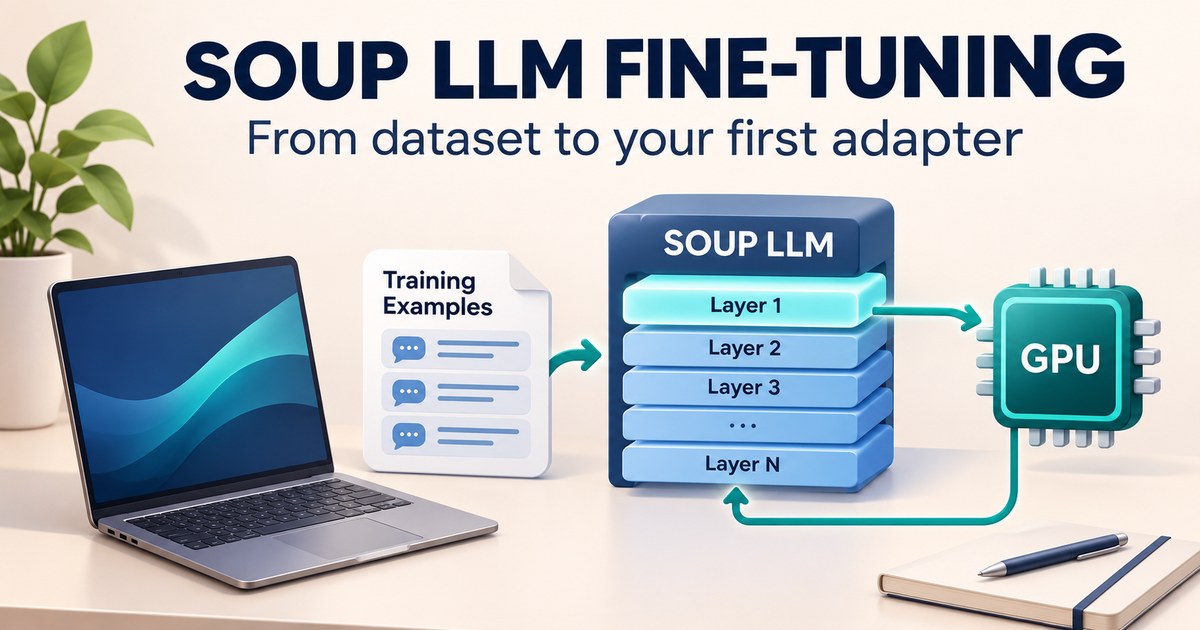
Soup LLM fine-tuning gives you a command-line tool and a local browser interface for adapting an existing language model to a specific task. You describe the model, dataset and training settings in YAML, then run the workflow. For a first attempt, start with a small model and a dataset you can inspect—not the biggest model mentioned in a demo.
This guide walks through a support-request labeling example. Techmixer installed Soup 0.77.1, checked eight sample records, opened its dashboard and validated the example configuration on Windows 11 with Python 3.12.10. We did not download model weights or run training. The training and evaluation steps below are a documented continuation, not a claim that this example improved a model.
What to know before using Soup
Fine-tuning changes a model’s behavior using examples. In this walkthrough, low-rank adaptation (LoRA) trains a relatively small set of additional weights, called an adapter, against a pretrained model. That is a different project from training an LLM from scratch.
The official Soup repository uses the Apache 2.0 license. That covers Soup’s code; check the separate license and access conditions for your model and dataset. A local fine-tuning workflow still consumes storage, memory, electricity and time. A rented GPU adds hosting charges. This example does not require a paid inference API, but it does require model files once you reach training.
For the installation shown here, use Python 3.11–3.13; Soup 0.77.1’s package metadata excludes Python 3.14. The commands below use PowerShell and explicit virtual-environment paths so they don’t rely on activating a script. Linux and WSL users should use their environment’s bin/python and bin/soup equivalents. The screenshots demonstrate the Windows setup only. See the versioned package listing before installing a different release.
Should you fine-tune, improve the prompt or use retrieval?
Choose fine-tuning when a measured, repeatable behavior gap remains after you establish a reasonable prompt baseline. If you need answers from changing documents, start by investigating retrieval instead. Retrieval gives the model relevant source material at answer time; an adapter is not a dependable substitute for an up-to-date document store.
| Your actual problem | Start with | What to check |
|---|---|---|
| A model adds unwanted commentary to short labels | Clear instructions and output validation | Can the existing model follow the format on unseen examples? |
| Answers must reflect frequently changing product documents | Retrieval with source checks | Are the correct passages found and cited? |
| Consistent formatting or a narrow task still fails across many representative examples | A small fine-tuning experiment | Does the adapter beat the base model on held-out cases? |
| You simply want a model running locally | An inference setup | Can the model answer acceptably without any training? |
This is Techmixer’s decision framework, not a comparative benchmark. For basic support routing, a conventional classifier or simple business rules may be easier to maintain than an LLM. The tiny dataset here teaches the mechanics. If you only need local inference, our AirLLM setup guide covers a different part of the workflow.
1. Install Soup in its own environment
Create a new folder rather than adding experimental dependencies to an application you already use. These PowerShell commands assume Python 3.12 is installed and available through the Windows Python launcher:
mkdir soup-lab
cd soup-lab
py -3.12 -m venv .venv
.\.venv\Scripts\python.exe -m pip install "soup-cli[ui]==0.77.1"
.\.venv\Scripts\soup.exe --version
.\.venv\Scripts\python.exe -m pip check
Our installation reported soup v0.77.1, and the dependency check reported no broken requirements. The [ui] extra supplies the browser interface; it does not install the complete PyTorch training stack. Pinning Soup makes the walkthrough easier to compare, but it does not pin every transitive dependency or guarantee an identical environment later.
2. Generate a configuration template
.\.venv\Scripts\soup.exe init --template chatRun this in the new project folder. It creates a starting configuration to inspect before training. The shipped chat template selects Llama-3.1-8B-Instruct; do not assume that template is appropriate for your hardware or that you already have model access. We replace it with an explicit small-model example in step 5.
Keep configuration files with your project so you can record which dataset, output folder and settings belong together. If you are still learning the underlying ideas, start with our AI engineering learning guide before adding more training methods.
3. Prepare a small, inspectable JSONL dataset
Create a data folder and save the following as data/train.jsonl, encoded as UTF-8. Each line is one complete JSON object. These eight examples are invented support requests with two deliberately simple labels:
{"instruction": "Label this support request as billing or technical. Reply with the label only.", "input": "The app crashes when I open a large file.", "output": "technical"}
{"instruction": "Label this support request as billing or technical. Reply with the label only.", "input": "Please send me a copy of my invoice.", "output": "billing"}
{"instruction": "Label this support request as billing or technical. Reply with the label only.", "input": "How do I change my subscription plan?", "output": "billing"}
{"instruction": "Label this support request as billing or technical. Reply with the label only.", "input": "The installer stops with an error code.", "output": "technical"}
{"instruction": "Label this support request as billing or technical. Reply with the label only.", "input": "Can you correct the company name on my receipt?", "output": "billing"}
{"instruction": "Label this support request as billing or technical. Reply with the label only.", "input": "The sync button stopped working after the update.", "output": "technical"}
{"instruction": "Label this support request as billing or technical. Reply with the label only.", "input": "I need to update my payment method.", "output": "billing"}
{"instruction": "Label this support request as billing or technical. Reply with the label only.", "input": "The application freezes when I export a report.", "output": "technical"}
Keep the instruction consistent and check every output yourself. Remove duplicates and private information before using real tickets. Permission to view customer messages does not automatically establish permission to reuse them for model training.
Also set aside genuinely unseen requests. For this walkthrough, “The export screen closes without warning” should be labeled technical, while “Where can I download last month’s invoice?” should be labeled billing. Do not add those prompts to the training file if you intend to use them as an independent check. Two prompts are a demonstration, not an evaluation set large enough to support a quality claim.
4. Validate the records and inspect their contents
.\.venv\Scripts\soup.exe data validate data/train.jsonl
.\.venv\Scripts\soup.exe data inspect data/train.jsonl
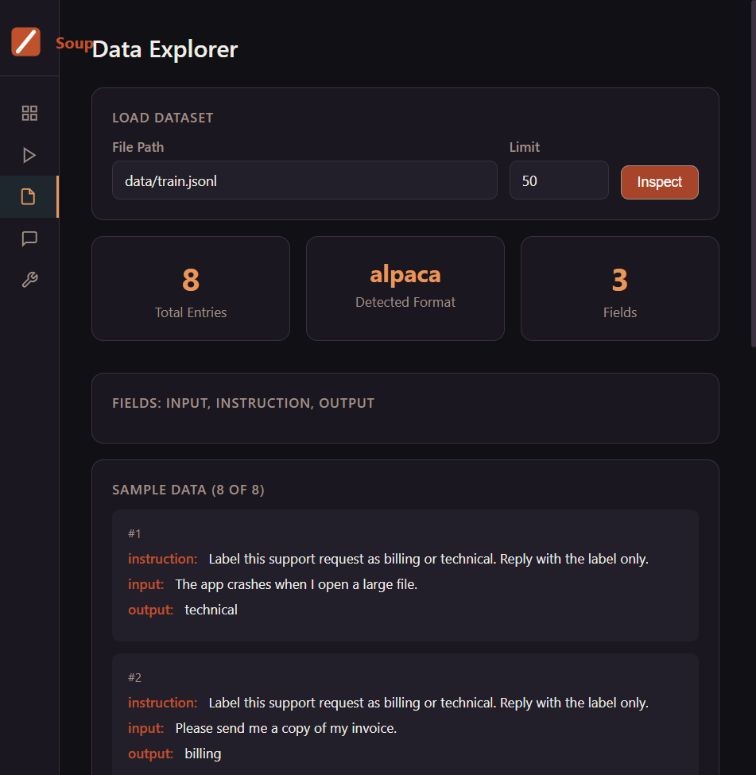
In our test, Soup detected the alpaca format and reported 8/8 valid rows. Inspection found eight samples, the fields instruction, input and output, no empty fields and no duplicates. This proves the example passed structural checks; it does not prove the labels are useful or that training will succeed. The official data guide describes the supported formats and data operations.
5. Use a small-model configuration you can explain
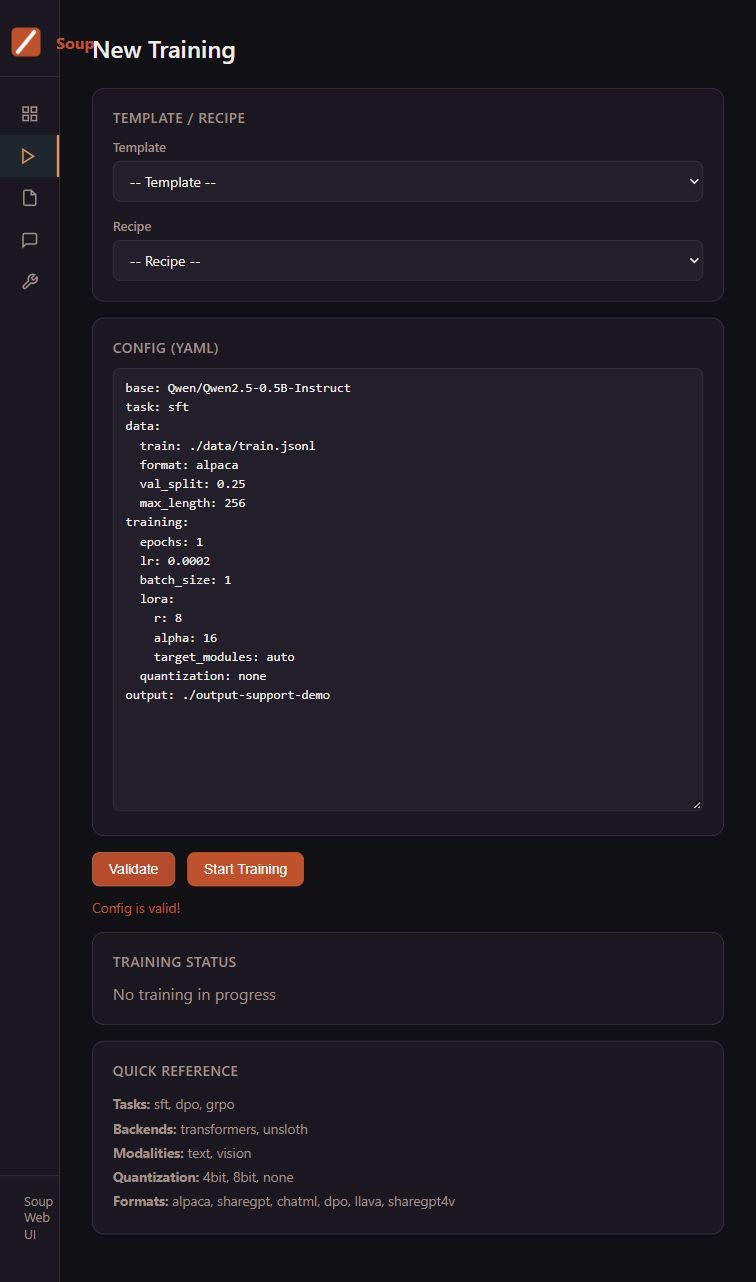
Save this as soup-example.yaml in the project folder. It uses Qwen2.5-0.5B-Instruct from the official Qwen account as a small candidate for learning the workflow. The model card lists an Apache 2.0 license. We validated the YAML, not the model’s behavior in this task.
base: Qwen/Qwen2.5-0.5B-Instruct
task: sft
data:
  train: ./data/train.jsonl
  format: alpaca
  val_split: 0.25
  max_length: 256
training:
  epochs: 1
  lr: 0.0002
  batch_size: 1
  lora:
    r: 8
    alpha: 16
    target_modules: auto
  quantization: none
output: ./output-support-demo
task: sft selects supervised fine-tuning. max_length: 256 limits example length, and val_split: 0.25 reserves part of the supplied dataset for validation. Keep the additional held-out prompts separate. The small LoRA rank and one epoch are demonstration choices, not recommended hyperparameters for your business data.
quantization: none deliberately avoids making the walkthrough depend on a particular low-bit training backend. A small parameter count is not a memory guarantee: activations, optimizer state, sequence length and the training stack also matter. Check the configuration reference when changing fields; don’t copy unfamiliar settings just to make a configuration look advanced.
6. Open the local dashboard and validate the YAML
.\.venv\Scripts\soup.exe ui --port 7869 --no-browserOpen the authenticated local URL printed by Soup. It contains a temporary access token; keep that URL out of shared screenshots. We used the default loopback bind, 127.0.0.1, without exposing the dashboard to the internet. The official Web UI documentation explains the login token and session behavior.
Open Data Explorer, enter data/train.jsonl, and select Inspect to see the records shown in step 4. In New Training, paste soup-example.yaml into the configuration editor and select Validate. Our test displayed Config is valid! while the status still said no training was in progress.
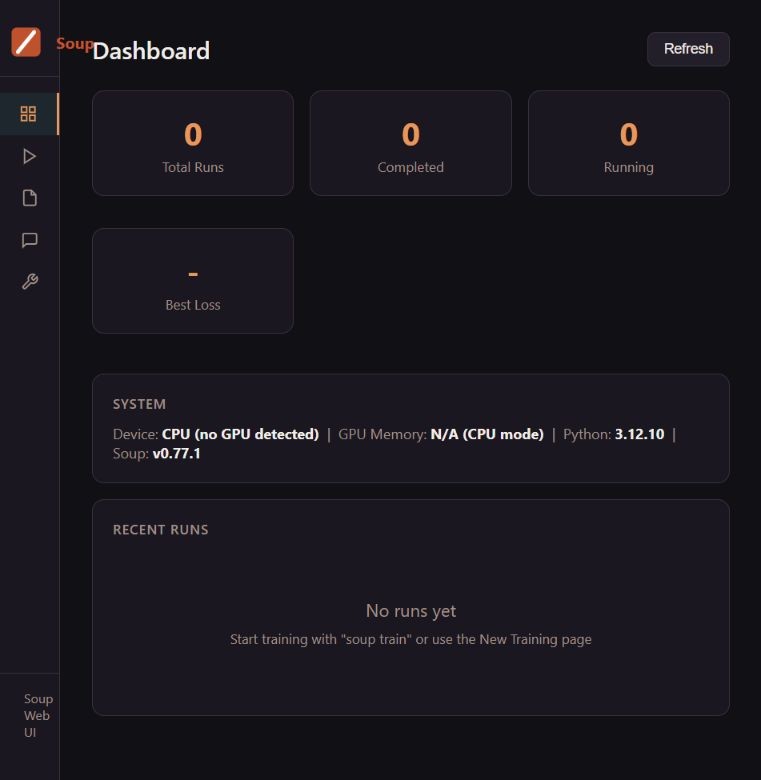
That distinction matters: a valid configuration checks its structure, not whether your GPU can finish the run. Our light-install dashboard reported CPU mode with no GPU detected. Since the training stack was absent, that display should not be treated as a physical hardware inventory or proof that CUDA cannot be configured.
7. Add training dependencies only when ready
The remaining training steps are documentation-based and were not executed for this article. Keep the local dashboard open for inspection, or stop it with Ctrl+C in its terminal. In a suitable training environment, add the optional dependencies and inspect the environment again:
.\.venv\Scripts\python.exe -m pip install "soup-cli[train]==0.77.1"
.\.venv\Scripts\soup.exe doctor
.\.venv\Scripts\soup.exe train --config soup-example.yaml
Read the diagnostics before accepting a training launch. GPU training needs a compatible driver, PyTorch build and backend; a successful CLI installation doesn’t establish those. Model downloads need internet access and free disk space. A gated model may require you to accept its license and authenticate yourself. Use a small, short experiment first, and stop if the diagnostics show a missing backend or an unsupported configuration.
If you don’t have suitable local hardware, compare the practical limits in our free cloud GPU versus local GPU guide. Notebook access is temporary and availability varies; Soup does not provide free GPU capacity.
8. Compare the adapter with the base model before exporting
After a successful training run has actually created its output, the documented chat command can load that output:
.\.venv\Scripts\soup.exe chat --model ./output-support-demoTest the same unseen requests against the base model and the adapter, using the same instructions. Record whether the label is correct, whether extra text appears and whether ambiguous requests are handled sensibly. Include difficult examples such as a failed payment caused by an application bug. Decide the label policy before counting that answer as a success or failure.
Do not treat a lower training loss or a plausible chat response as proof of improvement. Keep the base model, dataset revision and configuration associated with the run. If the adapter doesn’t improve a representative held-out set, return to the data and task definition instead of immediately increasing the model size.
Soup also documents merging adapters and exporting models, including GGUF workflows. Those operations need additional dependencies and model/converter compatibility checks. Finish the comparison before attempting deployment; this walkthrough has no trained adapter to export.
What about Soup’s 4 GB GPU claim?
Soup documents an opt-in beta that streams frozen model layers from host memory or storage, rather than keeping the entire frozen base resident in GPU memory. It is configuration- and architecture-dependent. It also moves pressure elsewhere: system RAM, storage and data transfer still matter.
The relevant configuration field is training.stream_layers: true. It belongs in a deliberately selected compatible training configuration—not a blanket edit to every template. Our small-model example leaves it off. Read the project’s layer-streaming documentation before trying it. Techmixer has not independently reproduced the project’s 4 GB training result and makes no speed or memory promise for your machine.
When setup fails, check the failing layer
- The command isn’t found: use the explicit
.venv\Scripts\soup.exepath from the project directory. Check that installation completed in that environment. - The dashboard says Unauthorized: reopen the current authenticated URL from the running server. A restart changes the token/session context. Keep the hostname consistent rather than alternating between
localhostand127.0.0.1. - A dataset path fails: start Soup from the project folder and confirm the file exists there. Structural validation cannot fix incorrect labels.
- The YAML is rejected: check indentation and field names against the installed release. Fix the reported field instead of disabling validation.
- Training dependencies or GPU support are missing: inspect
soup doctorand the backend setup guide. Stop before a long run; don’t assume the UI extra installed a training environment. - The run exhausts memory: revisit model size, sequence length and batch size. Try a smaller supported setup first. An estimated fit is not a guaranteed successful run.
Questions before your first training run
Can I explore Soup without downloading a language model?
Yes. In Techmixer’s Soup 0.77.1 test, the core/UI installation opened the dashboard, inspected a local JSONL dataset and validated YAML without downloading model weights. Training or chatting with a model is a separate step that needs the relevant runtime and model files.
Does a LoRA adapter replace the original base model?
An adapter-only output is used with its compatible base model; it is not a standalone replacement for all of the base weights. Keep the base-model identity and configuration with your experiment. Soup documents a separate merge workflow for creating a combined output, but Techmixer did not test merging or deployment in this walkthrough.
Related Techmixer guides
- Browse practical AI tools and setup guides
- Understand the larger task of training an LLM from scratch
- Explore local model inference with AirLLM
- Choose between a temporary cloud GPU and local hardware
Our take: prove the data workflow before buying hardware
Soup’s useful starting point is that you can inspect data and configuration before committing to a large training environment. In our test, those checks worked with a lightweight installation. The right next step is a small controlled experiment with a baseline, not a promise that every laptop can train a useful large model.
Author: km chia. Last reviewed: 3 November 2026. Method: documentation review against repository commit da68645 and a local Soup 0.77.1 core/UI installation on Windows 11, Python 3.12.10. Installation, dependency checks, eight-row dataset checks and UI configuration validation were tested. GPU training, model inference, adapter quality, merging and export were not tested. Screenshots show the actual local interface; the cover is an editorial illustration.