
Cloudflare Pages is a free VPS alternative for static websites. It hosts the finished HTML, CSS, JavaScript and images for a portfolio, landing page, documentation site or static blog. Cloudflare manages delivery over HTTPS and provides a pages.dev address for your first deployment. Cloudflare Pages overview.
If you were looking for a free VPS just to serve website files, Pages can handle that job with less setup. If your workload needs SSH, Docker, traditional WordPress or a continuously running process, choose a VPS or hosting that supports that runtime.
When Cloudflare Pages is a free VPS alternative
A static site can still be interactive. A calculator, search over a small bundled dataset or an animated portfolio can run JavaScript in the visitor’s browser. What makes it static is that Cloudflare can serve the files as they were built, without running your application code to construct each response.
- Good fits: portfolios, business landing pages, documentation, static blogs and browser-only tools.
- Fits with extra work: a contact form, a small API or a dashboard backed by external data. Use a compatible backend or a serverless function with the right authentication and storage.
- Choose a different host: traditional WordPress with its admin panel and database, a Docker Compose stack, a persistent Python process or anything that needs root access.
For example, you can host a bakery’s menu and opening hours on Pages, then link to an existing booking service. If you want to accept and store bookings yourself, the HTML site is only the front end. You still need a backend that validates availability and writes reservations somewhere durable.
What the free plan actually covers
Cloudflare documents free and unlimited static asset requests when those requests do not invoke a function. That is different from unlimited server-side work. A Pages Function shares the Workers Free allowance of 100,000 requests per day, resetting at midnight UTC. Review how routes are configured before assuming a request for an image or a page stays static.
Cloudflare’s Pages limits, checked 7 November 2026, list 500 builds per month, one concurrent build per account and a 20-minute build timeout on Free. A Free site can contain up to 20,000 files, with a 25 MiB limit per asset. The browser’s drag-and-drop uploader has its own lower limit of 1,000 files. Count generated files, not just the source pages: a photo-heavy site can produce several image variants per photo.
The default Pages address saves you from buying a domain for a first test. A domain registration, mailbox, database, large-file storage or third-party API may still cost money. For large downloads, price a storage service separately rather than treating Pages as a file dump.
1. Put your website in a deployable folder
Start with one file named index.html. Open it locally to catch simple errors before involving any hosting platform. For a build-based site, generate the final output and upload that directory, not the source repository or its node_modules folder.
<!doctype html>
<html lang="en">
<meta charset="utf-8">
<meta name="viewport" content="width=device-width, initial-scale=1">
<title>My first Pages site</title>
<h1>My first Pages site</h1>
<p>This page is served from a static HTML file.</p>
</html>
Check the upload folder before sharing it. Remove .env, unpublished drafts, backups and anything else you would not want a visitor to download. A private Git repository does not make the files served by your website private.
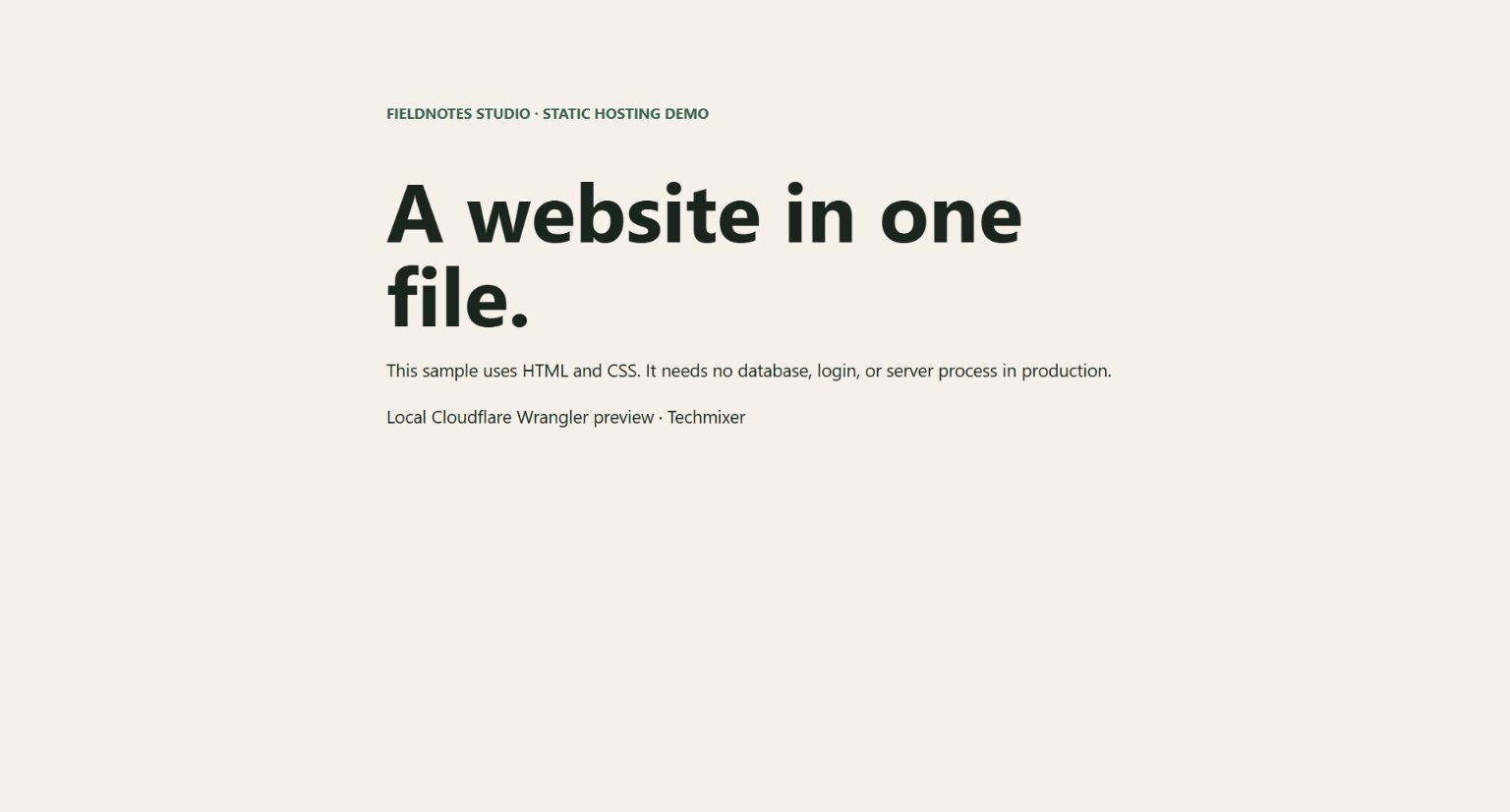
For an optional Cloudflare-specific local check, keep your finished files in a folder named site. With Node.js installed, run npx wrangler pages dev site from the parent directory and open the local URL printed in the terminal. Techmixer used this preview to confirm that an HTML-and-CSS sample rendered. Local preview cannot confirm your account limits, public URL or DNS configuration.
2. Upload the folder in the Pages dashboard
In Cloudflare, open Workers & Pages, choose to create an application, then select the Pages upload option. Give the project a name, drag in the final site folder and deploy. The official Direct Upload guide shows the dashboard path. Open the actual HTTPS URL provided after deployment and check the home page, at least one image and any nested routes in a private browser window.
If you expect frequent updates, decide before creating the project. A Direct Upload project cannot be converted to a Git-integrated project. You can create a separate Git project later, but that means checking links and moving any custom domain deliberately.
3. Use Git when you want repeatable updates
Instead of Direct Upload, create a Pages project with Git integration and select the repository in GitHub or GitLab. Set the production branch and the correct build output. If your build generates dist/index.html, for example, the output directory is dist. A push to the production branch updates the live site; review changes on a preview branch first.
For a client site, keep the project and domain under an account the client controls. Limit repository access to the site you need. Keep staging data out of previews unless you have verified that access restrictions are in place.
4. Add a domain after the default URL works
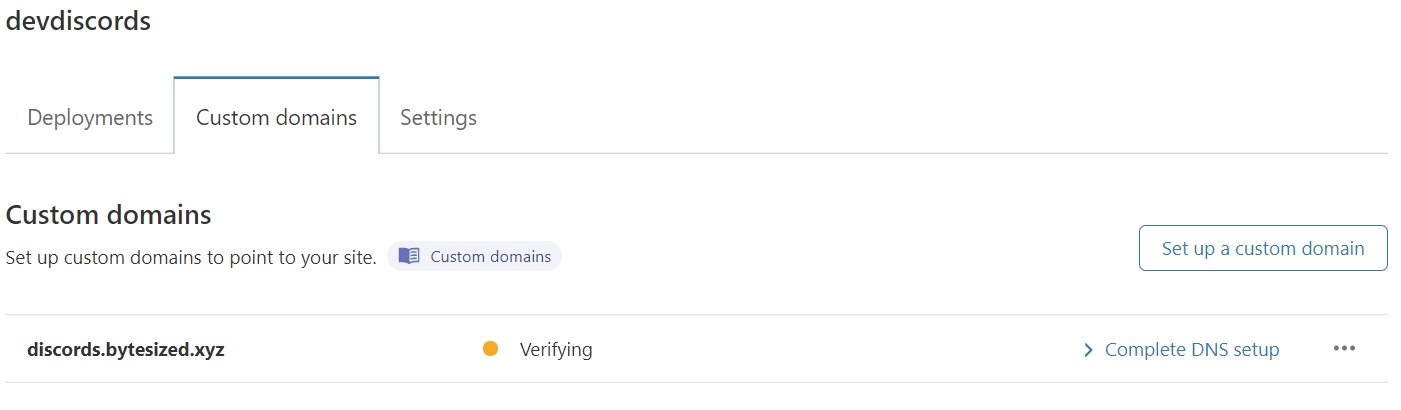
In the Pages project, open Custom domains and add the hostname there first. If your DNS is managed elsewhere, you can use a subdomain such as site.example.com with a CNAME to the project’s Pages address. For an apex domain such as example.com, Cloudflare’s custom-domain guide requires the domain to be a Cloudflare zone in the project’s account. Before moving nameservers for an existing domain, check email records and all other services that depend on DNS. Testing on a new subdomain first reduces the number of things that can break at once.
5. Decide where dynamic features belong
A Pages Function can handle a short task, such as validating a form submission and passing it to a backend. The browser must never receive the private key for that service. Keep it in a server-side secret, validate input there and think through retries, spam and storage before accepting real submissions. Uploading a folder in the dashboard does not compile a standard functions/ directory; use a supported Git workflow or Wrangler for that.
If the application will be primarily server-side, evaluate Workers with Static Assets as well as Pages. If you need to install operating-system packages, run a full PHP application or keep a background process alive, read Techmixer’s VPS-style server setup guide for a different hosting model.
Test this free VPS alternative before moving a live site
Use the initial pages.dev address as a staging check. Open the home page, one nested page and a deliberately missing URL. Verify that styles and images load and that any form reaches its intended backend. A working home page alone can hide broken asset paths, missing redirects or a form that never sends its submission.
For a site with existing traffic, test a separate subdomain first. Inventory redirects, email records and any URLs served by the old host. After connecting the production domain, test the old links visitors still use and confirm HTTPS from a fresh browser session. Keep a copy of the old deployment and DNS settings until you have verified the move. Cloudflare custom domain instructions.
Fix the most common setup problems
- Home page returns 404: look for
index.htmlat the root of the deployed output. Check that you did not upload a wrapper folder. - Home page works but styling is missing: inspect failed requests in the browser. Check filename case and asset paths.
- Build succeeds but shows the wrong page: compare the deployment’s source branch and output directory with the files you intended to publish.
- Custom domain fails: test the original Pages URL first. If that works, verify the project association, DNS target and certificate status before changing the build.
For multiple client sites, check the Pages project limits before designing around one account.
Questions before moving a site
Can I move a WordPress site to Cloudflare Pages?
You can publish a static export of WordPress on Cloudflare Pages. The export does not run wp-admin, PHP plugins, comments or checkout on Pages. Keep a separate WordPress origin if you need to continue editing and generating exports.
Can I host more than one website on Cloudflare Pages?
Yes. Use a separate Pages project for each independent site so it has its own deployment and domain. Cloudflare documents a 100-project limit per account and may restrict project creation during the first 48 hours.
What happens if my contact form sends mail?
Cloudflare Pages can serve the form HTML, but the form still needs a destination to receive the submission and send email. Use a suitable service or a function with a server-side email integration, and check its separate quotas.
Related Techmixer guides
Browse software and hosting setup guides.
Our take
Try Cloudflare Pages when the job is serving website files. A one-page business site may not need a server at all. Keep the existing host in place until you know which parts of your site rely on it; moving the front end does not move the database, mailboxes or scheduled jobs.
Method: Techmixer reviewed Cloudflare’s official documentation and ran the sample site locally with Wrangler. The custom-domain screenshot is from Cloudflare’s docs. We did not test a public deployment or change DNS. Last reviewed: 7 November 2026.