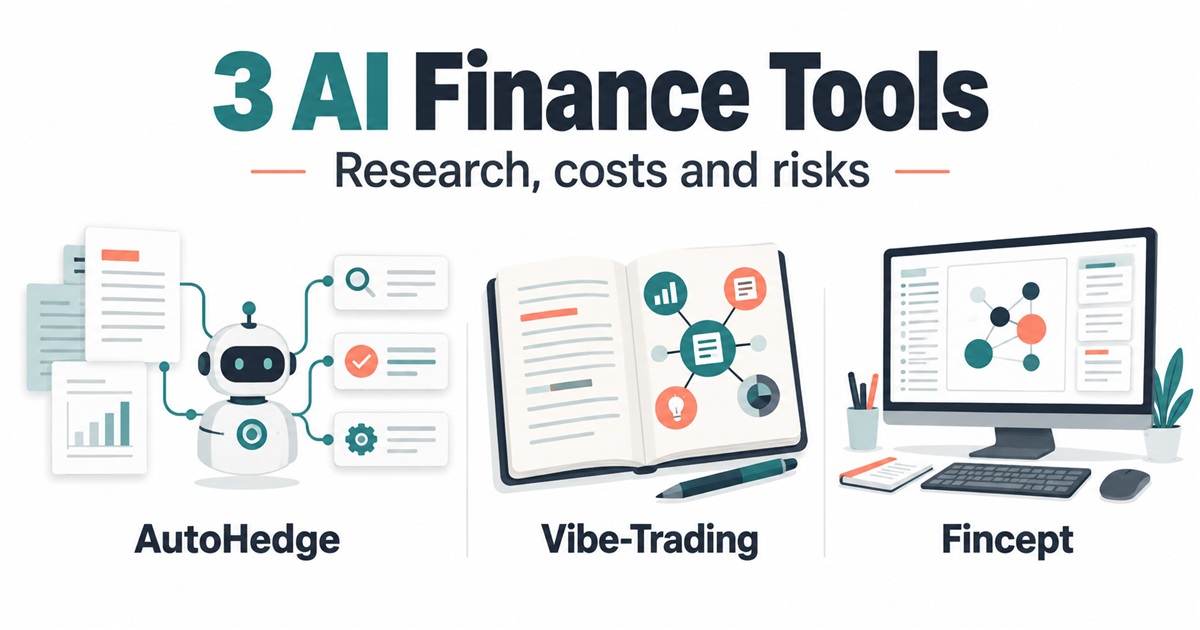
AI finance tools can help organize research, test ideas and inspect financial data, but they do not turn a laptop into a licensed institutional trading desk. AutoHedge, Vibe-Trading and Fincept Terminal tackle different parts of that work. Start by choosing the job you want to investigate, then check data costs, software permissions and whether the tool can send real orders.
Quick Answer
For a first research experiment, Vibe-Trading is the most relevant of these three to evaluate for natural-language backtesting. AutoHedge is more useful for developers studying an agent-to-execution architecture. Fincept is the desktop-terminal option, but its conflicting licence documents need clarification before business deployment. These are documentation-based starting points, not performance rankings.
Last reviewed: 19 October 2026. Source review plus limited Linux installation checks; not a hands-on trading test or investment recommendation.
What to Know First
The attractive part is being able to inspect and adapt a workflow instead of treating an expensive terminal as a black box. The catch is that source access, market-data rights and reliable execution are three separate things. A public repository does not supply every exchange feed or make an agent’s conclusions correct.
Keep the first experiment separate from money: no funded wallet, brokerage connection, private account statement or employer dataset. Use public or synthetic inputs and retain human review. If you need background on agents before comparing these projects, start with our AI engineering learning guide.
- Budget for the whole workflow. A no-cost code licence can still involve model calls, licensed data, storage and hosting.
- Read the permission boundary. A reporting assistant and an agent holding a wallet key are not equivalent experiments.
- Do not assume desktop means private. Trace the model endpoint, data connectors, telemetry and saved logs before entering restricted information.
Before Installing: Keep the Experiment Separate
Techmixer installed the pinned AutoHedge source and Vibe-Trading 0.1.16 in separate Python environments inside a disposable Linux/Python 3.11 container on 19 October 2026. Package metadata and dependency checks passed. In a separate isolated Ubuntu 24.04 desktop, Fincept v4.5.1 completed runtime/core setup and reached sign-in; no app login was attempted. Windows/macOS installation, model inference, backtests and paper-order execution were not tested. Use a disposable virtual machine or separate test computer without brokerage software, wallet files, cloud credentials or personal documents. A Python virtual environment separates packages; it is not a security sandbox. Installing dependencies can also execute code.
Install Python 3.11 and Git from their official sources before the Python paths below. Use a fresh project folder for each tool. Do not run installers or Python package commands as administrator unless an official installer genuinely requires it. Keep operating-system protections enabled; stop at unexpected security warnings.
Backtesting replays historical data. Local paper trading records simulated orders and balances. A broker demo account is a separate external service and may still need credentials. This guide starts with the first two, not broker connections. A prompt saying “paper only” is an instruction, not a technical security boundary.
AI Finance Tools Compared
This comparison is about workflow fit. Learning curve and review risk below are Techmixer’s editorial assessments, not measured product scores.
| Tool | Best for | AI/workflow strength | Learning curve | Pricing note | Human review risk |
|---|---|---|---|---|---|
| AutoHedge | Developers examining execution-oriented agents | Defined director, analysis, risk and execution roles | High: Python, provider configuration and key handling | MIT code; model, data and transaction costs separate | High if connected to funds; a risk agent is not a loss guarantee |
| Vibe-Trading | Researchers exploring natural-language backtests | Research tasks, agent collaboration and reusable workflows | Medium to high: data assumptions and generated code still need inspection | MIT code; model and optional data-provider costs separate | High if a convincing report hides leakage or unrealistic fills |
| Fincept Terminal | Desktop-oriented financial analysis | Financial panels, analytics and configurable integrations | Medium for navigation; high for building and integration | Public and paid Enterprise products differ; licence wording conflicts | Check source timestamps, edition features and data rights |
Best Choice by Use Case
Learning backtesting: investigate Vibe-Trading first, with a small public dataset and a reproducible baseline. Studying agent architecture: read AutoHedge’s source before considering execution. Exploring a desktop terminal: inspect Fincept’s edition comparison and resolve its licensing ambiguity. None of the three is a shortcut around understanding the inputs.
1. AutoHedge: Study the Boundary Between Research and Execution
Best for: Python developers who want to understand how an agent workflow separates a proposed idea, analysis, risk assessment and an execution step.
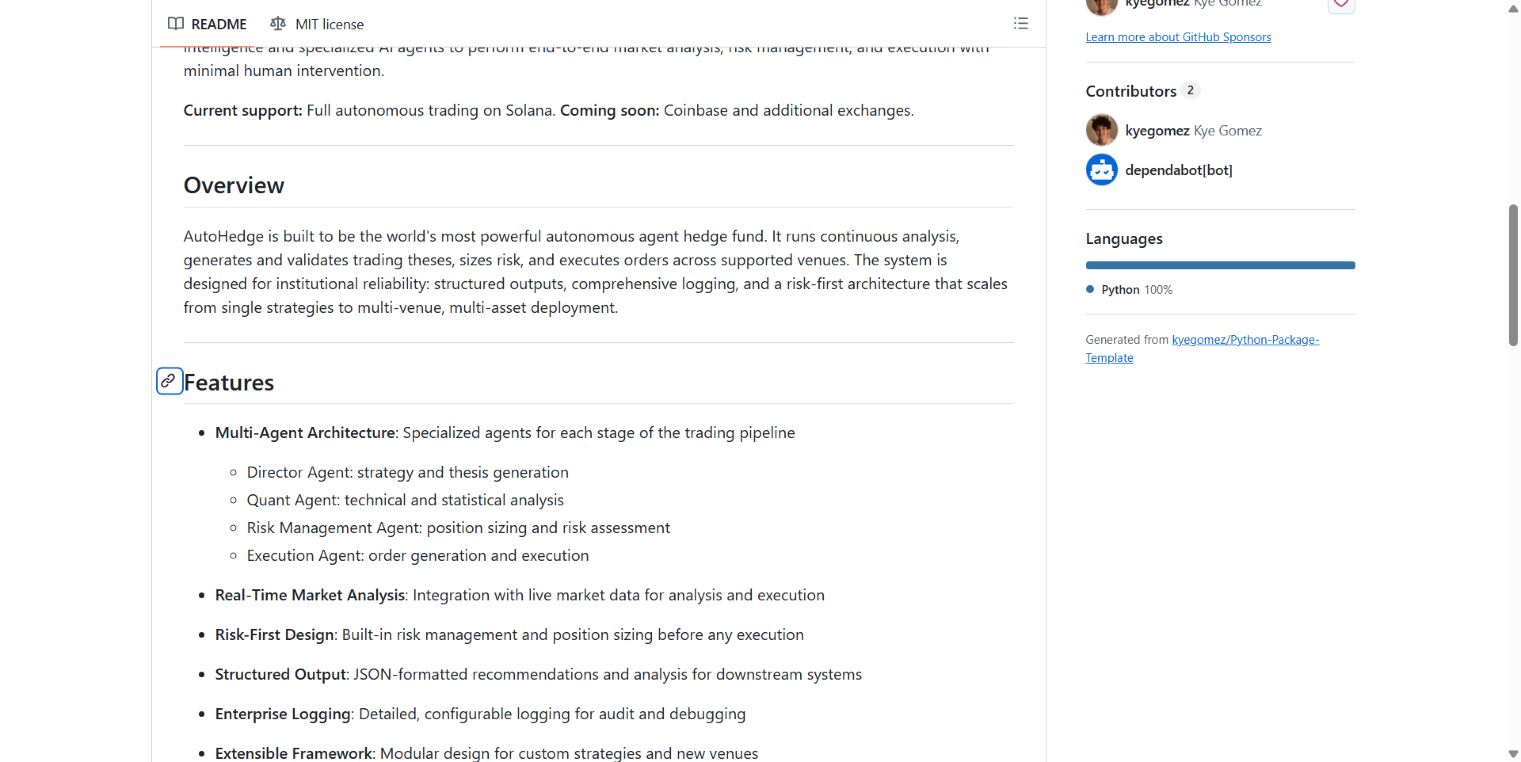
The official AutoHedge repository describes those four roles and advertises autonomous Solana trading. Its current README lists Coinbase as coming soon. That is the maintainer’s stated scope; we did not validate exchange integration or execute any orders.
Where it helps: use the architecture as a code-reading exercise. Follow one proposed action through each stage. Where is the evidence recorded? What happens when a provider fails? Can the final execution component be reached without the review you intended?
Imagine an analyst asking for a short explanation of a price movement. That is a reporting task. Granting the same workflow a wallet key changes the possible outcome from a bad paragraph to a financial loss. An agent called a risk manager does not establish a technically enforced spending limit.
Prerequisites, Costs and the Important Limitation
The reviewed package configuration declares Python 3.10-compatible requirements and version 0.1.5. Its example environment file includes model-provider settings and a wallet-private-key field. The code licence is MIT; that does not pay for services or transactions.
Our suggested first step: inspect the pinned source in an isolated development environment, without financial credentials. We did not verify a built-in paper-trading switch, so this guide does not invent one or recommend launching the default workflow as a safe simulation. Do not paste a wallet secret into a demonstration just to see the interface.
For a separate research-oriented framework, our TradingAgents setup guide provides another starting point. Treat any research output as a hypothesis to check, not an order to follow.
AutoHedge Installation: Source Inspection Only
Safe stopping point: install the reviewed source in the isolated test machine, inspect it, and stop before launching an agent. These steps do not configure a verified paper-trading system.
- Download the reviewed revision. In a new terminal, clone the official repository and select the exact commit used in this article.
git clone https://github.com/The-Swarm-Corporation/AutoHedge.git
cd AutoHedge
git checkout c549c7950da112286e76725d49f6a25de8fa99bd
git rev-parse HEAD
The final command should print the same full commit identifier. A detached-HEAD notice is expected when checking out a commit.
- Create a package environment and install without launching. On Windows, use the environment’s Python directly so you do not need to change PowerShell execution policy.
py -3.11 -m venv .venv
.\.venv\Scripts\python.exe -m pip install --upgrade pip
.\.venv\Scripts\python.exe -m pip install .
.\.venv\Scripts\python.exe -m pip show autohedge
.\.venv\Scripts\python.exe -m pip check
On macOS/Linux, use python3.11 -m venv .venv, then replace .\.venv\Scripts\python.exe with ./.venv/bin/python in the remaining commands. The reviewed source declares version 0.1.5; installing from PyPI instead can produce a different version.
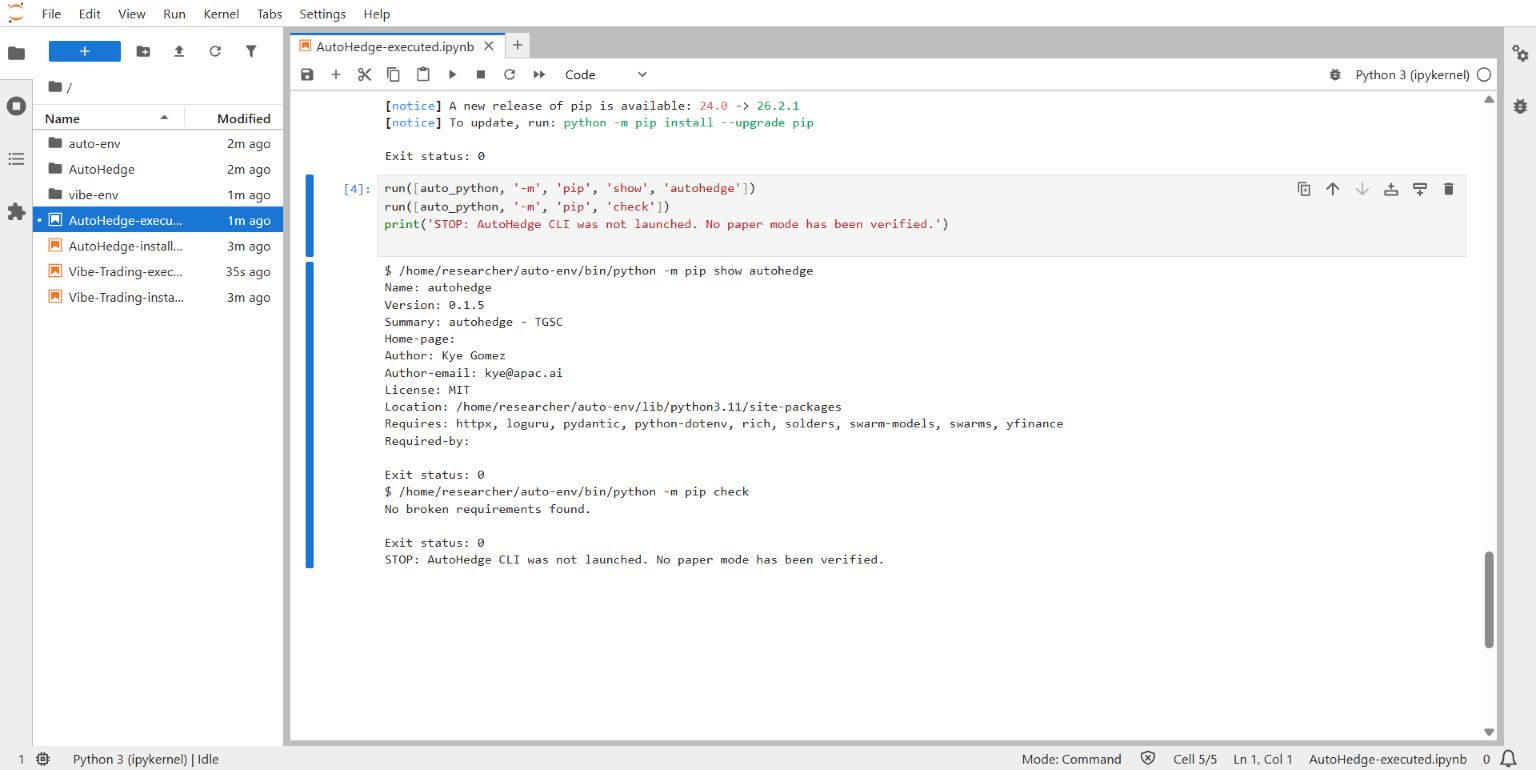
- Inspect the execution path without supplying secrets. Open
.env.example,autohedge/cli.pyand the execution-related modules in a text editor. Do not copy real model keys, broker credentials or wallet secrets into this experiment. Check what can call an execution provider and what prevents it. - Stop here. Do not run
autohedgeor assume--helpis side-effect-free: the reviewed CLI loads environment configuration during import. No verified--paperrecipe is provided. Use Vibe-Trading’s research path or a separately verified simulator for the next stage.
Expected result: package metadata is visible, dependencies are checked and the source revision is recorded; no agent or trading session is started. If installation fails, keep the error and version information, inspect the official issues, and rebuild a fresh environment after understanding the dependency conflict. A clean pip check is not a functional or security test. Reviewed CLI source.
2. Vibe-Trading: Turn a Question into an Inspectable Research Task
Best for: readers comfortable with Python who want to explore a repeatable research or backtesting workflow rather than collect another AI-generated market opinion.
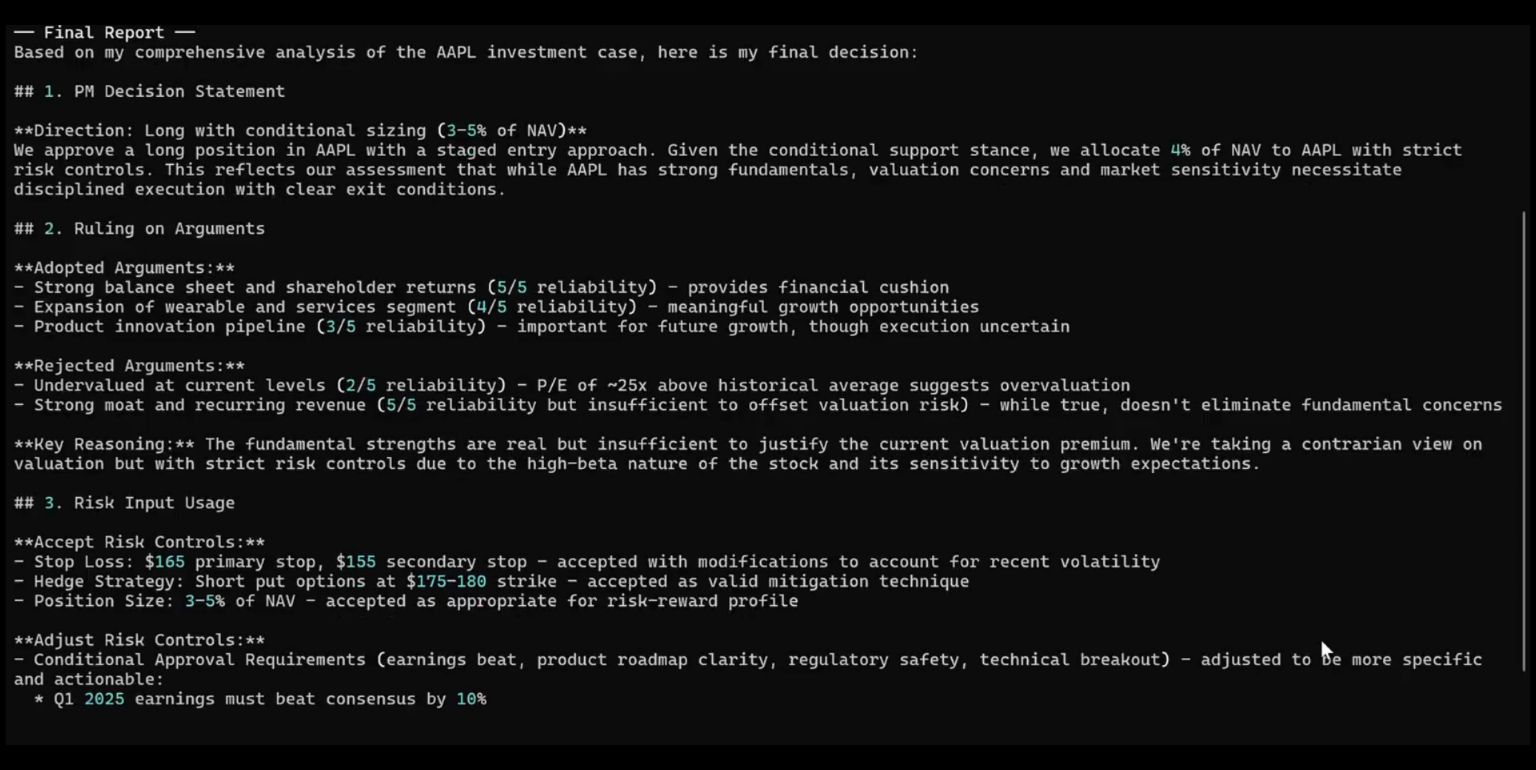
The official HKUDS Vibe-Trading repository documents a command-line workflow, a web interface and multi-agent research. The reviewed package requires Python 3.11 or later. The project’s release history listed v0.1.16 when checked. Fast-moving skill and team counts are not a useful reason to choose it; the question is whether one workflow produces evidence you can reproduce.
Where it helps: ask a narrow question such as, “Compare a moving-average rule with buy-and-hold on this saved dataset, with transaction costs and a separate evaluation period.” That gives you something to inspect: the generated rule, input dates, assumptions and resulting files.
A bull-and-bear debate may reveal alternative explanations, but multiple agents can share the same incorrect data or repeat one model’s mistake. A long discussion is not independent validation. Check the original sources and code instead of treating consensus as confidence.
What to Check Before Your First Run
Follow the installation and initialization instructions in the official repository for the version you choose. Keep the initial scope to public-data research; do not enable broker execution while learning the software. Record the Python environment, model provider, data source and exact command so you can investigate a changed result later.
Cost and limitation: Vibe-Trading’s MIT licence applies to the code, not every model or feed you connect. Local inference may reduce per-request API spending, but hardware, model permissions and output quality still matter. Our AirLLM guide discusses one local-model approach; compatibility with this particular workflow must be checked, not assumed.
For more background on organizing the research workflow, see our Vibe Trading research guide.
Vibe-Trading Setup: A First Historical Research Run
This path installs the published 0.1.16 package and keeps financial connectors unconfigured. It is a research/backtest setup, not proof of a broker paper-trading connection.
- Create a clean Windows project and install the pinned package. Run these commands in the isolated test machine.
mkdir vibe-research
cd vibe-research
py -3.11 -m venv .venv
.\.venv\Scripts\python.exe -m pip install --upgrade pip
.\.venv\Scripts\python.exe -m pip install vibe-trading-ai==0.1.16
.\.venv\Scripts\python.exe -m pip show vibe-trading-ai
.\.venv\Scripts\python.exe -m pip check
On macOS/Linux, create the environment with python3.11 -m venv .venv; use ./.venv/bin/python for Python commands and ./.venv/bin/vibe-trading for the CLI commands below. The expected package version is 0.1.16. Save the installed dependency list with the environment’s python -m pip freeze when recording the experiment.
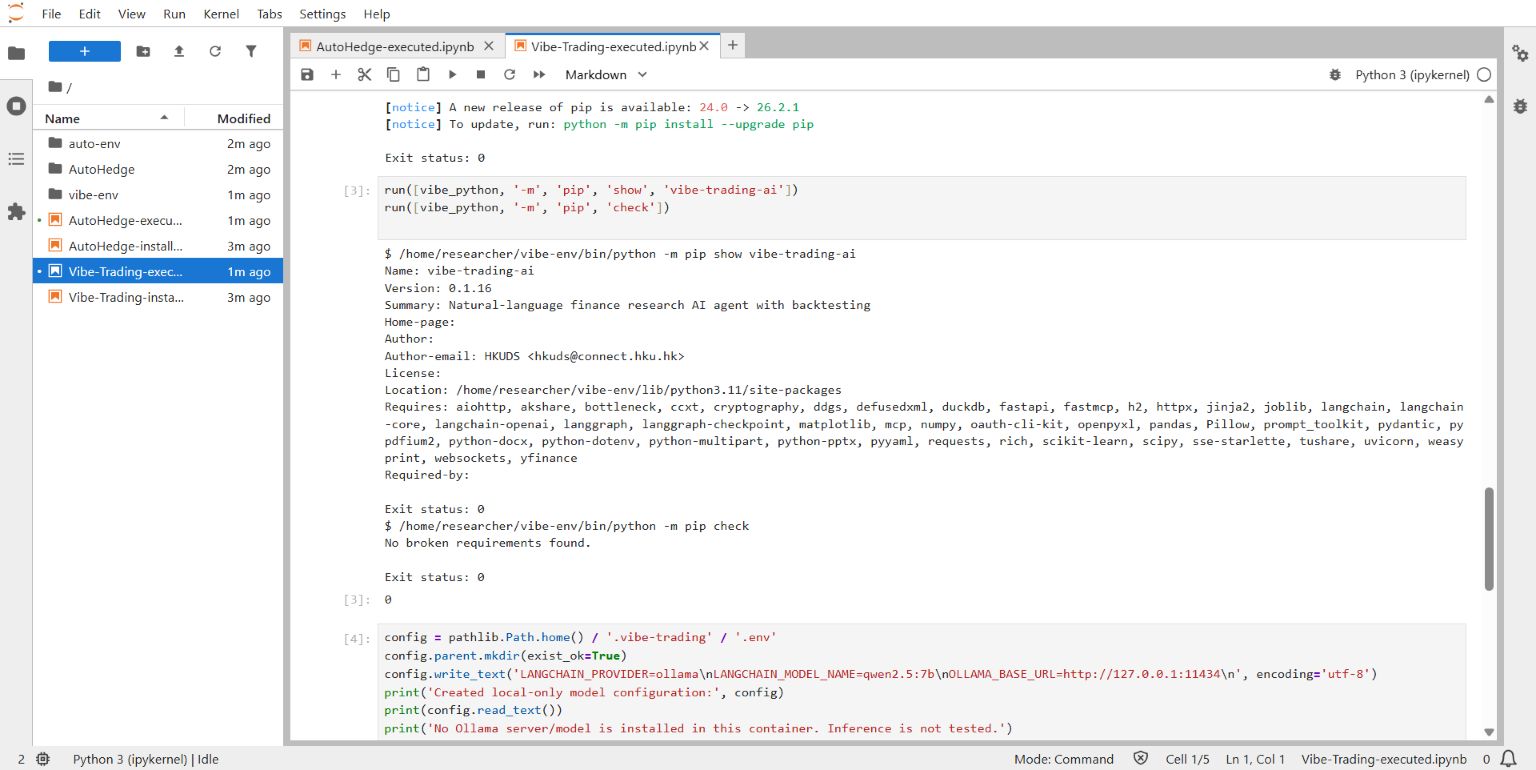
- Choose a model, not a broker. Run the official setup command. Select one supported model provider. If using a paid API, use a dedicated low-budget model key; no financial credentials are needed for a basic research task. Never share the generated configuration file.
.\.venv\Scripts\vibe-trading.exe initThe reviewed setup wizard stores provider configuration in ~/.vibe-trading/.env (your user-home directory). It includes a local Ollama option. For that route, install Ollama from its official download page, start it locally, and download a model that your test machine can run. One smaller experiment candidate is Qwen2.5 7B:
ollama pull qwen2.5:7b
ollama list
In the wizard select Ollama and the exact downloaded model name; use the local endpoint http://127.0.0.1:11434. If editing the generated configuration, these are the relevant values:
LANGCHAIN_PROVIDER=ollama
LANGCHAIN_MODEL_NAME=qwen2.5:7b
OLLAMA_BASE_URL=http://127.0.0.1:11434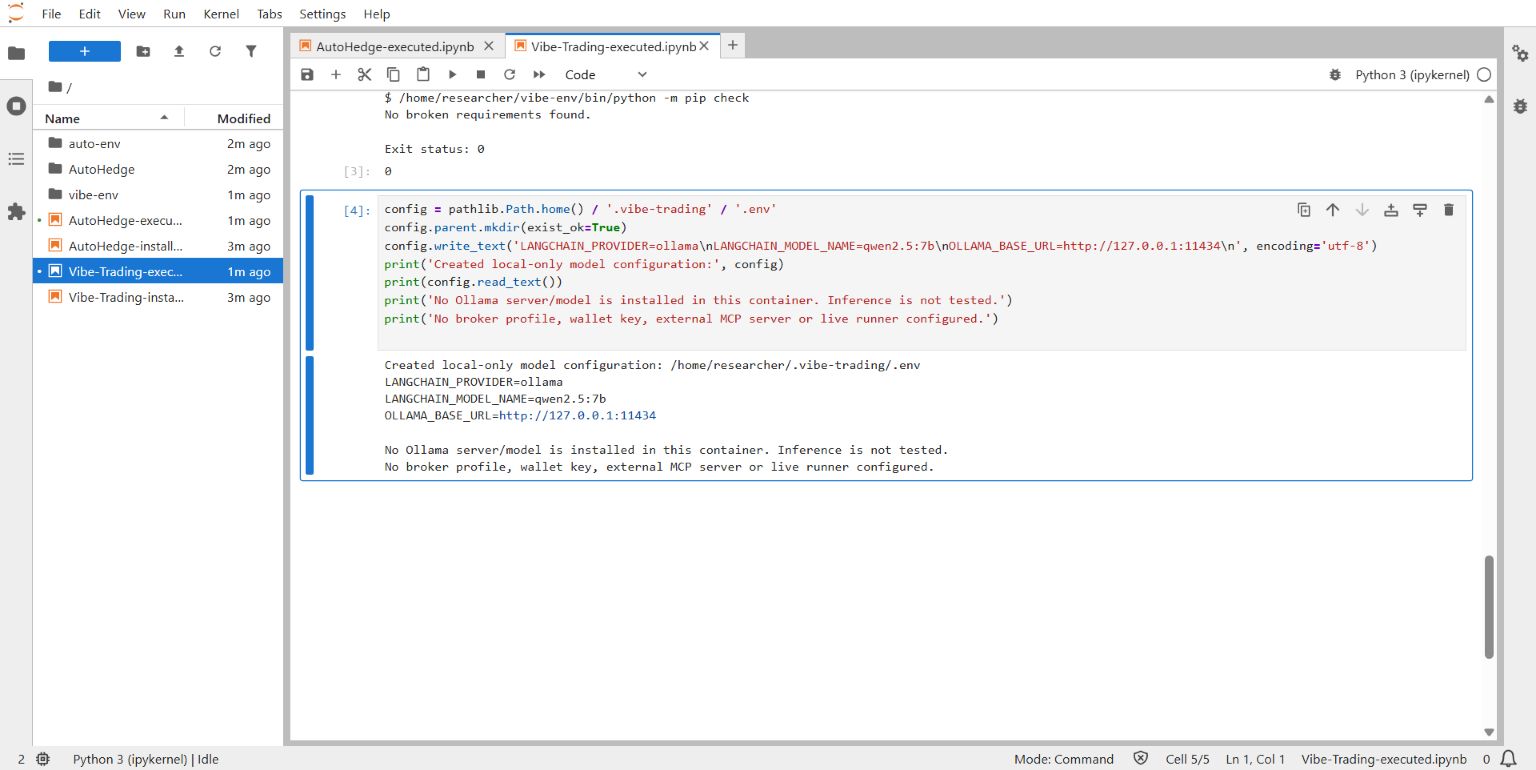
This is an illustrative model choice, not a validated finance-agent combination. Smaller models may fail tool calls or produce weak analysis; a download size does not establish sufficient runtime memory or reasoning quality. Check model terms and hardware requirements before using it.
- Run one bounded historical task. Keep broker profiles, wallet files, external MCP servers, shell-tool opt-ins and scheduled/live runners unconfigured. The text below requests a backtest and saved evidence, not an order.
.\.venv\Scripts\vibe-trading.exe run -p "Research only: backtest a BTC-USDT 20/50 moving-average rule for 2024 using public historical data. Compare with buy-and-hold. State fees, slippage, missing data and time zone. Save the strategy, data source and result files. Do not configure a broker, send orders or access private files. If data is unavailable, report the failure instead of inventing returns."The market pair is an example dataset identifier, not a recommendation to trade it. The prompt is not a permission guard. The isolated machine and lack of financial credentials are the important boundaries; generated research code can still execute Python and access the network.
- Validate before believing the report. Locate the saved artifacts reported by the run. Confirm the input period, trade list, fees and baseline exist, then manually recompute a sample. A completed narrative without inspectable data is not a successful backtest. Do not change the evaluation period to improve a disappointing result.
- Optionally open a local interface. Use the explicit loopback address below; do not expose this port with a tunnel or router rule.
.\.venv\Scripts\vibe-trading.exe serve --host 127.0.0.1 --port 8899Open http://127.0.0.1:8899 on the same machine. Stop the server with Ctrl+C when finished. If the installed package reports a missing frontend build, continue with the CLI or follow the official build instructions; do not assume a blank page means the backtest failed. If port 8899 is occupied, choose another local port and use that same port in the browser.
If it fails: verify the environment path and Python version, confirm the model server is running, and check that the configured model appears in ollama list. For missing market data, keep the error and choose a permitted source rather than inventing input values. Do not enable a broker or unrestricted tools to solve a model/data error. Sources: published package, setup wizard and server options.
3. Fincept Terminal: A Desktop Workspace with Edition and Licence Questions
Best for: technically minded readers who prefer a financial desktop workspace to assembling every panel and calculation themselves.
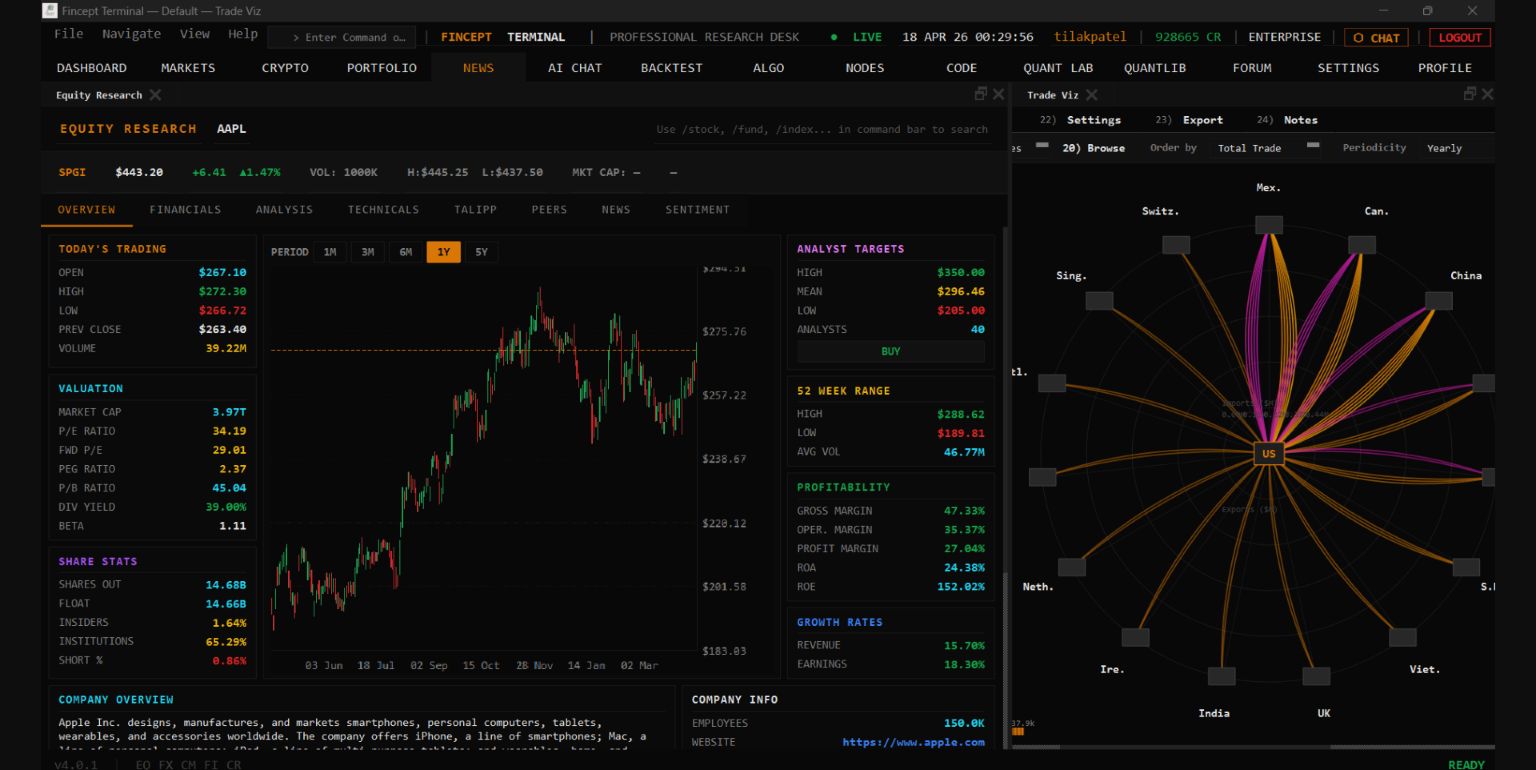
The Fincept Terminal repository describes a C++/Qt desktop application with Python integration and financial analytics. The reviewed release was v4.5.1. Its appeal is the workspace: bringing analysis and configured data sources together instead of shuffling between unrelated pages.
Where it helps: investigate whether its public edition has the specific valuation, portfolio or data-viewing feature you need. Compare a displayed figure with its original source and timestamp. A polished terminal does not tell you whether a feed is delayed, complete or licensed for your intended use.
The Licence Wording Needs Clarification
There is a material source conflict. At the reviewed commit, the licensing document describes an AGPL-only public repository and says its former dual-licensing arrangement has ended. However, the root LICENSE file at the same commit still contains a dual-licensing notice and additional commercial-use restrictions.
We cannot resolve that contradiction on the reader’s behalf. Before deploying it for a business, obtain written clarification from the maintainer and suitable legal review. Do not interpret this article as permission for commercial use.
Cost and limitation: the official public-product page distinguishes the public build from Enterprise. Verify the current edition, plan, included data and connected AI services instead of assuming a screenshot proves a free feature. Desktop software can still transmit requests to remote services; we did not audit its network behaviour.
The right comparison is your actual task, not an unsupported claim that it replaces every institutional terminal feature. Data entitlements, news coverage, support, historical datasets and reliability have to be assessed separately.
Fincept Setup: Desktop Research Before Paper Orders
Techmixer launched the official v4.5.1 Linux AppImage in an isolated Ubuntu 24.04 desktop on 19 October 2026. Its first-time setup installed the Python runtime and analytics core, and the app reached sign-in. We stopped there: no Fincept login, paper workspace, simulated order or financial connection was tested. Windows/macOS installation remains documentation-based. Resolve the licence ambiguity for your intended use before deployment.
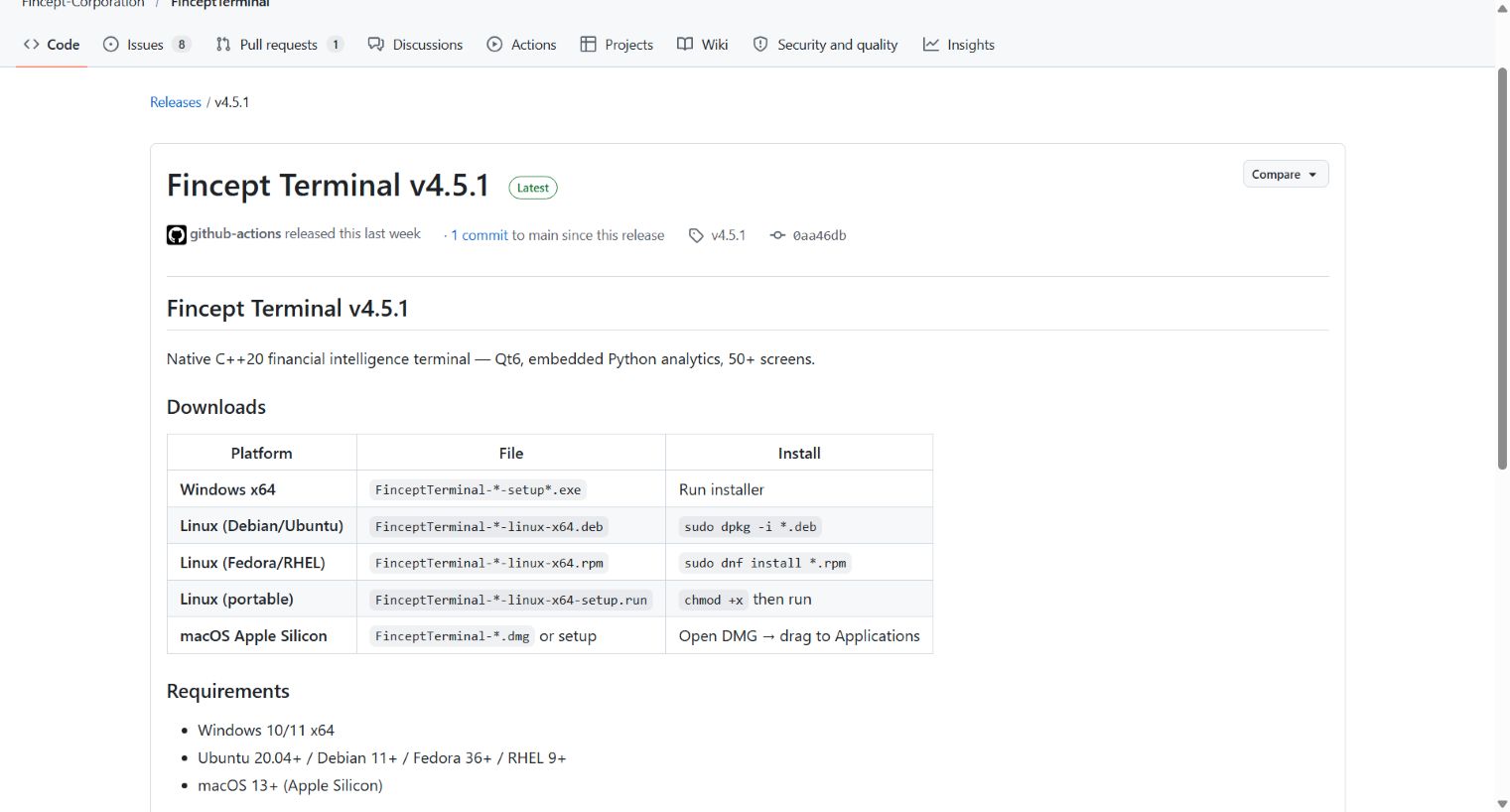
- Get the correct public installer. Open the official v4.5.1 release. Select the asset matching your operating system and processor, not an advertisement or a third-party download site. Windows x64 uses the Windows setup executable; macOS Apple Silicon uses its ARM64 DMG; Linux users must choose the supported package format for their distribution. Do not assume the ARM64 macOS build supports Intel Macs.

Official Fincept v4.5.1 release page captured 19 October 2026. This shows installer selection, not a completed installation or verified installer signature. Open the image for full-size text. - Install on the test machine. Use the official platform installer without bypassing operating-system security warnings. Our Linux test used
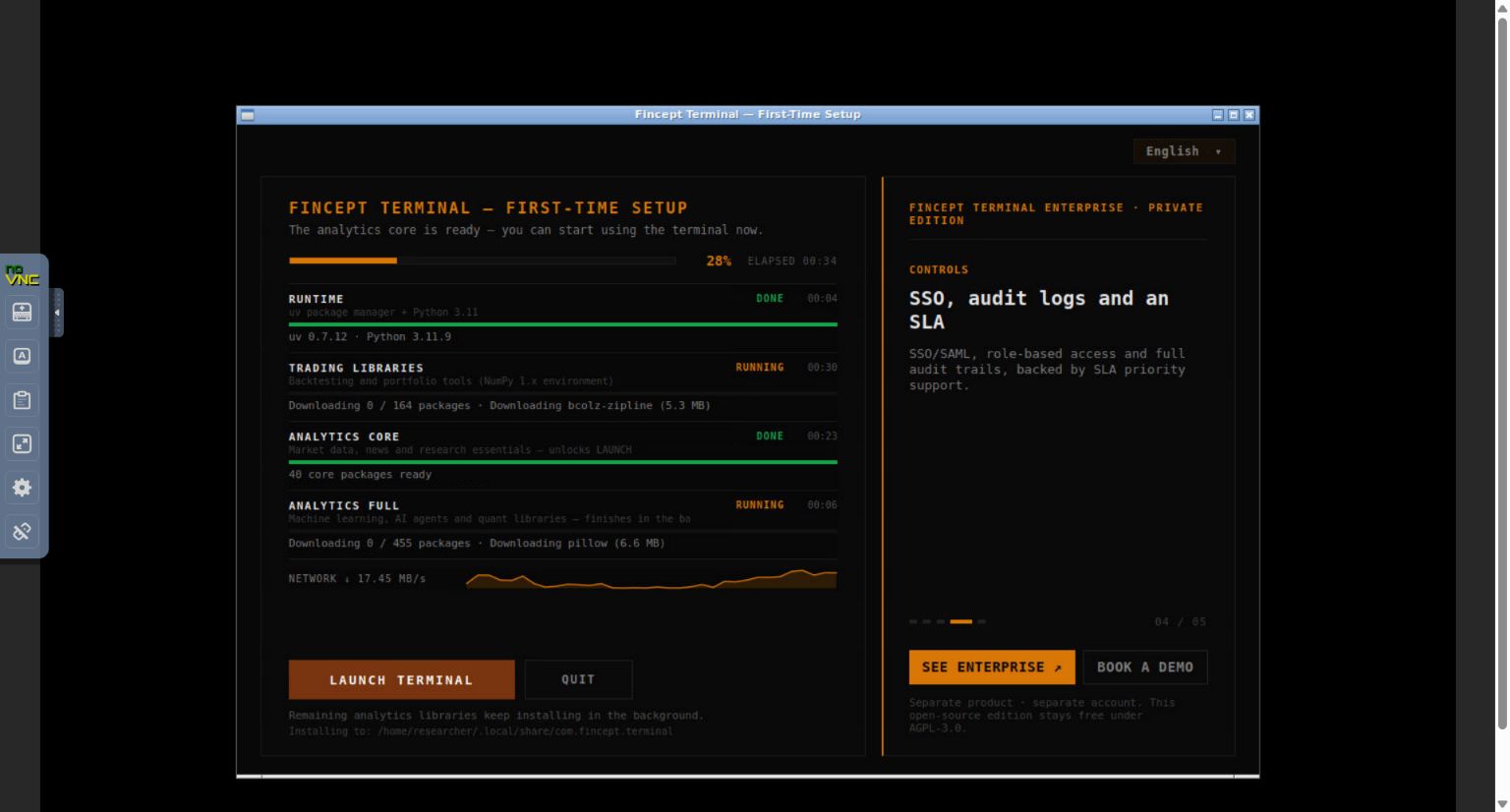
FinceptTerminal-4.5.1-linux-x64-setup.run: despite its name, this release asset is an AppImage, not the separate wizard installer. Its SHA-256 matched the digest published with the GitHub release:05b574324f984ae8e954d439b33f6497e483698075996a2cb2cf189b29cc3f0a. A matching digest checks the downloaded bytes against the release; it is not a security audit. In the minimal Linux lab, the AppImage also needed the system librarylibOpenGL.so.0(Ubuntu packagelibopengl0). Let the first-time setup install its runtime, then use Launch Terminal when the analytics core is ready. Other libraries may continue in the background; the launch button does not prove those modules are finished.
Techmixer capture, 19 October 2026: official Fincept v4.5.1 Linux AppImage running in an isolated Ubuntu 24.04 desktop. Python runtime and analytics core report DONE; additional libraries are still installing. This is actual setup, not proof that every module or paper trading works. Open the image for full-size text. - Check the actual sign-in requirement. Our installed v4.5.1 public build showed email/password and Google sign-in, with no visible guest option. The reviewed getting-started document describes Continue as Guest, so the documentation and this release differ. We did not bypass login or create an account. Stop here if you do not want an app account. App sign-in is distinct from connecting a brokerage account, but its terms and privacy implications still need review.
Techmixer capture, 19 October 2026: the installed public v4.5.1 build reached its app sign-in screen. No guest option is visible. We stopped without signing in, creating an account, connecting a broker or opening the paper workspace. Open the image for full-size text. - Validate research data first. Open the Markets view if available. Choose one public instrument and check its source, currency and timestamp against the original provider. Missing quotes may indicate a data-provider requirement, not a reason to connect a funded account. Keep AI-provider keys optional until you know what will leave the machine.
- Inspect the paper workspace without connecting a broker. The reviewed equity-trading source contains account controls and a PAPER/LIVE mode label. If your public build exposes it, open account management, select the relevant instrument/broker template, give the local entry a name such as Research only, and use + ADD. This describes a local application entry, not opening an external brokerage account. Leave credential fields empty.
- Confirm the boundary before any simulated order. The active entry must clearly be a local simulated portfolio with virtual cash and PAPER status. Never toggle to LIVE or use a broker-native demo connection in this first exercise. If the app requires broker authentication, cannot show the local simulator, or cannot price an instrument without a connected account, stop at research mode. A PAPER label alone does not prove which execution path is active.
- Only in a confirmed local simulator, make one small test. Record virtual starting cash, one simulated order, its simulated fill or pending status, fees and the resulting virtual position. Confirm there is no external broker order identifier or connected trading account. A pending order is not a fill. Save the evidence before resetting a paper portfolio; do not use simulated success as a prediction of real execution.
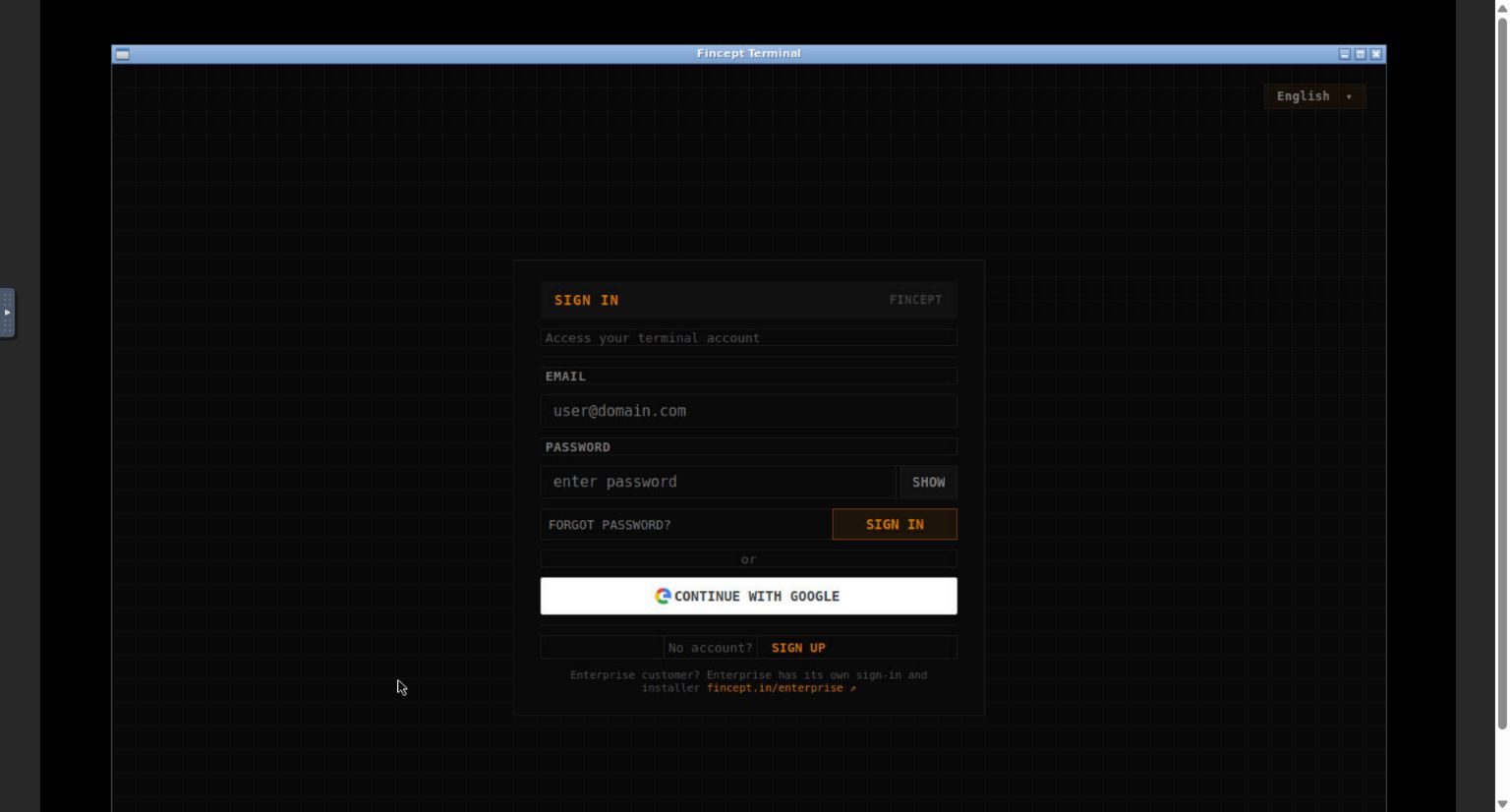
Observed result in our Linux test: first-time runtime/core setup reached the app sign-in screen. We did not validate quotes, inspect the paper workspace or place a simulated order. Steps 4-7 above remain a conditional, source-based checklist, not tested interface instructions. Our test stopped at installation and sign-in; no account or financial credentials were supplied. If your build differs, record its version and check the official issue tracker. Sources: tested release, onboarding document and release account-management source.
Building instead of using an installer: Fincept’s developer route is substantially heavier: a supported C++20 compiler, CMake, Qt 6.8.x and Python 3.11. Follow its platform-specific pinned toolchain guide. Do not install the full C++/Qt toolchain merely because an installer reports a missing login or data entitlement; those are different problems.
A Paper-Only Evaluation Workflow for AI Finance Tools
Before comparing agent output, write down what would count as useful research. The following is a proposed evaluation plan, not a test we ran on these projects.
- Choose one question. For example, test whether a simple rule behaves differently from a named baseline on a specified historical dataset. Avoid vague instructions such as “find winning trades.”
- Freeze the inputs. Save the permitted dataset, source, time zone, download date and adjustment assumptions. Remove account details and private holdings.
- Separate development and evaluation. Do not keep changing the rule after seeing the final evaluation period. Check that future information was not available to an earlier simulated decision.
- Make costs visible. Record model usage, data fees, simulated transaction costs and failure/retry behaviour. Preserve unsuccessful runs too.
- Inspect the evidence. Recalculate a sample of results outside the agent’s narrative. Record missing data and changes between repeated runs. Keep financial execution disconnected.
A Small Cost Example That Changes the Conclusion
Consider a purely hypothetical simulation: $1,000 of notional exposure earns a $10 gross gain. Assume entry fees of $2, exit fees of $2, entry slippage of $1 and exit slippage of $1. The remaining gain is $4, not $10. If the allocated model and data cost for that experiment is another $5, the combined research-and-simulation result is negative $1.
These invented numbers explain the accounting only; they are not typical fees, a real strategy result or a forecast. Keep trading simulation results and research operating costs separately visible so readers can see what each figure means. Taxes, financing and other charges are omitted from this simplified example.
What to Record in Your Evaluation Notes
Use a short record for every run: project commit, package version, model, input-file checksum, date range, baseline, simulated costs, generated files, manual corrections and unresolved errors. If you cannot trace a result back to its inputs, do not use it to justify connecting funds.
For workflow orchestration outside trading, our no-code AI automation comparison covers a different class of tools. Keep a report-generation workflow separate from an order-execution workflow even if both are automated.
FAQ
Check the original data provider terms, your software permissions and the report contents first. A generated summary does not automatically remove restrictions on redistribution. Remove credentials, account identifiers and restricted information before sharing. Get appropriate advice if the permission is unclear; this guide does not determine your data rights.
What if the same research prompt produces different results?
Save both runs rather than selecting the more attractive answer. Compare the dataset snapshot, model version, tool calls, generated code and any failed requests. Ask whether the difference is in wording or in the underlying calculation. Until you can explain a material difference, treat the result as unresolved and keep it away from financial execution.
Related Techmixer Guides
Explore the Techmixer AI Tools hub for more software and research guides, or continue with these focused tutorials.
- TradingAgents setup for AI trading research
- Build a Vibe Trading research workflow
- AirLLM setup for local language models
- Learn AI engineering from scratch
Our Take
The strongest reason to explore these AI finance tools is inspectability: you can ask where a conclusion came from and adapt the workflow. Start with one bounded research question and require reproducible evidence. If the output is only a confident paragraph, adding more agents has not solved the important problem.
How this was reviewed: Techmixer checked official repositories, package manifests, releases and licence documents on 19 October 2026. We installed pinned AutoHedge source version 0.1.5 and Vibe-Trading 0.1.16 in an isolated Linux/Python 3.11 container, checked metadata/dependencies, and wrote/read back Vibe-Trading’s local-model configuration. Separately, we verified Fincept v4.5.1 Linux AppImage bytes against the GitHub release digest, launched it in an isolated Ubuntu 24.04 desktop, and captured runtime/core readiness and the actual sign-in screen. Additional analytics-library completion and functionality were not verified. No host folders or financial credentials were supplied. Our Fincept test stopped at sign-in. We did not launch AutoHedge, run model inference, execute a backtest or paper order, validate returns, audit privacy, or connect a broker or wallet. Windows/macOS instructions and the conditional Fincept paper checklist remain untested. Maintainer visuals and documentation captures are separately labelled. This is not financial advice or a security certification.