Open-source AI alternatives can replace specific jobs you currently pay a subscription to do: VoiceStudio handles voice workflows, Vane searches the web with citations, Dyad builds applications, and Upscayl enlarges images locally. The right choice depends on the task, your hardware and which model or service does the processing. None of these projects is a universal replacement for every feature in a paid platform.
This guide compares ten projects for creators, researchers and developers. We checked their official repositories, licence notices and interface examples on 2 November 2026. The recommendations below are documentation-based decision guidance, not a claim that Techmixer installed or benchmarked all ten tools.
Quick answer: what can you realistically replace?
Start with the job that is costing you time or credits. Try VoiceStudio for narration, ACE-Step 1.5 for music experiments, OpenShorts for clipping recordings, or Invoke for image-editing workflows. For chat, research and coding, distinguish the application from its model: Odysseus is a workspace, Vane is a search-and-answer engine, and FreeLLMAPI routes requests to providers. Choosing a different interface does not make every underlying model free or local.
For related introductions and setup guides, browse Techmixer’s AI tools hub.
What to know before switching to open-source AI alternatives
- Free software is not free infrastructure. Local models need compatible hardware, memory, disk space and power. Hosted APIs can charge separately.
- Local application does not necessarily mean local processing. A desktop interface can still send prompts, documents or media to an external provider when you select an API-backed feature.
- Check the exact component’s licence. The application, model weights, optional paid modules and source material can have different terms. A repository’s main licence is not blanket permission for every output or dependency.
- Keep a small acceptance test. Choose one real task and decide what a usable result looks like before downloading several large models.
Two distinctions are particularly easy to miss: Dyad separates its Apache-licensed core from src/pro, while OpenShorts separates its MIT core from optional commercial cloud infrastructure. FreeLLMAPI’s code is MIT-licensed, but its README explicitly positions free-provider routing for personal experimentation rather than production.
Compare the ten tools by the work they do
The learning-curve labels are Techmixer’s estimates from the documented setup and workflow, not measured onboarding times. The paid-product names identify overlapping tasks; they do not establish feature parity.
| Tool / task overlap | Best for | AI or workflow strength | Learning curve | Pricing note | Human review risk |
|---|---|---|---|---|---|
| VoiceStudio / ElevenLabs | Narration and voice projects | Local voice engines, cloning and dubbing workflows | Moderate | Open-source app; model terms and paid features vary | Consent, pronunciation and model permissions |
| Odysseus / ChatGPT-style workspace | Self-hosted chat and research | Documents, memory, agents and model choice | Moderate to high | Self-hosting plus local compute or API costs | External data flows and powerful tools |
| FreeLLMAPI / API-routing layer | Personal model experiments | Provider routing and failover | Moderate | Upstream quotas and terms still apply | Model changes, rate limits and provider policies |
| Vane / Perplexity | Web research with sources | Search, retrieval and cited answers | Moderate | Own hosting; model or search services may cost | Citations may not support the generated claim |
| Invoke / Midjourney-type image tasks | Controlled image iteration | Canvas editing and reusable node workflows | Moderate to high | Community software; hardware and model/API costs vary | Image defects and model-use restrictions |
| ACE-Step 1.5 / Suno | Music drafts and experiments | Lyrics, musical direction and editing controls | High | Local compute; model requirements vary by variant | Musical quality, similarity and rights review |
| OpenShorts / OpusClip | Turning recordings into short clips | Moment selection, reframing and captions | Moderate to high | MIT core; infrastructure, APIs and hosted plans differ | Lost context, crop errors and subtitle mistakes |
| Dyad / Lovable | Local app-building workflows | Prompt-driven changes to an app project | Moderate | Open-source core; model usage, hosting and Pro differ | Generated code and database permissions |
| OpenManus / Manus-style agents | Developer-led agent experiments | Multi-step tasks with browser and code tools | High | MIT framework; model and infrastructure costs remain | Unwanted actions and excessive permissions |
| Upscayl / Gigapixel-type enlargement | Local image upscaling | Single-image and batch enhancement | Low to moderate | Free desktop app; compatible GPU needed | Invented detail and damaged text or faces |
1. VoiceStudio: a local option for ElevenLabs-style voice work
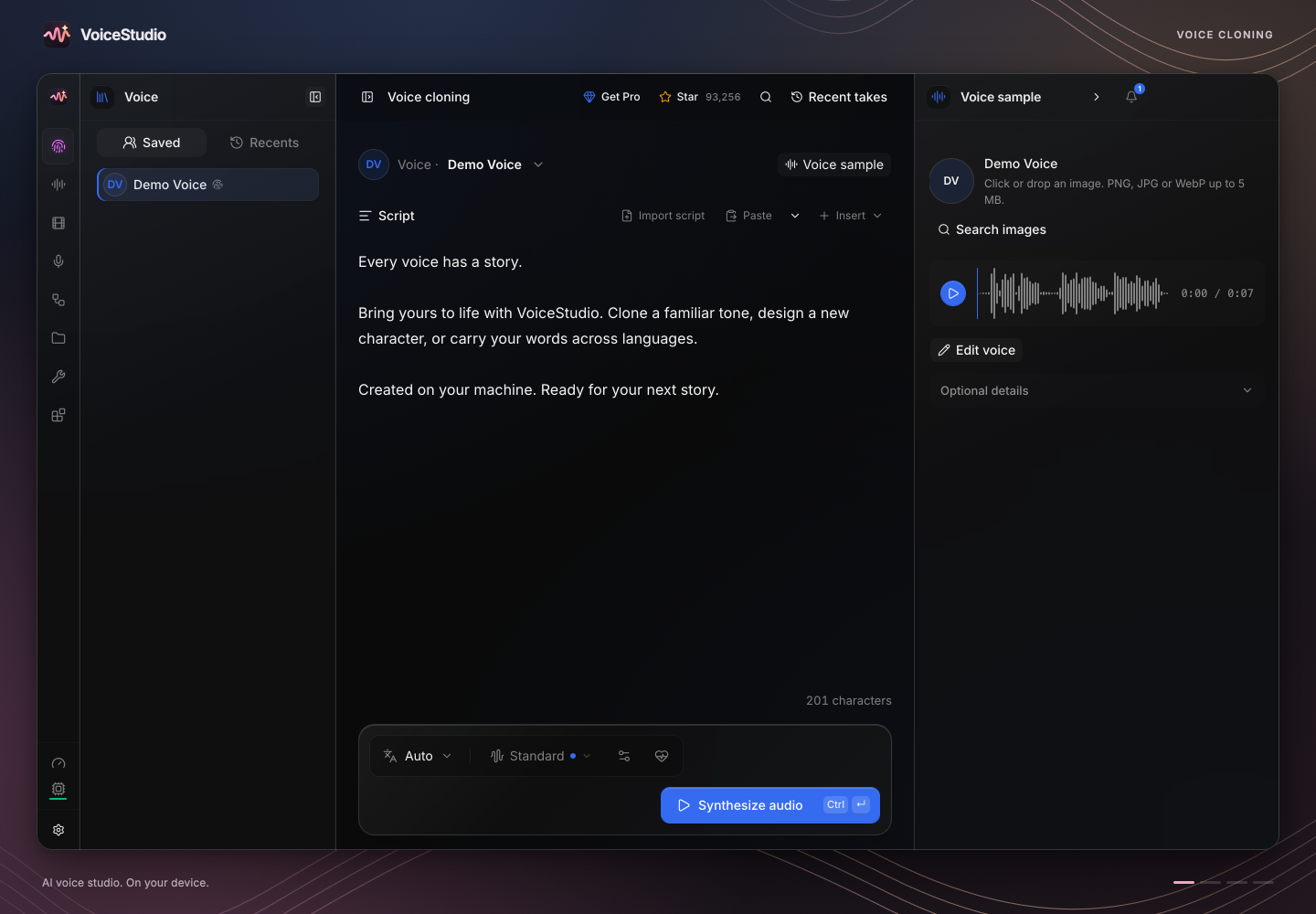
VoiceStudio brings voice cloning, synthesis, dubbing and audiobook-oriented workflows into an application you can run on your own hardware. It is most useful when you want to revisit a script repeatedly without treating every edit as another hosted voice-generation transaction.
For example, take a short product explanation recorded with your own voice. A useful first test is whether the generated version keeps names, pauses and emphasis understandable. Listen to the whole result rather than judging it from the first sentence. Our VoiceStudio setup guide covers the project in more detail.
The catch: app licensing and voice-model licensing are separate. VoiceStudio’s AGPL notice covers the application, while its model inventory documents model-specific restrictions and unresolved assessments. Do not assume changing an engine automatically clears a commercial project. Use a reference voice only with permission, and check the exact model and intended use.
Official sources: VoiceStudio repository and licence notice.
2. Odysseus: a self-hosted AI workspace, not a replacement model
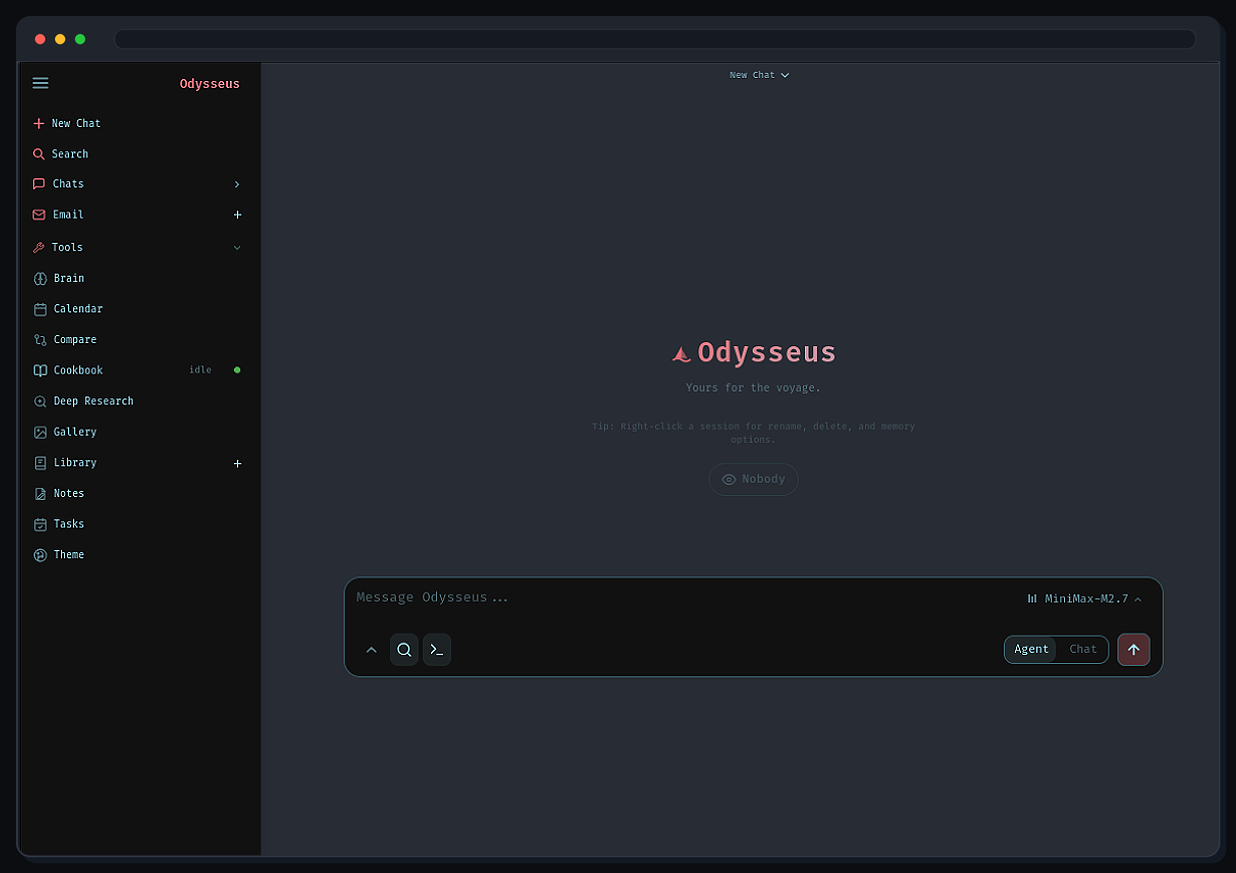
Odysseus combines chat, agents, research, documents, notes and other workspace features. The important choice is the model behind that workspace: its repository describes both local and API-backed model workflows. A local interface does not mean that an external model provider stops receiving the requests you send to it.
It suits someone who wants related research and writing tasks in one place. A sensible trial is to work with a non-sensitive document, ask for a summary and compare the answer with the source. Add email or autonomous tools only when you understand what access those features receive.
The catch: self-hosting moves maintenance and security responsibilities to you. Keep authentication enabled, and do not assume a prompt can contain an agent that has powerful file or shell tools. The project’s README distinguishes its faster-moving dev branch from the more curated main branch; record which one you evaluate.
Official source: Odysseus repository and setup documentation. The reviewed application is AGPL-licensed.
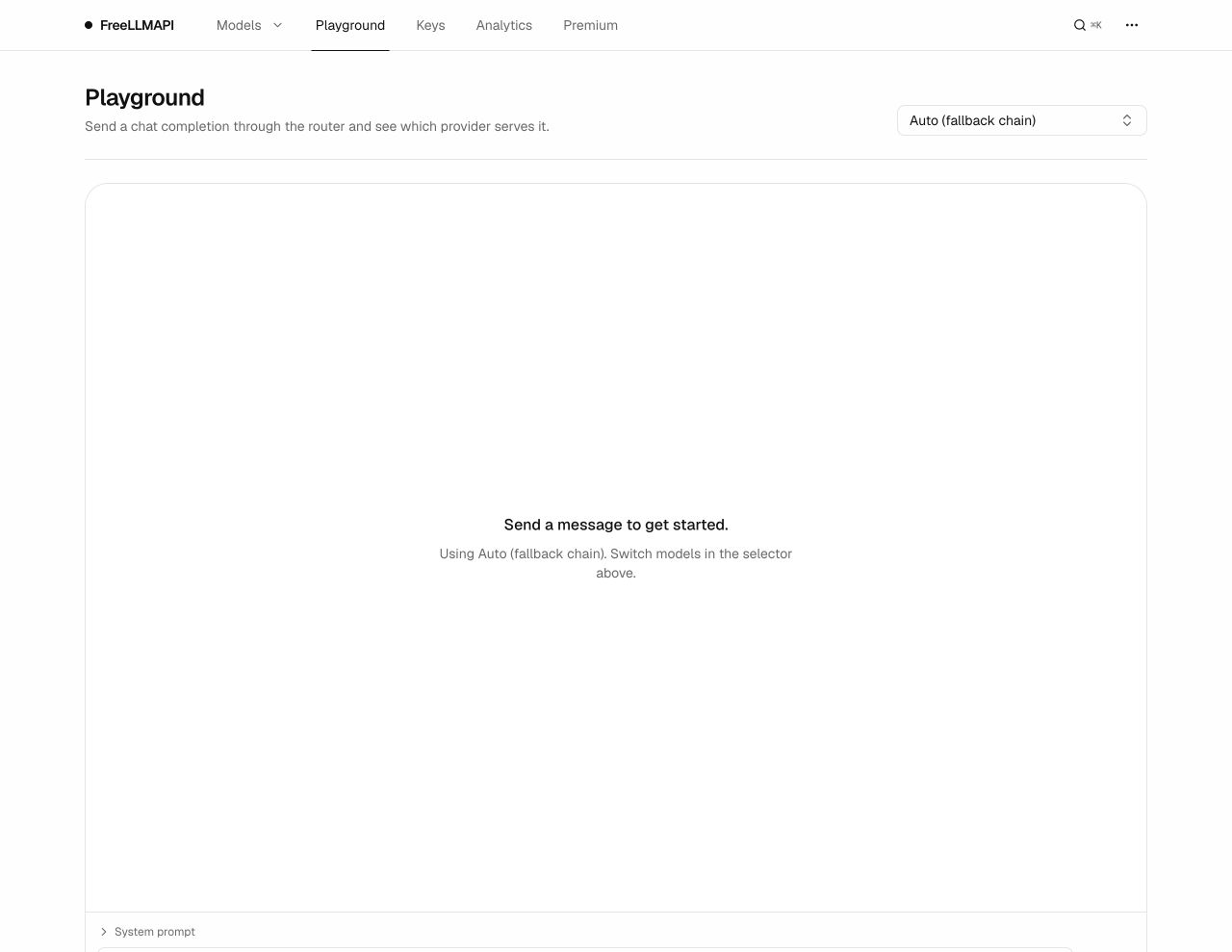
3. FreeLLMAPI: a provider router, not a free Claude Code subscription
FreeLLMAPI provides an API-routing layer that can send requests to configured providers and fall back when a route is unavailable. It can be useful for learning how different models handle a small coding, writing or classification task through a common interface.
That makes it infrastructure beneath a compatible client, rather than a replacement for the entire Claude Code application or an entitlement to a paid provider’s models. Our FreeLLMAPI prototype guide explains the project as an experimentation tool.
The catch: its current README says personal experimentation and learning, not production. Failover does not erase provider quotas, eligibility or terms, and different endpoints can produce different answers. For a customer-facing product, evaluate a supported production service rather than assuming a chain of free allowances is reliable capacity.
Official source: FreeLLMAPI repository. The code is MIT-licensed; upstream service conditions remain separate.
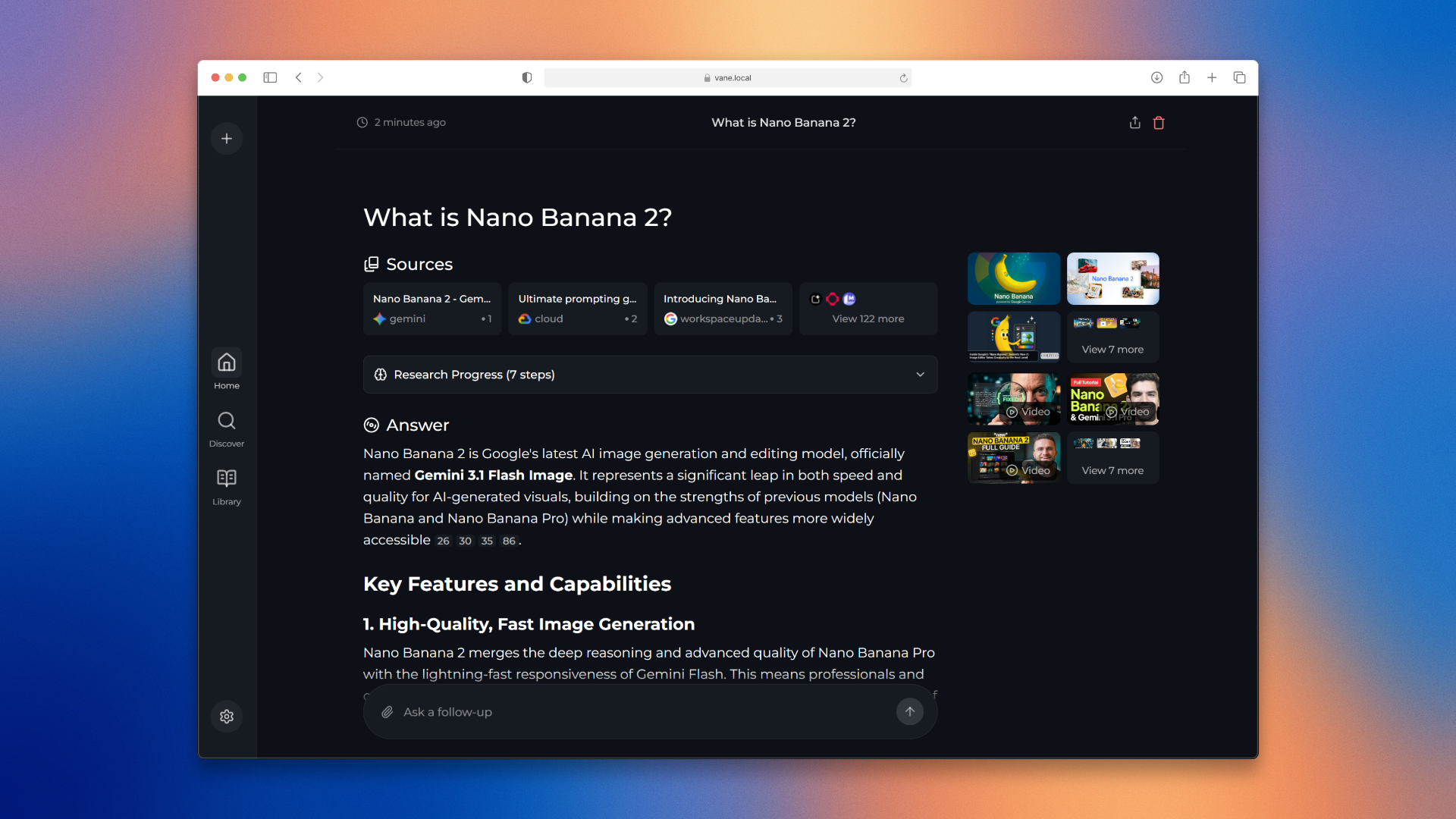
4. Vane, formerly Perplexica: search-backed answers with citations
The current project name is Vane, not Vain. Its familiar task is searching for information and composing an answer with sources. The repository documents a SearXNG-backed search setup and model-provider choices, including local Ollama models.
Use it when you want to inspect an answer’s source trail rather than receive an unsupported paragraph. A practical test is a question whose answer you can check against a few official documents. Open the citations and confirm that each source actually supports the sentence beside it.
The catch: citations are evidence links, not automatic fact-checking. Search quality, source availability and model behaviour still matter. Even with local inference, a live web search communicates with outside services. Use current Vane instructions instead of assuming an older Perplexica tutorial matches today’s deployment.
Official source: Vane repository, licensed under MIT.
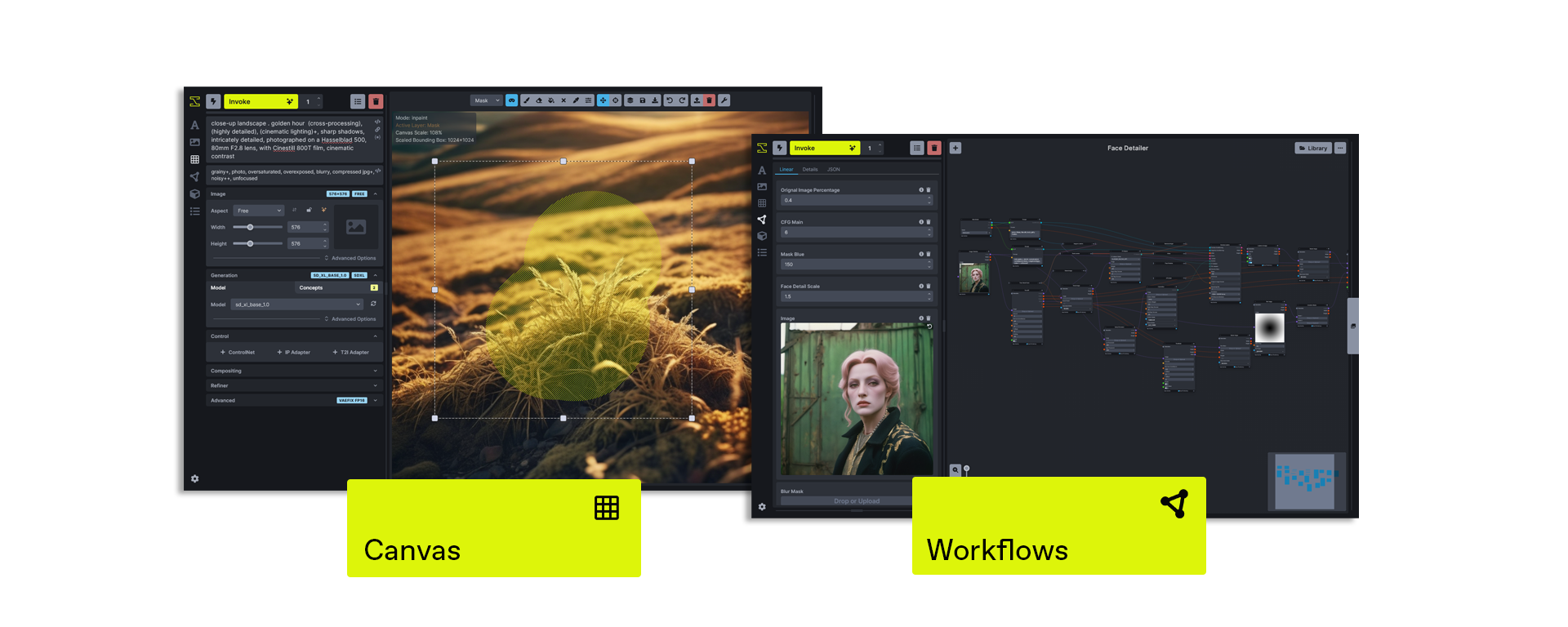
5. Invoke: an image canvas and workflow system
Invoke is a creative environment for generating and refining images. Its canvas and node workflows are particularly relevant when you need to adjust a region, revisit a composition or reuse a repeatable sequence of operations.
For a concrete comparison, try revising the background of an image while keeping the subject recognisable. The useful question is how much control and repeatability you gain, not whether the first output resembles a promotional gallery. Its repository documents a range of local model support alongside some API-only options.
The catch: the community application is not a promise that every model is local, free or commercially unrestricted. Check the selected model’s requirements and terms. We also would not treat general claims about video generation as a reason to choose it without checking the exact supported workflow.
Official source: Invoke repository. The reviewed community code uses Apache-2.0.
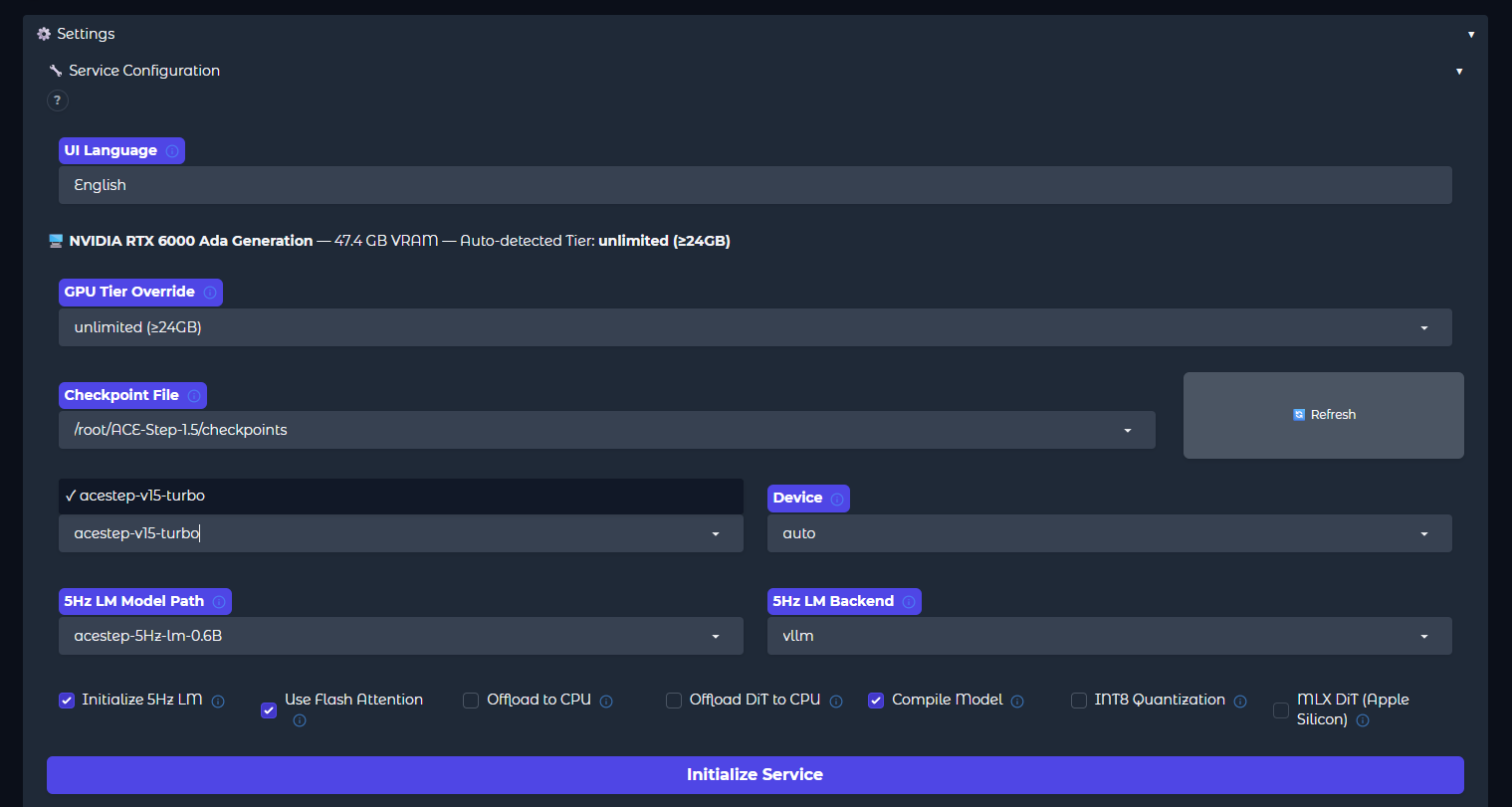
6. ACE-Step 1.5: music generation you can experiment with locally
ACE-Step is a music-generation model and toolkit rather than a hosted subscription interface. The version matters: this comparison uses the ACE-Step 1.5 project, whose documentation describes lyrics and musical-direction controls, editing capabilities and support across more than 50 languages.
Start with a short instrumental brief or a simple lyric structure. Compare whether the arrangement follows the requested sections, whether transitions work and whether you would actually use the result after listening beyond the opening. A generated song should be judged as audio, not as a successful progress bar.
The catch: hardware guidance varies by model variant and configuration. The project documents CUDA and other backends; that is not a guarantee of equal speed on every laptop. Its MIT licence also does not remove rights issues involving source recordings, lyrics, voices or similarity to protected work. Self-hosting is not a copyright exemption.
Official source: ACE-Step 1.5 repository and hardware documentation.
7. OpenShorts: turn long recordings into candidate clips
OpenShorts targets the workflow behind tools such as OpusClip: take a longer recording, identify candidate moments, create vertical crops and add captions. Its project also includes other video workflows, but clipping your own recordings is a clear starting point.
Try one short section of a podcast or webinar you own. Check whether the crop follows the right speaker, whether captions are accurate, and whether the extract still means what the speaker intended. An engaging opening does not rescue a clip that removes the qualification from the next sentence.
The catch: self-hosted and hosted plans have different limits. The MIT core is separate from optional cloud/ components under a commercial licence. External services used by particular features can still require keys or payment. A self-hosted app without its own usage meter does not remove those external limits.
Official source: OpenShorts repository. Inspect its documented self-hosting path before comparing it with a hosted plan.
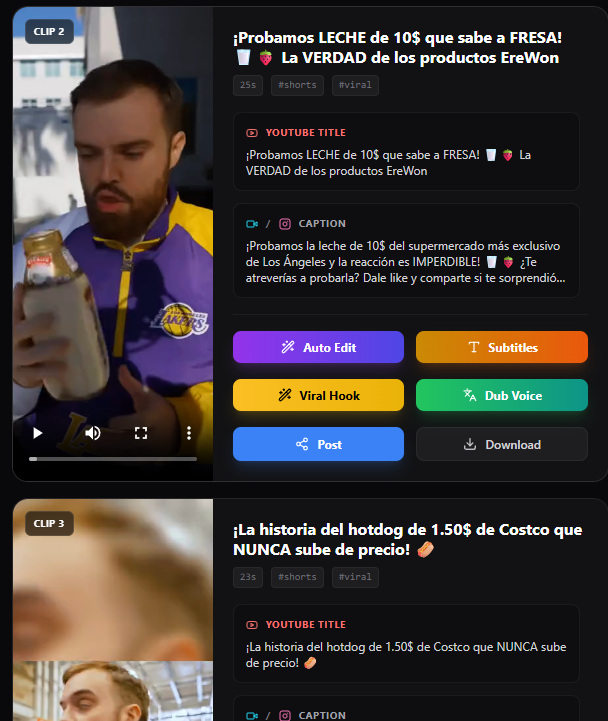
8. Dyad: prompt-driven app building in a local workspace
Dyad offers an alternative workflow to Lovable-style builders: describe a change, work with the resulting application project and retain control of the local code. Its README describes a bring-your-own-key approach rather than requiring a single model vendor.
A small internal request form is a better first project than a full business system. Specify the fields, validation and expected behaviour; inspect the generated code and test the result. Deployment and database integrations are separate decisions, with their own access controls and running costs.
The catch: local code does not mean local model inference if you choose a hosted API. The repository also makes a licence distinction: the core outside src/pro is Apache-2.0, while that Pro directory uses a Functional Source License. Do not describe every component as unrestricted open source.
Official sources: Dyad repository and licence scope.
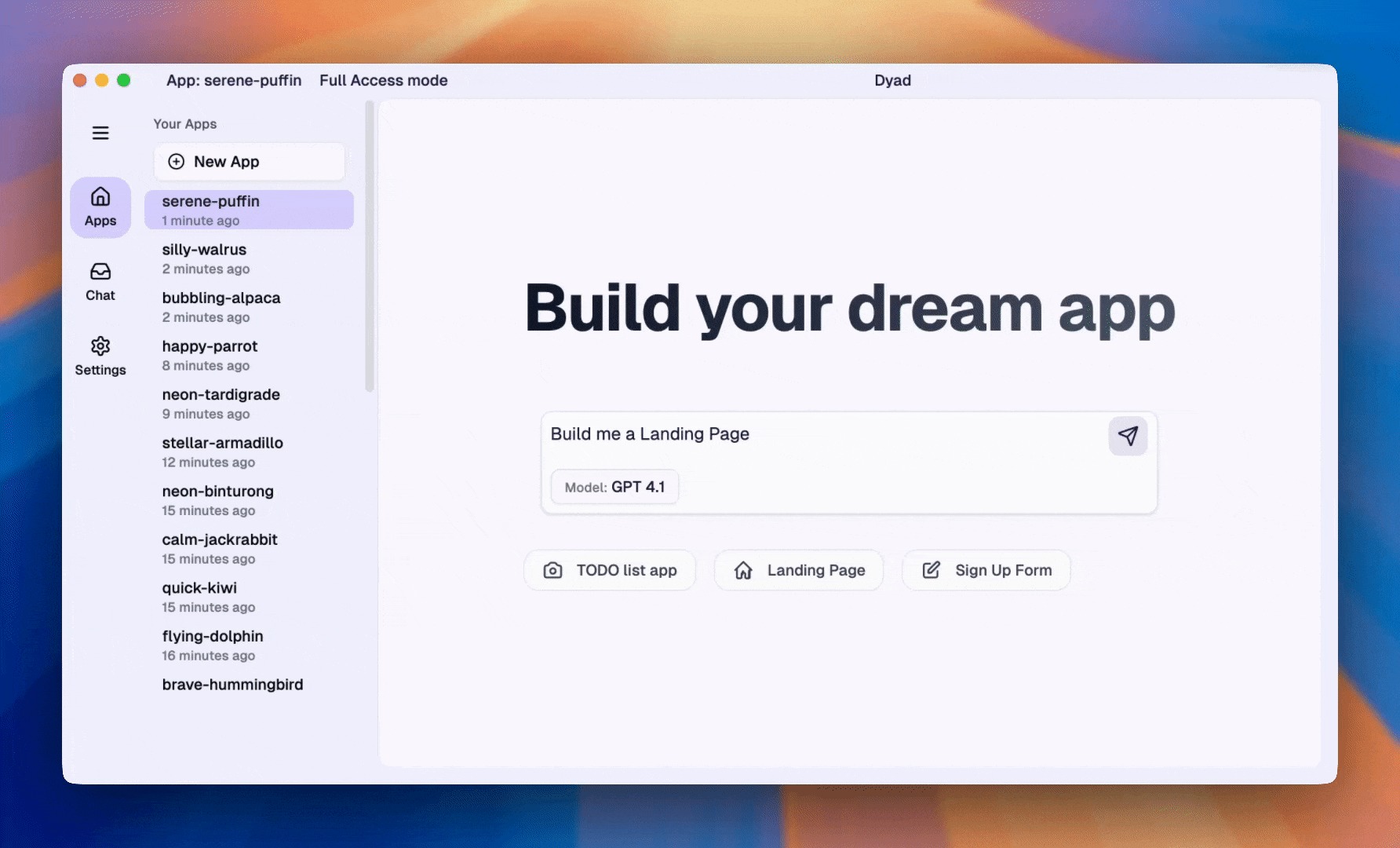
9. OpenManus: an agent framework for supervised experiments
OpenManus is aimed at multi-step digital tasks involving planning, code and browser tools. It is closer to a developer’s agent framework than a guarantee of the same managed experience offered by Manus.
Begin with a read-only task on public information, such as collecting source links and preparing a draft summary. Decide what the agent is allowed to access before running it. A test environment without your main email, production credentials or payment sessions makes the outcome easier to review.
The catch: browser and code tools can take actions, so a vague instruction to “be careful” is not a permissions boundary. Model-provider configuration and infrastructure still have costs. Start with a limited task and review the actions and evidence before extending access.
Official source: OpenManus repository, licensed under MIT.
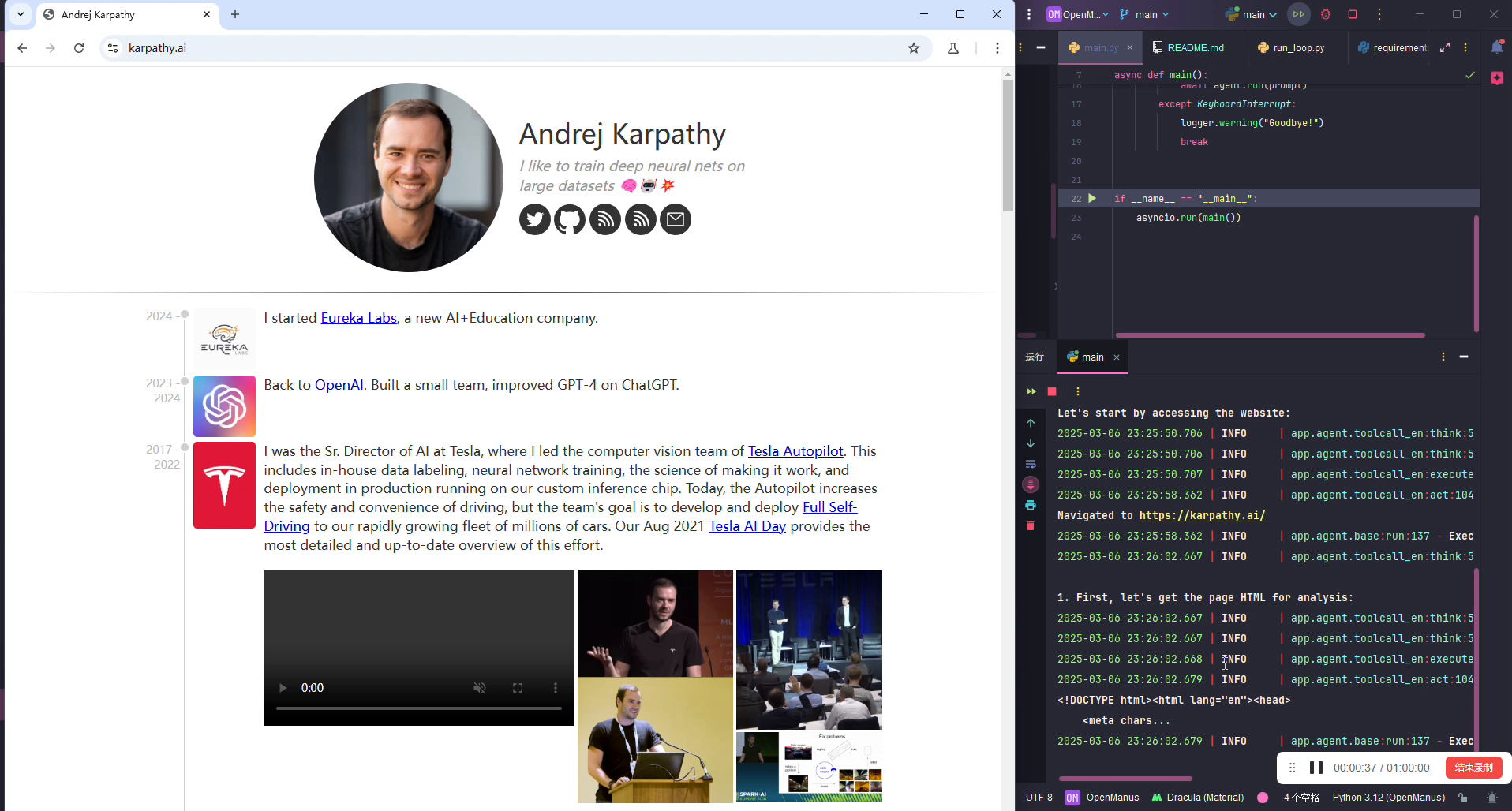
10. Upscayl: a focused desktop option for AI enlargement
Upscayl is an image upscaler for Windows, macOS and Linux. Its focused workflow is attractive when you mainly need larger versions of existing images, including batch work, rather than a broad generative editing platform.
Test a photograph, a graphic with text and an image containing a face. Compare each with the original at a useful viewing size. The output can be larger and sharper-looking while still inventing detail, damaging lettering or changing a face.
The catch: the desktop project’s README calls for a Vulkan-compatible GPU and warns that many integrated GPUs or CPU-only setups will not work. An enlargement multiplier describes output dimensions, not how much genuine detail has been recovered. Check the selected model and release rather than assuming the largest option gives the best result.
Official source: Upscayl desktop repository, licensed under AGPL-3.0.
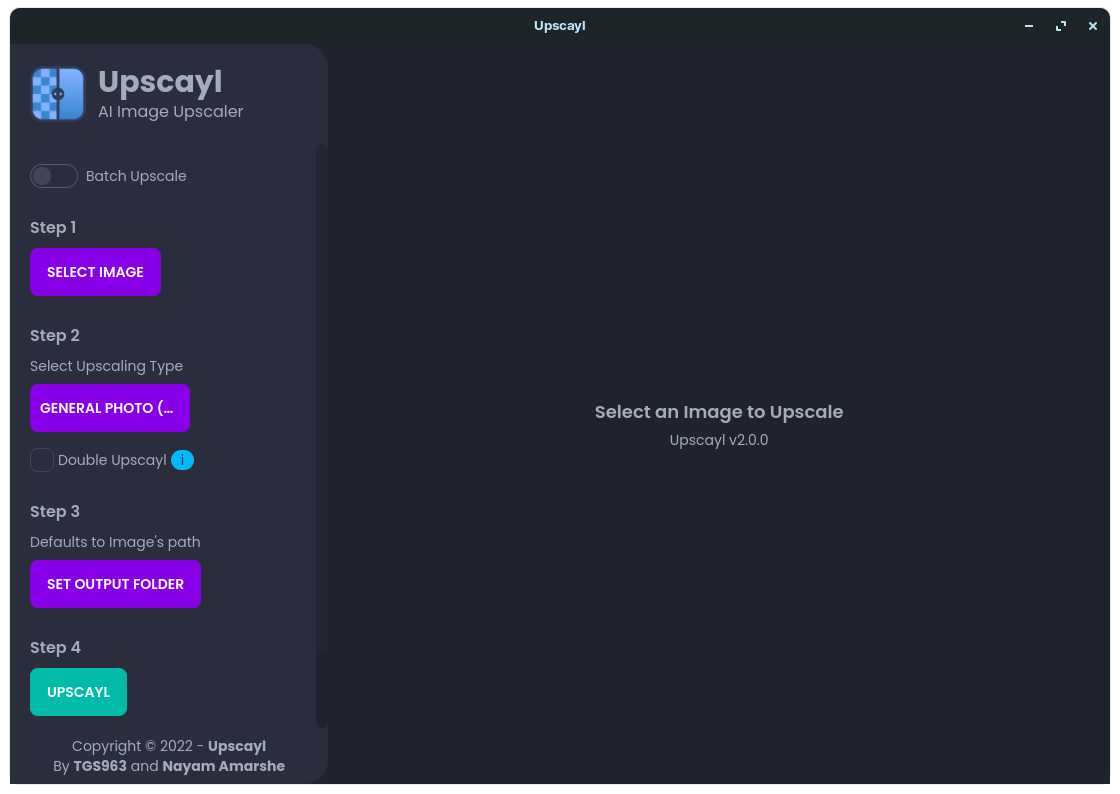
Best choice by use case
These are starting points for a trial, not benchmark winners. Choose VoiceStudio for repeated narration edits, Vane for source-backed web research, and Upscayl for a focused image-enlargement task. Investigate Invoke or ACE-Step when creative control matters enough to justify managing models and hardware.
For software work, Dyad is the app-building choice; FreeLLMAPI is an experimentation layer beneath a compatible client. Odysseus makes sense when you want several workspace functions together. OpenManus deserves a more technical, carefully scoped evaluation because it can operate tools rather than only draft an answer.
A practical way to test before cancelling a subscription
- Pick one deliverable. For example, a 45-second narration, three clips from your own interview, or a small form with validation. Avoid testing every feature at once.
- Define acceptance criteria. For narration, write down the names that must be pronounced correctly. For clipping, require accurate captions and preserved context. For an app, require the validation and permissions to work.
- Record the actual resources. Note the app version, model, hardware, processing time and any external charges. Keep hands-on observations separate from documentation claims.
- Check export and recovery. Keep your original media or code, save reusable settings and confirm you can recover the project before replacing an established workflow.
For a hypothetical creator workflow, use VoiceStudio to draft narration, OpenShorts to prepare clips from a recording you own, and Upscayl to evaluate a thumbnail image. Judge each output independently. Connecting three tools is not useful if the narration sounds wrong, the clip loses context or the image gains visible artifacts.
Questions before you switch
Which options can I try without a compatible local GPU?
API-backed options can move model computation to a provider, but free quotas, data handling and service terms still apply. FreeLLMAPI is documented for personal experimentation; Vane can use a hosted model. Upscayl needs a compatible Vulkan GPU, while local generative workloads depend on their selected model and hardware.
What should I save before cancelling an existing AI subscription?
Keep your original files, permitted project exports, reusable settings and a short acceptance test. Confirm that the replacement produces a usable result and that you can recover the project. Export options vary by service; this comparison does not establish that every paid service provides the same migration features.
Related Techmixer guides
- VoiceStudio: local voice generation and setup
- FreeLLMAPI for personal AI prototypes
- Learn the building blocks of AI engineering
- VS Code alternatives for different development workflows
Our take
The strongest reason to try open-source AI alternatives is control over a specific workflow: which model runs, where your project lives and how you can adapt the process. Lower subscription spending may follow, but it should be measured alongside setup time, hardware and review effort. Replace one job successfully before trying to replace your entire tool stack.
Review method: km chia reviewed the official project documentation, licence notices and the attributed interface examples linked above. These are source-based comparisons and proposed trial tasks; Techmixer did not install or benchmark these ten projects for this article. The featured image is an original editorial illustration, not an application screenshot.
Last reviewed: 2 November 2026.