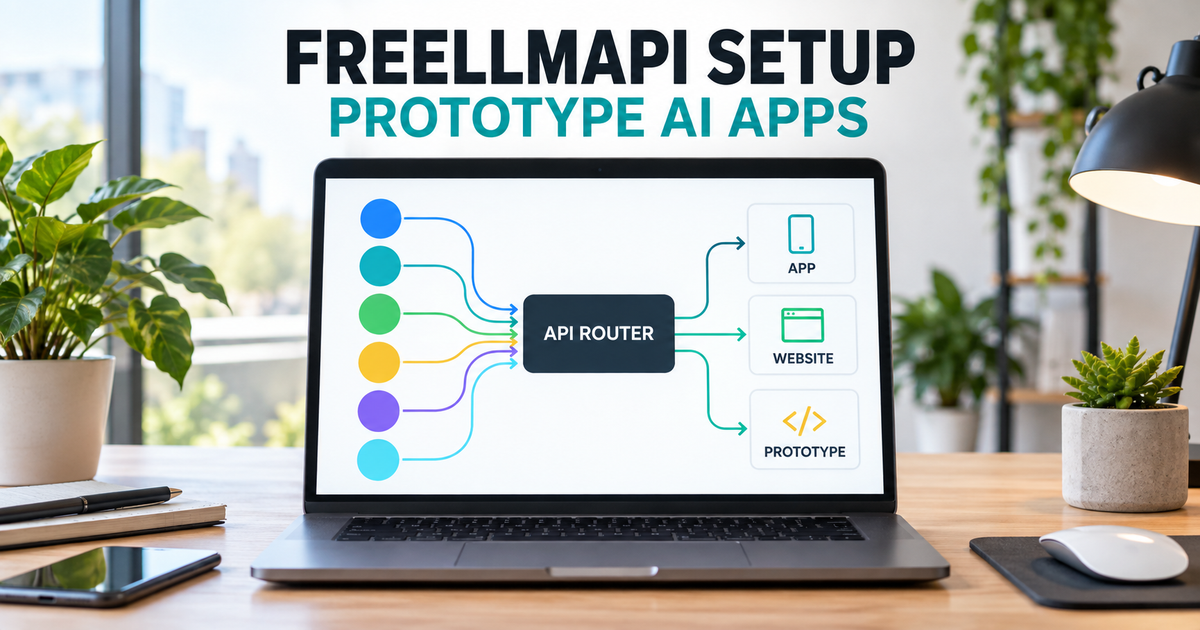
FreeLLMAPI setup can combine the free allowances from multiple AI providers behind one OpenAI-compatible endpoint, which is useful for building and testing an AI app, AI video, AI Trading, Animation website feature or SaaS prototype without immediately paying high token bills. It does not create free tokens, remove provider limits or provide a production service-level agreement. The project itself says to replace the free pool with a paid API before shipping a real product.
Quick answer
Use FreeLLMAPI for private development and proof-of-concept work. Install the desktop application or Docker router, add API keys from providers whose free-tier terms fit your use, test the fallback chain, and point an OpenAI-compatible client at http://localhost:3001/v1. Do not expose the router directly to customers or build production economics around the advertised aggregate token figure.
What to know first
- No central free-token account: you create and manage separate upstream provider accounts and API keys.
- Prototype, not production: the repository describes FreeLLMAPI as personal, single-user software for experimentation and learning.
- Limits still apply: rate limits, daily quotas, model availability and terms remain controlled by each provider.
- Quality can degrade: the router falls back to smaller or slower models after preferred free quotas are exhausted.
- Keep it private: the documentation says there is no multi-tenant authentication and warns against exposing the router to the internet.
- Free has operating costs: hosting, storage, electricity, monitoring and eventual paid inference still need a budget.
What FreeLLMAPI actually does
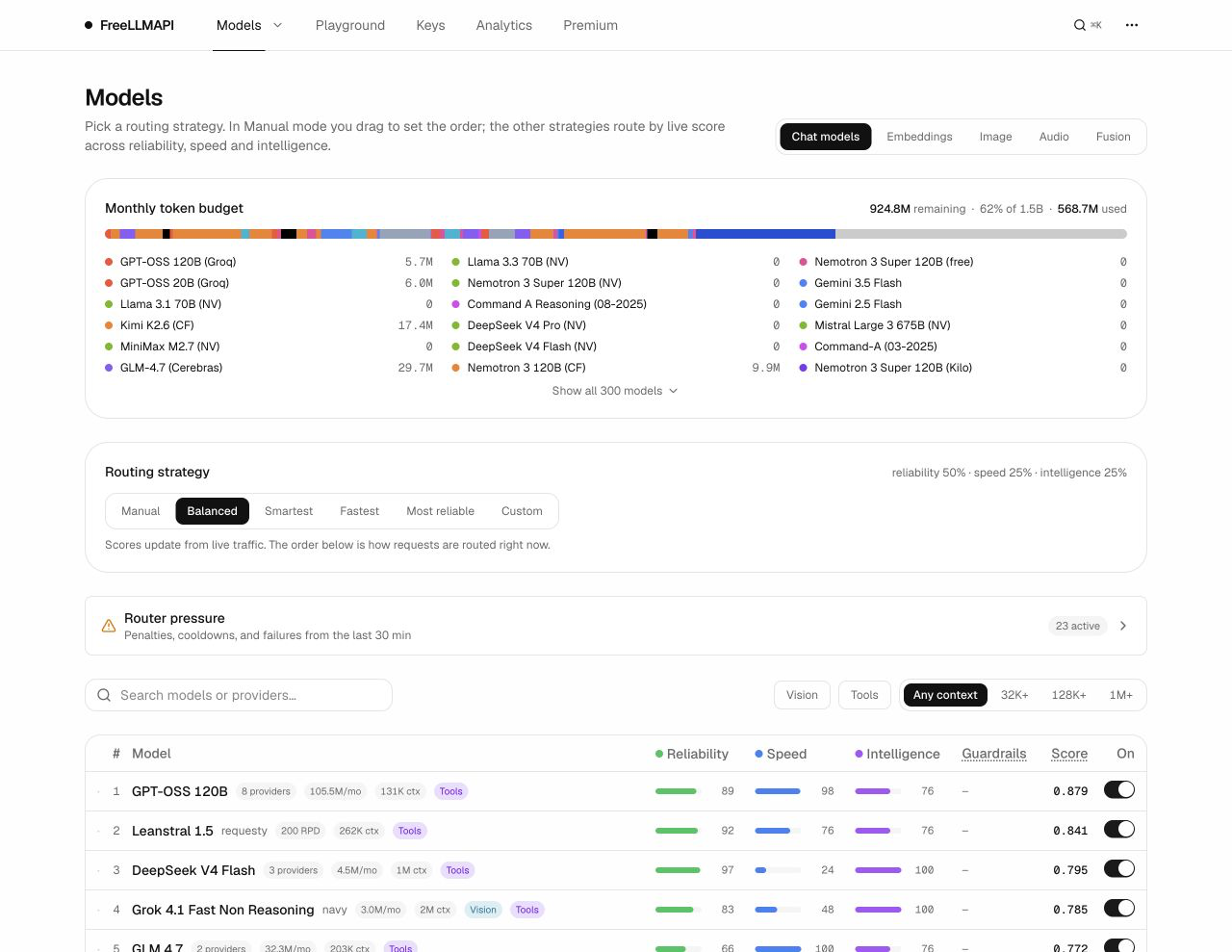
FreeLLMAPI is an MIT-licensed, local-first API router. You add your own provider credentials, and the router presents one key and one familiar API surface to your application. It tracks provider quotas, ranks available models and retries another configured endpoint when a request receives a rate-limit or server error.
As of the review date, the project advertises a catalog of 34 providers, 474 model families and 635 free provider/model endpoints. Its estimated aggregate capacity is a catalog calculation, not a personal guaranteed allowance. You only gain access to the providers and quotas for which you obtain valid keys, and those terms can change without notice.
Can it power a SaaS, app or website?
It can power a private prototype, internal demo or early development environment. It should not be the public inference backend for a customer-facing SaaS. The project is single-user, has no per-user billing or multi-tenant authentication, offers no SLA and tells developers to switch to a paid API before shipping something real.
| Use case | Good fit? | Reason |
|---|---|---|
| Local proof of concept | Yes | Fast way to test one API contract across several provider keys |
| Private development tool | Yes | Local dashboard, encrypted key storage and automatic fallback can reduce manual switching |
| Small internal demo | Maybe | Only after reviewing every provider term and keeping access tightly restricted |
| Public website chatbot | No | Unpredictable quota, latency and model quality; single-user security model |
| Paid multi-tenant SaaS | No | No SLA, user isolation, billing controls or stable free capacity |
| Production AI workflow | Use a paid route | Use a contracted provider or production gateway with monitoring and support |
Best choice by development stage
- Idea validation: use FreeLLMAPI to learn which prompt, output schema and model class your feature needs.
- Prototype: put your own backend between the browser and FreeLLMAPI so the client never receives provider or router keys.
- Private beta: move to a paid API early enough to measure real cost, latency and quality before inviting users.
- Production: pin supported models, enforce per-user limits, add moderation and observability, and keep a paid fallback with clear terms.
Before starting the FreeLLMAPI setup
| Requirement | Practical choice | Why it matters |
|---|---|---|
| Installation | Windows desktop app, macOS desktop app, or Docker on Windows/macOS/Linux | Desktop is simplest; Docker makes the service and data location explicit |
| Upstream accounts | Start with two or three providers, not all 34 | Fewer accounts make terms, quotas and failure behavior easier to understand |
| Encryption key | Generate and back up a 32-byte key for Docker/server use | Changing or losing it prevents stored provider keys from being decrypted |
| Network exposure | Bind to localhost only | The router is single-user and should not be published directly to the internet |
| App architecture | Browser -> your backend -> FreeLLMAPI | Secrets never belong in browser JavaScript or a public mobile bundle |
| Exit plan | Choose a paid production provider before beta | Your prototype should not depend on unstable free quotas |
FreeLLMAPI setup in 8 steps
1. Choose desktop or Docker
Use the latest desktop release on Windows or macOS when you want the fastest local setup. Use Docker when you want explicit configuration, repeatable updates and a persistent volume. Developers modifying the project can use Node.js 20 or newer, but source mode adds unnecessary moving parts for a first test.
2. Install from the official project
Download the current package from the official FreeLLMAPI releases. At review time the latest tagged release was 0.12.0. Docker users can use the documented installer after reading the script, or clone the repository and create the encryption key themselves.
git clone https://github.com/tashfeenahmed/freellmapi.git
cd freellmapi

# Generate ENCRYPTION_KEY as documented for your operating system
docker compose up -d
docker compose logs -f freellmapi
The default Docker configuration binds port 3001 to localhost. Keep that default for a personal setup. Do not change HOST_BIND to 0.0.0.0 unless you understand the network boundary and are operating on a trusted private network.
3. Open the dashboard and create the local account
Open http://localhost:3001. Server and Docker installations use an email and password for the local dashboard; the desktop application signs into a hidden local account automatically. A local login protects the dashboard, but it does not turn the router into a multi-user SaaS gateway.
4. Obtain upstream keys and read their terms
Create provider keys only through the providers you intend to test. Read each provider’s current free-tier and acceptable-use terms before enabling it. FreeLLMAPI does not override them. The project’s May 2026 review labels some providers as likely acceptable for a private proxy, others as ambiguous or evaluation-only, and at least one as unsuitable for personal use.
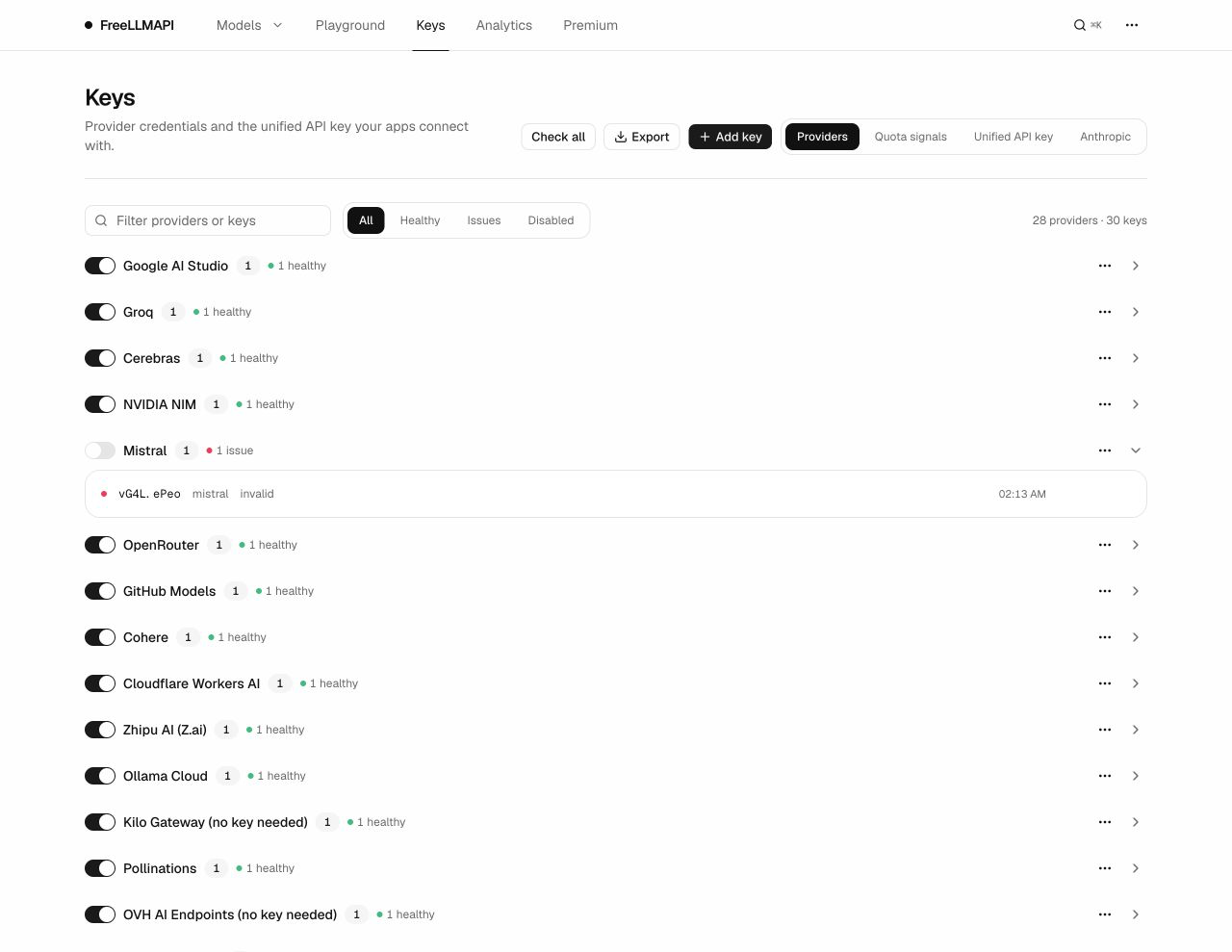
5. Add keys and copy the unified API key
In the Keys screen, add one provider at a time and run the available health check. The router stores provider credentials in its local SQLite database using AES-256-GCM encryption. Copy the generated freellmapi-... unified key for your application, but never commit it or the upstream keys to Git.
6. Configure a small fallback chain
Enable two or three models suitable for your task and choose a routing strategy. auto:fast favors measured speed, auto:smart favors model intelligence and auto:reliable favors recent success. A long chain does not guarantee better results; it makes behavior harder to reproduce when different models answer the same prompt.
7. Test in the Playground
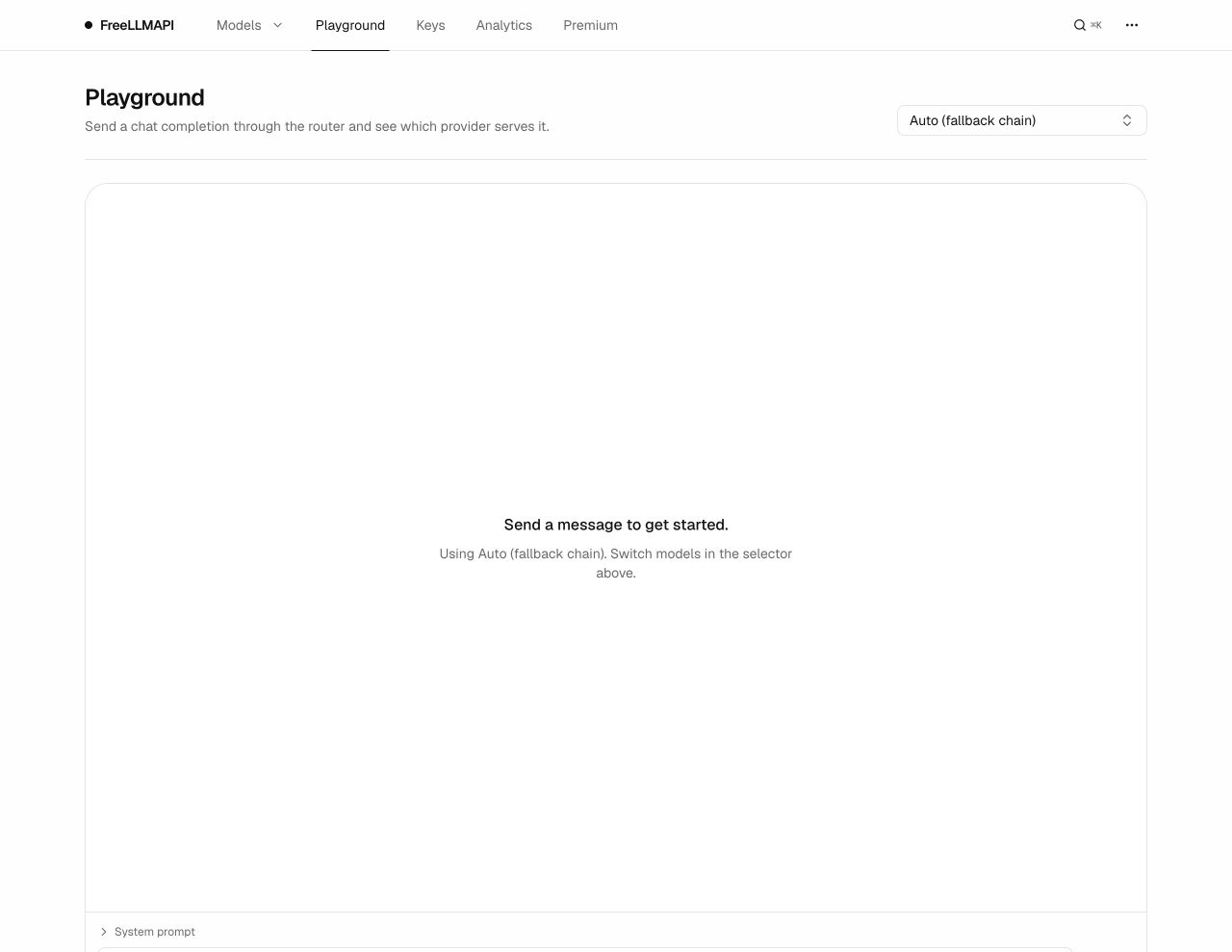
Send a small prompt from the Playground and note the provider, model and latency. Repeat enough times to trigger at least one fallback, then compare output structure rather than only prose quality. If your app needs JSON or tool calls, test those exact response contracts before writing application code.
8. Connect your prototype through a backend
Use the OpenAI SDK with the local base URL. The following Python example follows the project’s documented API shape. Replace the placeholder with your unified key and keep this code on a server or local development machine, not in public browser JavaScript.
from openai import OpenAI

client = OpenAI(
    base_url="http://localhost:3001/v1",
    api_key="freellmapi-your-unified-key",
)

response = client.chat.completions.create(
    model="auto:balanced",
    messages=[
        {"role": "system", "content": "Return concise product copy."},
        {"role": "user", "content": "Write a tagline for a repair booking app."},
    ],
)

print(response.choices[0].message.content)
Add request timeouts, schema validation, retry limits and logging in your own backend. FreeLLMAPI may retry upstream failures, but your application still needs to handle a complete outage, an unexpected model response and quota exhaustion without breaking the user workflow.
A safer prototype architecture
- The browser sends a narrowly defined request to your application backend.
- Your backend authenticates the user and enforces a per-user rate limit.
- The backend removes unnecessary personal data and builds the model prompt.
- During development, the backend calls the localhost FreeLLMAPI endpoint.
- The backend validates the model response before returning it to the browser.
- Before production, change the backend adapter to a paid provider and run the same acceptance tests.
This boundary keeps your UI independent from the experimental router. It also prevents a common mistake: embedding the unified key in a website and allowing anyone to consume every connected provider quota.
The real cost of “free” AI inference
| Cost or risk | What the free router changes | What remains your responsibility |
|---|---|---|
| Token charges | Can use upstream free allowances during development | Paid usage after quotas, plus production inference budget |
| Availability | Retries another configured provider | No SLA; all configured free routes can fail or throttle |
| Model quality | Can choose or score different models | Responses vary when the serving model changes |
| Security | Encrypts stored keys and gives clients one unified token | Host hardening, secret rotation, access control and incident response |
| Compliance | Provides a routing layer | Provider terms, user consent, privacy, retention and regional requirements |
| Operations | Centralizes models, keys and analytics | Updates, backups, monitoring and migration to a paid production route |
Common problems and fixes
| Problem | Likely cause | What to check |
|---|---|---|
| Every request returns 401 | Wrong unified key or malformed authorization header | Copy the key from the local Keys screen and use a Bearer header |
| Models appear but cannot run | No enabled healthy provider key for those catalog rows | Use the available/ready model filter and test each key |
| Quality changes between requests | Fallback chain served different models | Pin a model for repeatable tests or validate output at the application layer |
| Requests slow down later in the day | Preferred free quotas are exhausted | Inspect quota state and accept degraded capacity or use a paid provider |
| Docker loses access after an update | Database volume or encryption key changed | Restore the original volume and matching encryption key from backup |
| Website users can see the API key | The browser calls FreeLLMAPI directly | Move the request behind your authenticated backend immediately |
When to stop using the free pool
- Move off it before charging customers or promising uptime.
- Stop if an upstream provider’s terms do not permit your intended workload.
- Use a paid route when model switching changes the product’s output or safety behavior.
- Do not expose the dashboard or unified endpoint directly to the public internet.
- Do not send sensitive customer data until privacy, retention and provider-processing terms have been reviewed.
Official sources
- FreeLLMAPI GitHub repository
- FreeLLMAPI official website
- Latest FreeLLMAPI release
- Official installation and deployment guide
- Official API reference
- Architecture, limitations and provider-terms review
FAQ
Does FreeLLMAPI give me free API tokens?
Not directly. FreeLLMAPI is a self-hosted router that uses the free-tier API keys you obtain from supported upstream providers. Each provider keeps its own quotas, eligibility rules and terms.
Can I use FreeLLMAPI for a production SaaS?
The project documentation says no: it is intended for personal experimentation and learning, has no SLA and is single-user by design. Use it to prototype, then move production traffic to a paid provider or a production-grade gateway.
Is FreeLLMAPI completely free?
The MIT-licensed router can be self-hosted without a software fee, and the free catalog snapshot is delayed by about 30 days. You still pay for hosting, electricity and any paid upstream usage. An optional live catalog is sold separately.
Do my API keys go to FreeLLMAPI servers?
The project says provider keys are stored in the local SQLite database with AES-256-GCM encryption and requests go directly from your router to enabled upstream providers. The catalog service still supplies signed model metadata, so review deployment and network behavior yourself.
Which applications can connect to FreeLLMAPI?
Any client that can use an OpenAI-compatible base URL can connect, including a custom website backend, a development SaaS prototype and several coding agents. Compatibility does not make every provider or model suitable for production.
Why does model quality change during the day?
The router falls through its chain as better free-tier models hit daily limits. The documentation warns that later requests may be served by smaller models until quotas reset, so output quality and latency can vary.
Related Techmixer guides
- Explore the Techmixer AI Tools hub
- Learn AI Engineering from Scratch
- Build an Always-Free AI Server on Oracle Cloud
- Install OpenClaw on Windows
- Improve an OpenClaw Personal AI Assistant
- Compare No-Code AI Workflow Automation Tools
Our take
FreeLLMAPI solves a real development problem: it lets one prototype speak a stable API while several free provider tiers absorb early experimentation. The weak assumption is that aggregated quotas become free production infrastructure. They do not. Provider rules, model quality, latency and availability remain fragmented, and the router is explicitly single-user. Use this FreeLLMAPI setup to learn and validate; design the application so replacing it with a paid production route is one configuration change, not a rewrite.
Evidence note: This draft is based on FreeLLMAPI 0.12.0 documentation, repository disclosures, official interface screenshots and the project’s provider-terms review. Techmixer did not create accounts with all listed providers, install the router or independently verify the advertised aggregate monthly token estimate. Verify current quotas and terms before following the guide.
Last reviewed: 28 September 2026.