Of these four Claude Code alternatives, start with OpenCode if you want a coding agent in your terminal and the freedom to choose a model provider. Pick Aider for a Git-focused editing workflow, Codex if you want a desktop workspace for reviewing changes across tasks, or Google Antigravity if you prefer to review plans and walkthroughs in an agent workspace.
OpenCode was also the tool the XDA reviewer kept using after a month. That result reflects the reviewer’s workflow. For your own decision, the most useful comparison is how much cleanup and review each tool leaves you after an ordinary change. XDA’s month-long comparison.
Compare the four coding agents
| Tool | Best fit | Model access | What to review |
|---|---|---|---|
| OpenCode | Terminal users who want to switch providers | Connect a provider or configure a supported local model | Permissions, selected provider and patch scope |
| Aider | Small, deliberate changes in a Git repository | Connect a supported model provider or local model | Files added to the session and automatic commits |
| Codex | Developers who want separate tasks and a desktop diff view | Check OpenAI account or plan access and usage limits | Diff, actual test output and sandbox settings |
| Google Antigravity | Developers who want plans and walkthroughs in an agent workspace | Check available models and quota for your Google account | Artifact review settings and implementation results |
The client and the model are separate choices. A free client can still call a metered API. A terminal client can also send code to a hosted provider. Check the destination, account limits and your organisation’s policy before opening a private repository.
1. OpenCode for switching models in the terminal
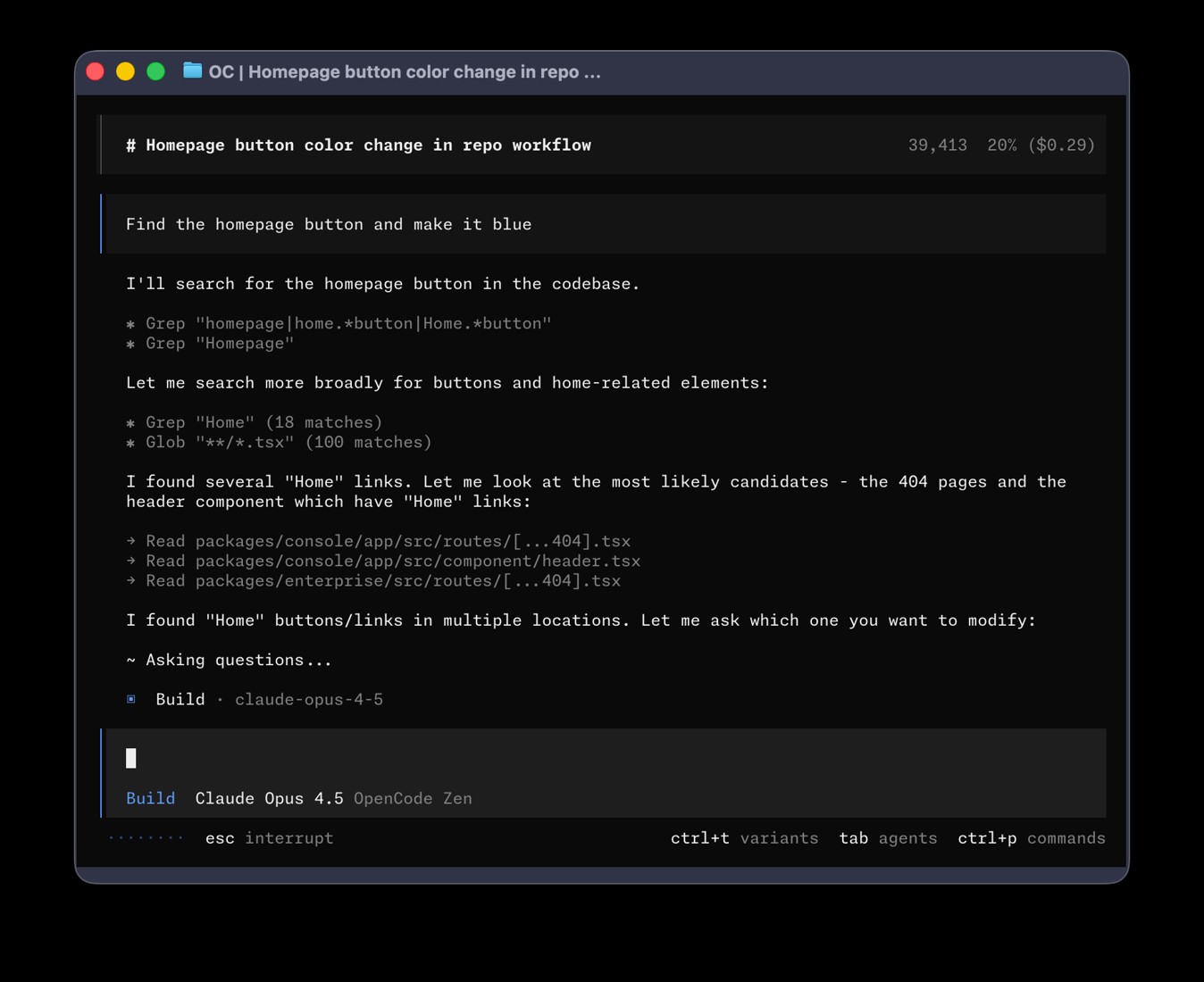
OpenCode is the strongest starting point if you like working in the terminal and your main reason for leaving Claude Code is model choice. Open a project, use /connect to connect a supported provider, then use /models to check the model before starting work. If you switch providers, check whether the new one is allowed to receive that repository’s code. Review command and file permissions before letting the agent run tests or edit the project. OpenCode providers · OpenCode permissions.
2. Aider for focused edits you can review in Git
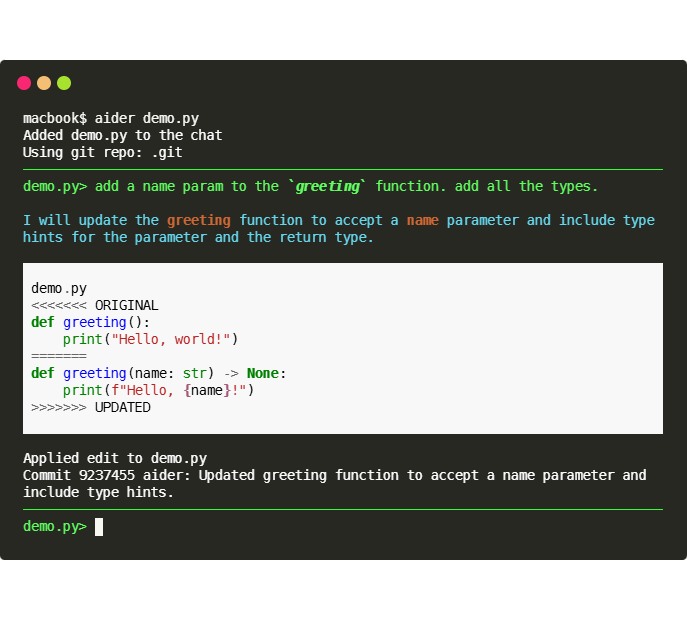
Aider works well when you already know the files involved. Start with the source file and its test, ask for a narrow patch, then inspect the change in Git. Aider can automatically commit changes, so use a fresh branch and check git show when that feature is enabled. A clean git diff alone can miss changes that are already committed. Aider’s Git integration · Supported models.
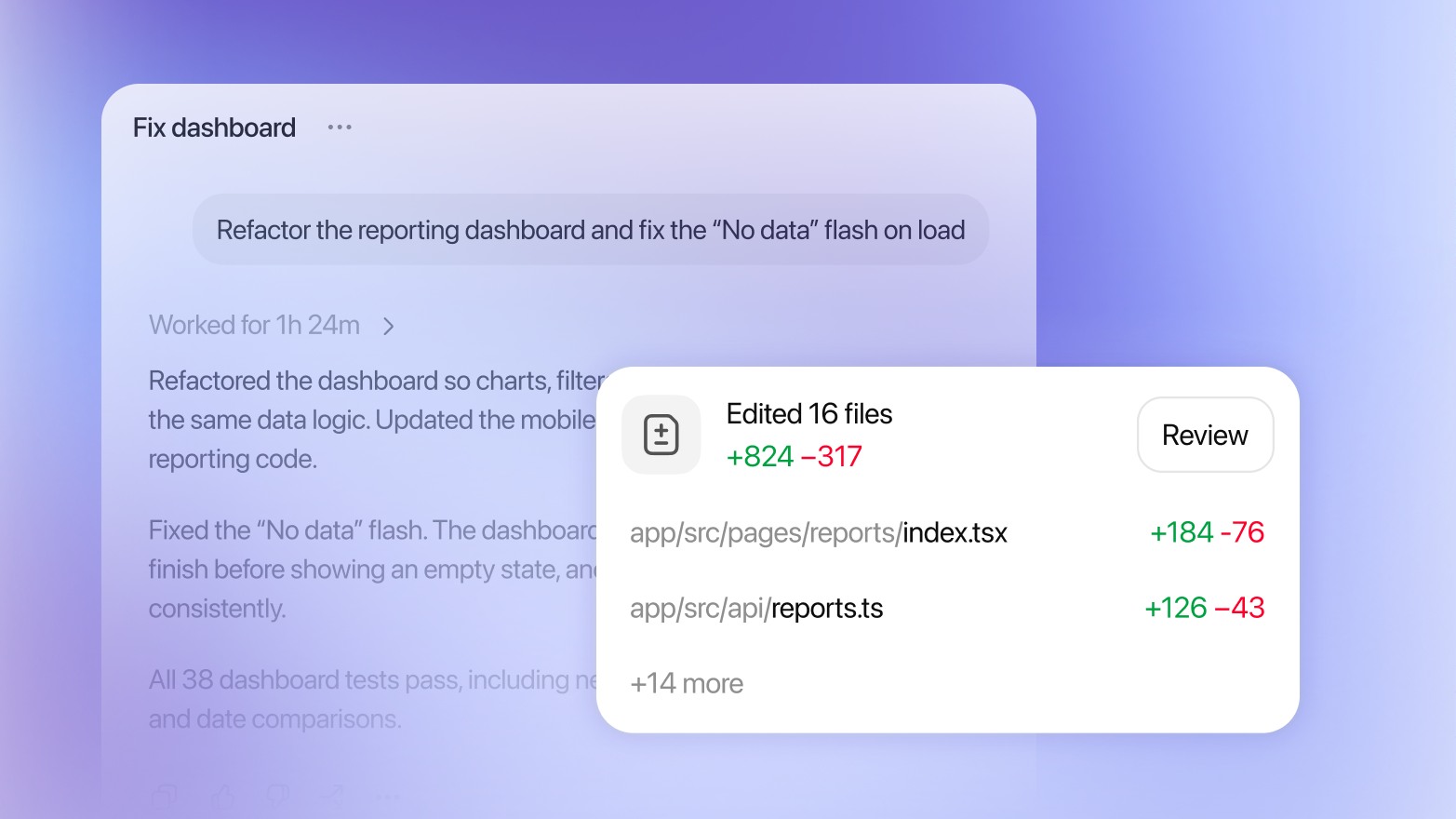
3. Codex for separate tasks and a desktop diff review
OpenAI’s Codex is a fit if you want to keep a bug fix and a separate documentation task in different threads. Start each assignment with its own scope. In the desktop app, review the changed files before accepting the result and check the actual test output before merging. Codex access and usage depend on how you sign in and the plan or API you use. OpenAI Codex.
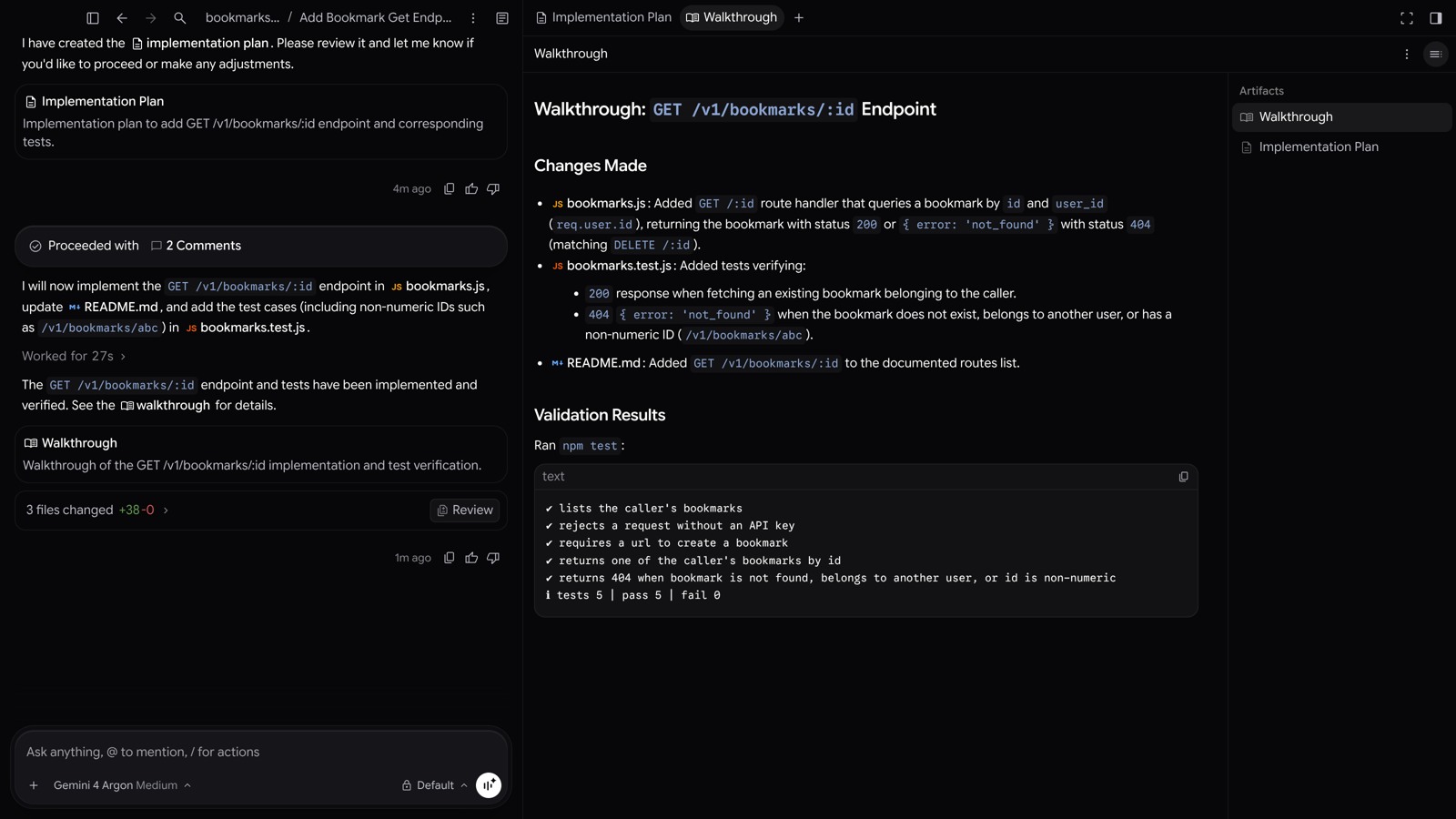
4. Google Antigravity for reviewing plans before edits
Try Antigravity when you want a written implementation plan to review before the agent takes on a multi-step change. Google calls these reviewable outputs artifacts. Check the review policy for your version and workspace, then read the proposed file changes and test plan. After implementation, compare the walkthrough with the diff and the test output. Google’s artifact review guide.
How to compare Claude Code alternatives on your own repo
Use a disposable copy or a clean branch with no secrets. Write a small test before starting, then give each tool the same task from the same commit. For example, make a URL parser return a clear error for an empty input. Tell each agent the intended behavior and the command that checks it.
Find why an empty URL raises an exception. Propose the smallest fix and add one regression test. Keep the existing behavior for valid URLs. Run the targeted test and report the changed files and any checks you could not run.
Score each attempt on three questions. Did the regression test fail before the fix and pass afterward? Did the patch stay within the agreed scope? Could you understand each line before merging? Record the model and permission mode with the result. If the tools ran different models, treat the outcome as a comparison of those complete setups.
Related Techmixer guides
- Freebuff coding agent and its model choices
- Open-source alternatives for other AI workflows
- Browse Techmixer’s AI tool guides
Our take
Start with OpenCode for provider flexibility or Aider if you mostly want to edit a few files and inspect a Git commit. Choose Codex or Antigravity when their review interface makes a real difference to how you work. The test above gives you a way to decide before migrating your main projects.
Last reviewed November 20, 2026. Techmixer compared official documentation and interface examples alongside XDA’s account. The example is a repeatable evaluation, with no Techmixer benchmark results reported.